
Integration of Amazon with BigQuery
📢 Introduction
This module integrates with the Amazon Selling Partner API, enabling you to collect marketplace data — orders, listings, inventory, returns and financial events — and store it in Google Cloud BigQuery. Gain deeper insights into your data and optimize the performance of your marketplace operations with real-time data collection.
📝 Configuration Guide
Follow the steps below to connect Amazon with BigQuery. Once the setup is complete, your data will be automatically transferred to your BigQuery project.
💡 Tip: Make sure you have admin access to your Amazon Seller Central account before starting the configuration.
🔧 Module Setup
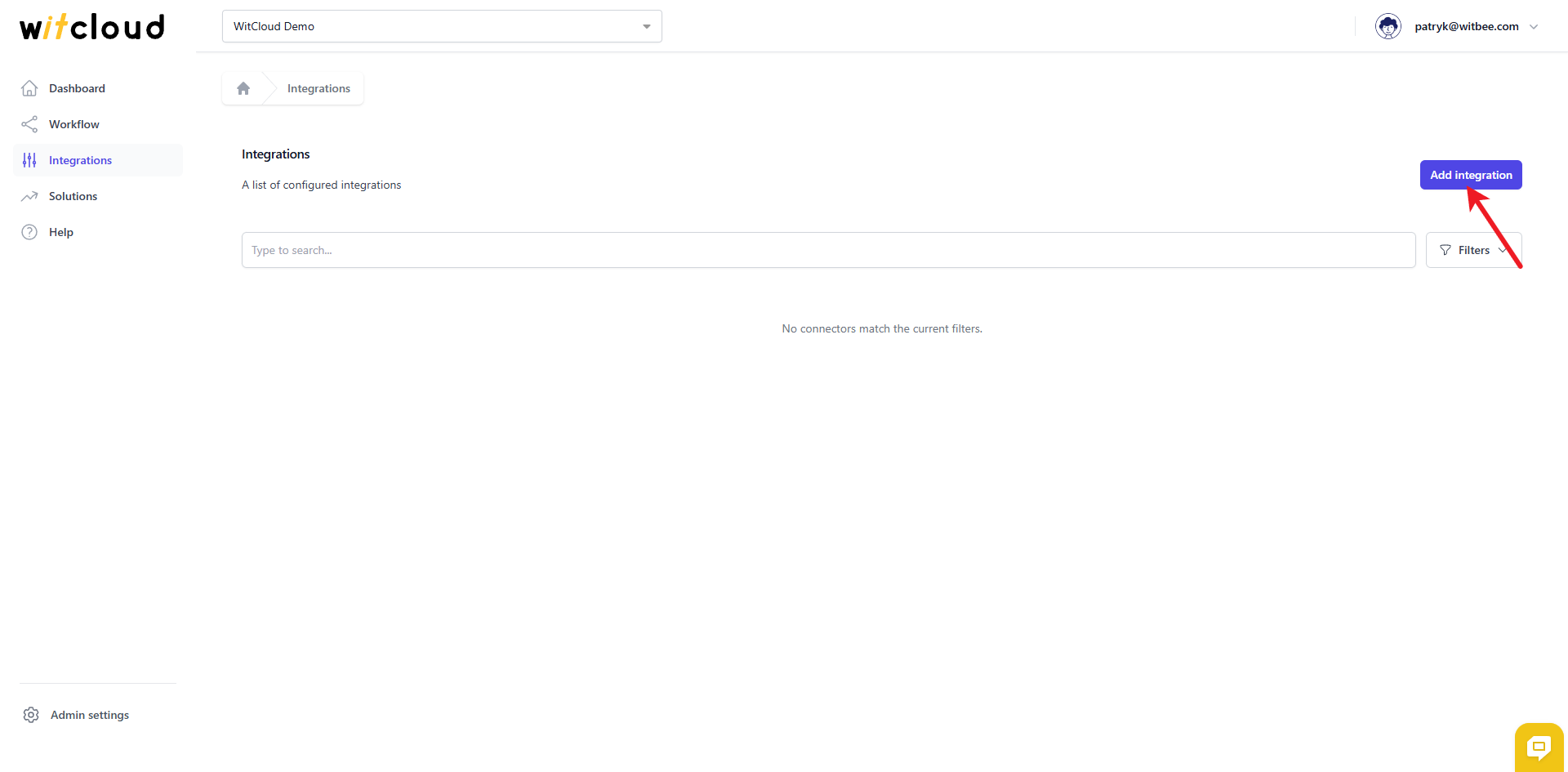
Go to the Integrations section in the menu > Click Add integration.
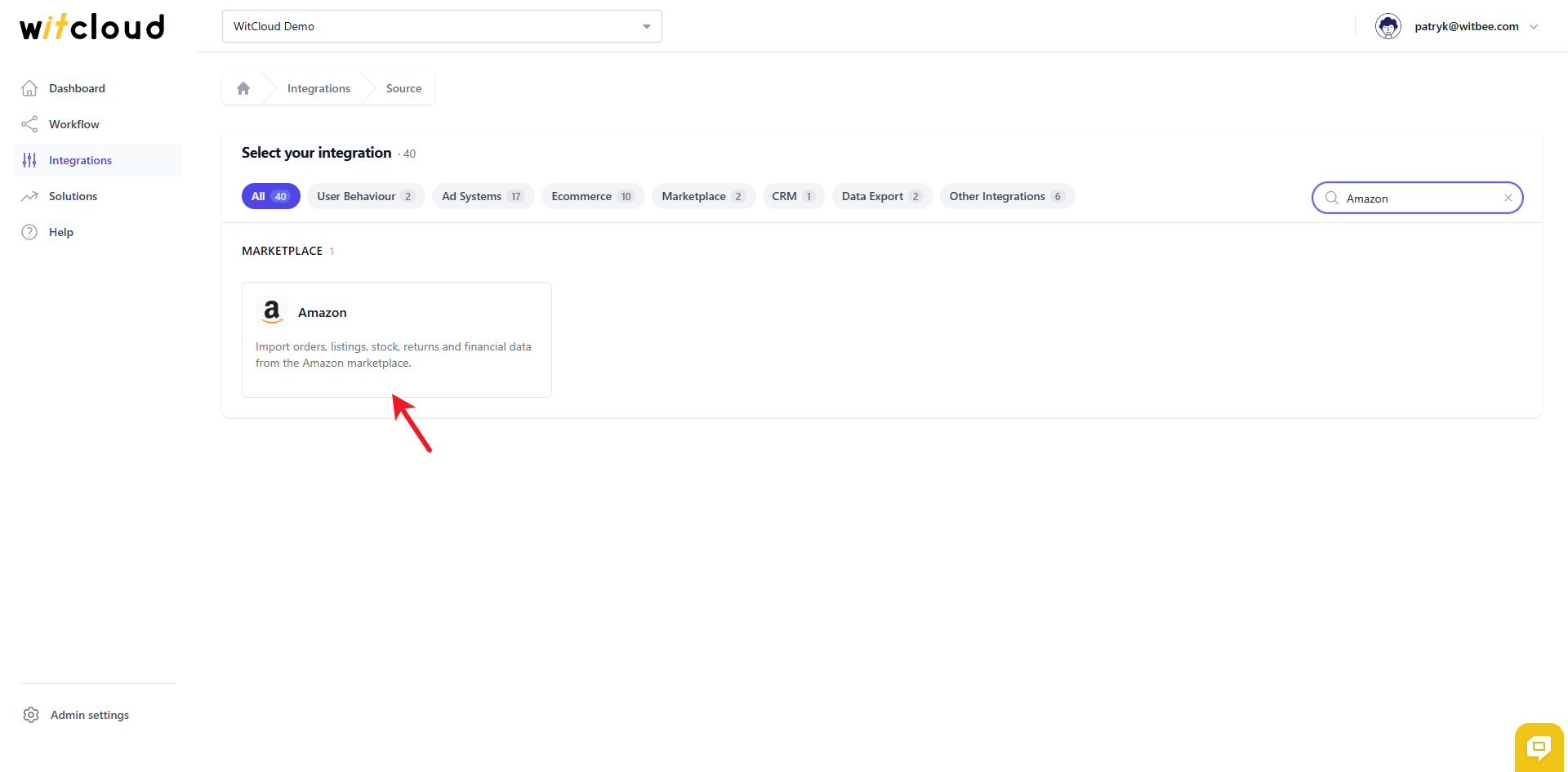
Select Amazon from the list of available integrations.
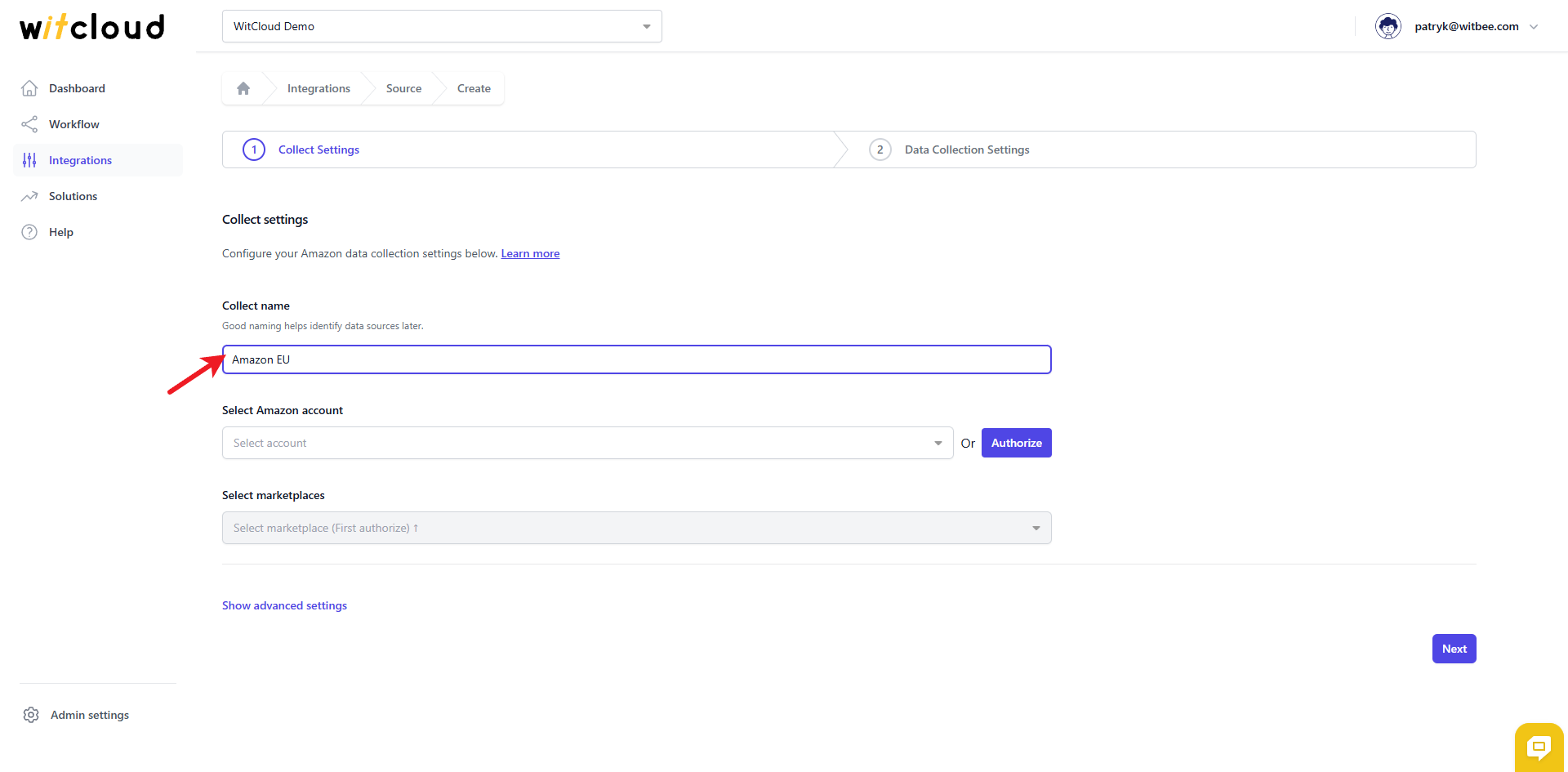
Enter the Collect Name, e.g., "Amazon EU".
🔑 Authorization
💡 Tip: If you have already created an Amazon token and it still has the correct permissions, simply pick it from the drop‑down and skip this step.
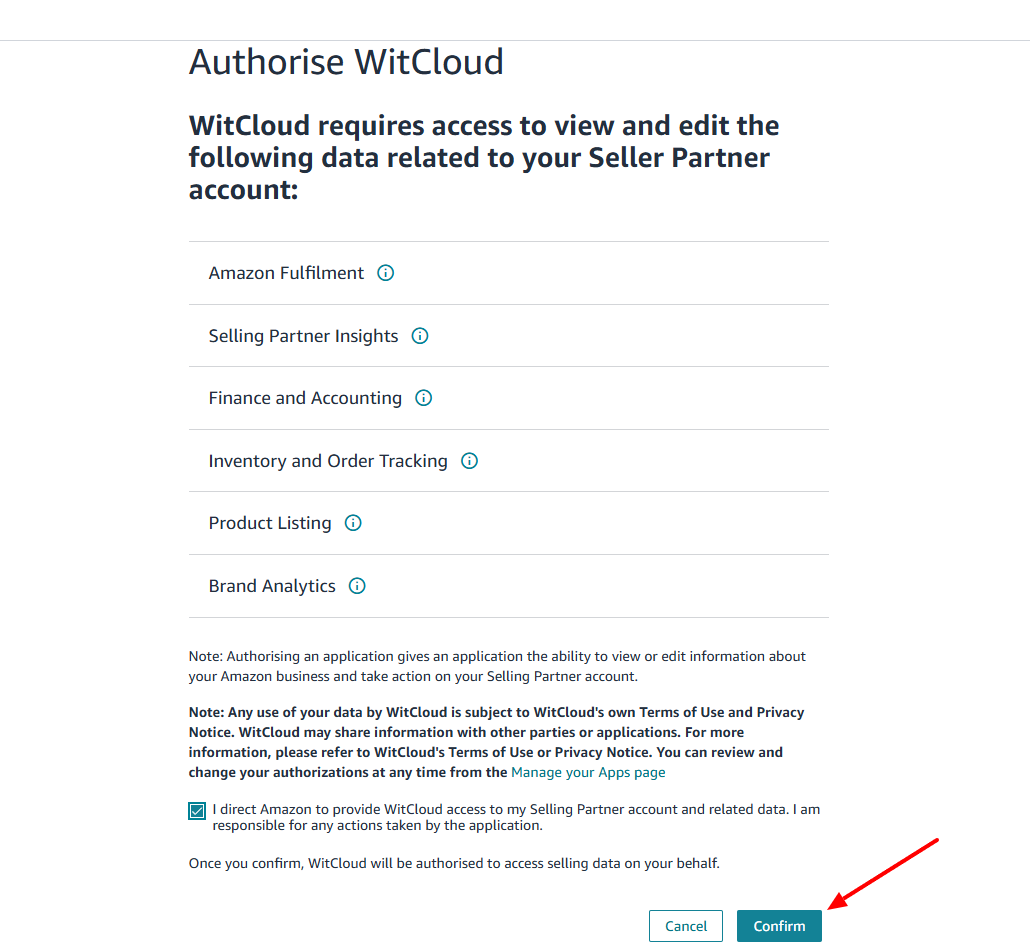
Click Authorize.
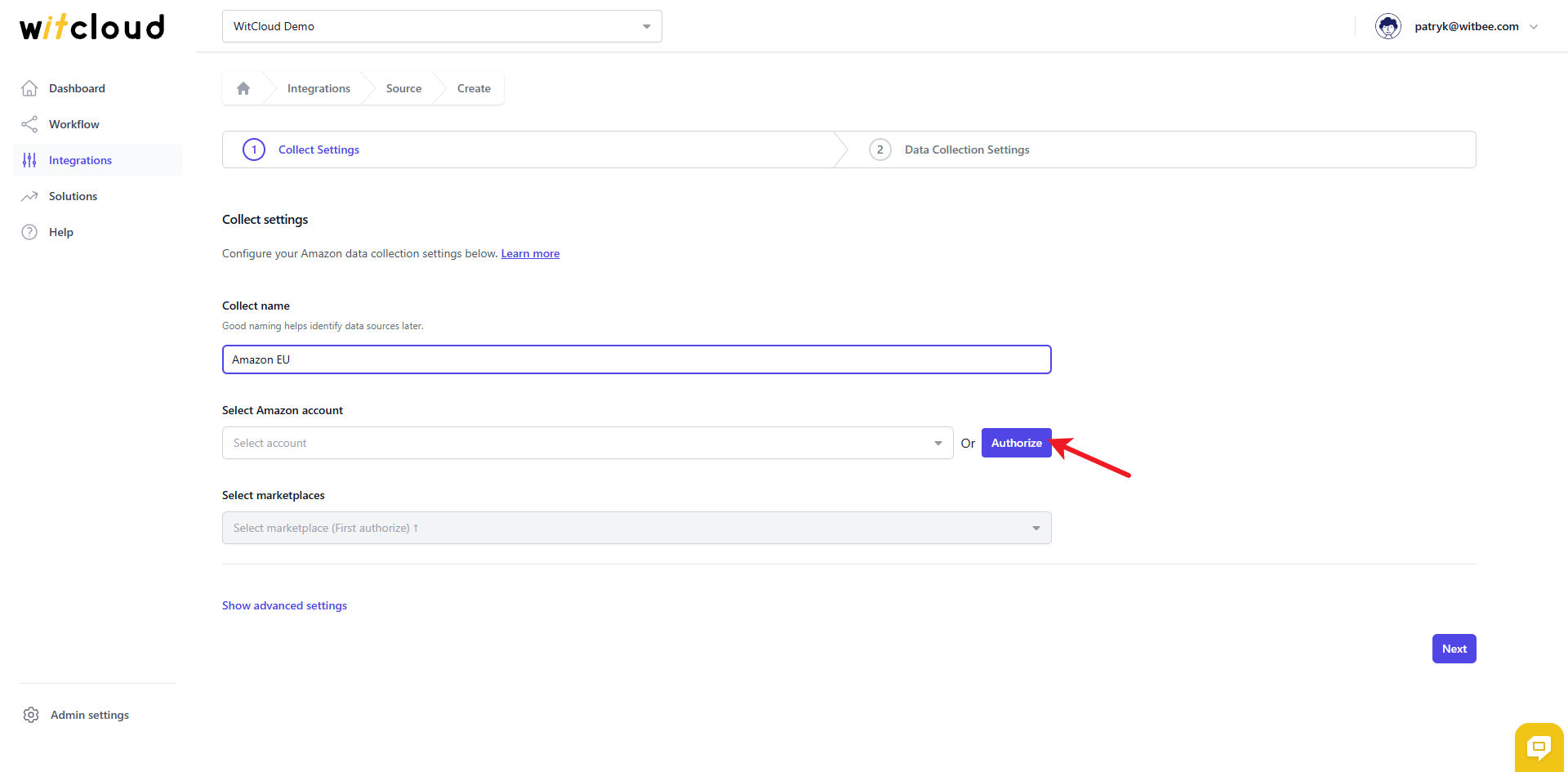
You'll be redirected to Amazon Seller Central to log in and authorize the connection:
- Log in to your Amazon Seller Central account.
- On the "Authorise WitCloud" screen, review the requested access: Amazon Fulfilment, Selling Partner Insights, Finance and Accounting, Inventory and Order Tracking, Product Listing, and Brand Analytics.
- Check the consent box and click Confirm.
Back in WitCloud, choose the Amazon marketplaces you wish to export.
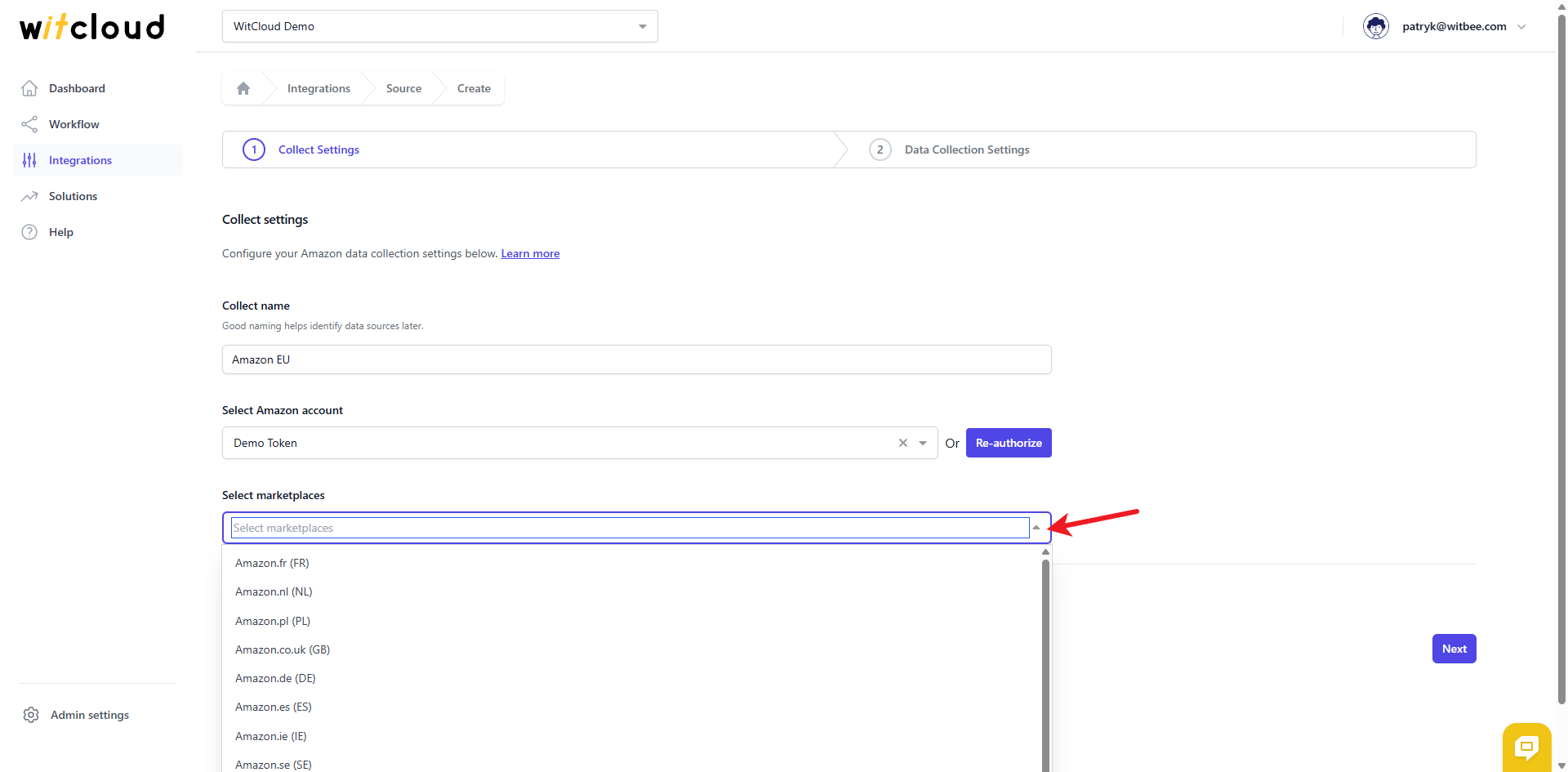
💡 Tip: You can select multiple marketplaces at once — WitCloud creates a separate data collect for each one.
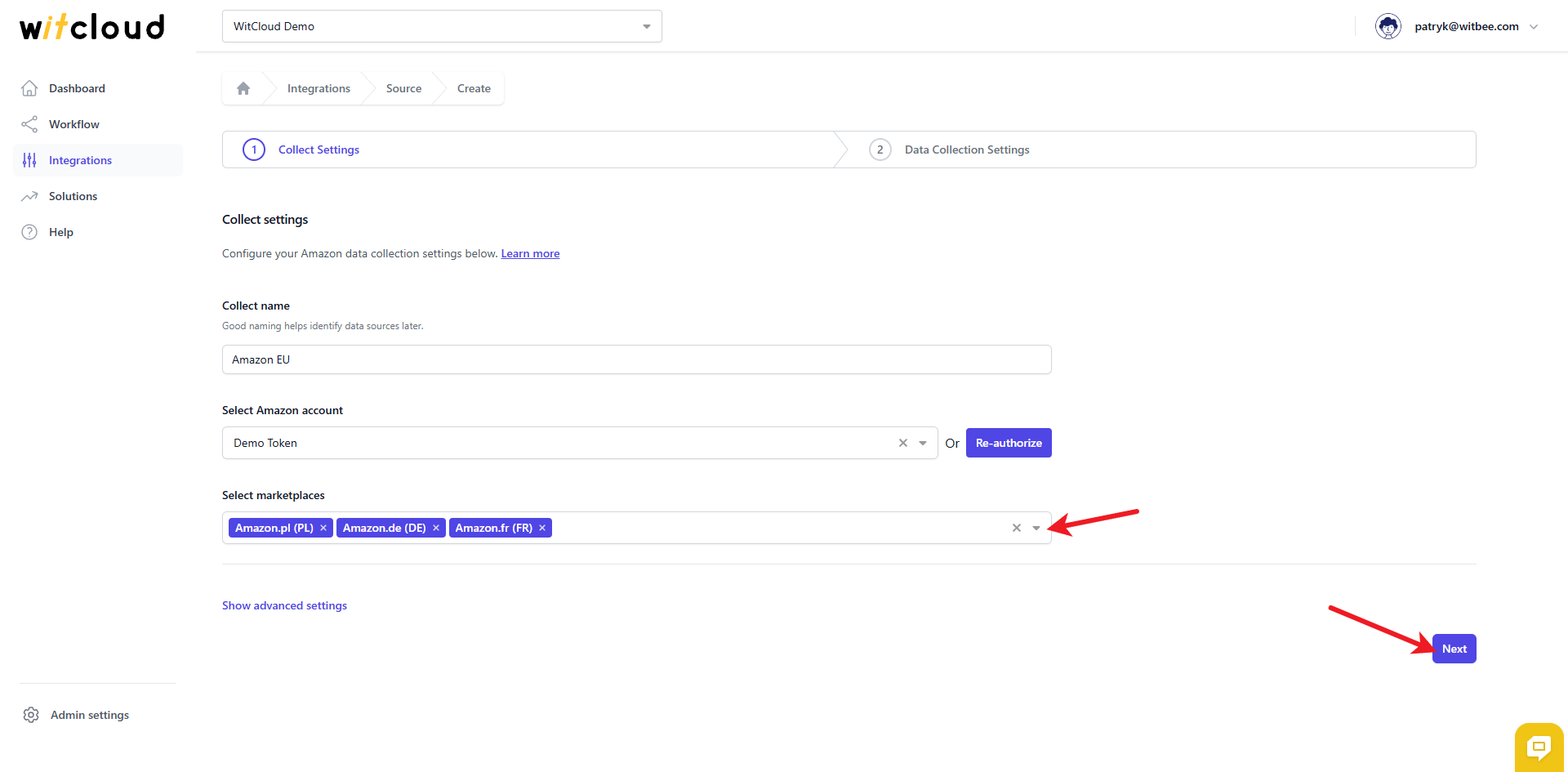
Optionally, expand Advanced to set the Data freshness (products) — how often, in hours, tables like products should be refreshed (minimum 4, maximum 12 hours) — and to narrow down the Tables to collect if you don't need every table.
Click Next to continue.
⏳ Historical Data and Scheduling
Select the date range (in days) for which you want to fetch historical data.
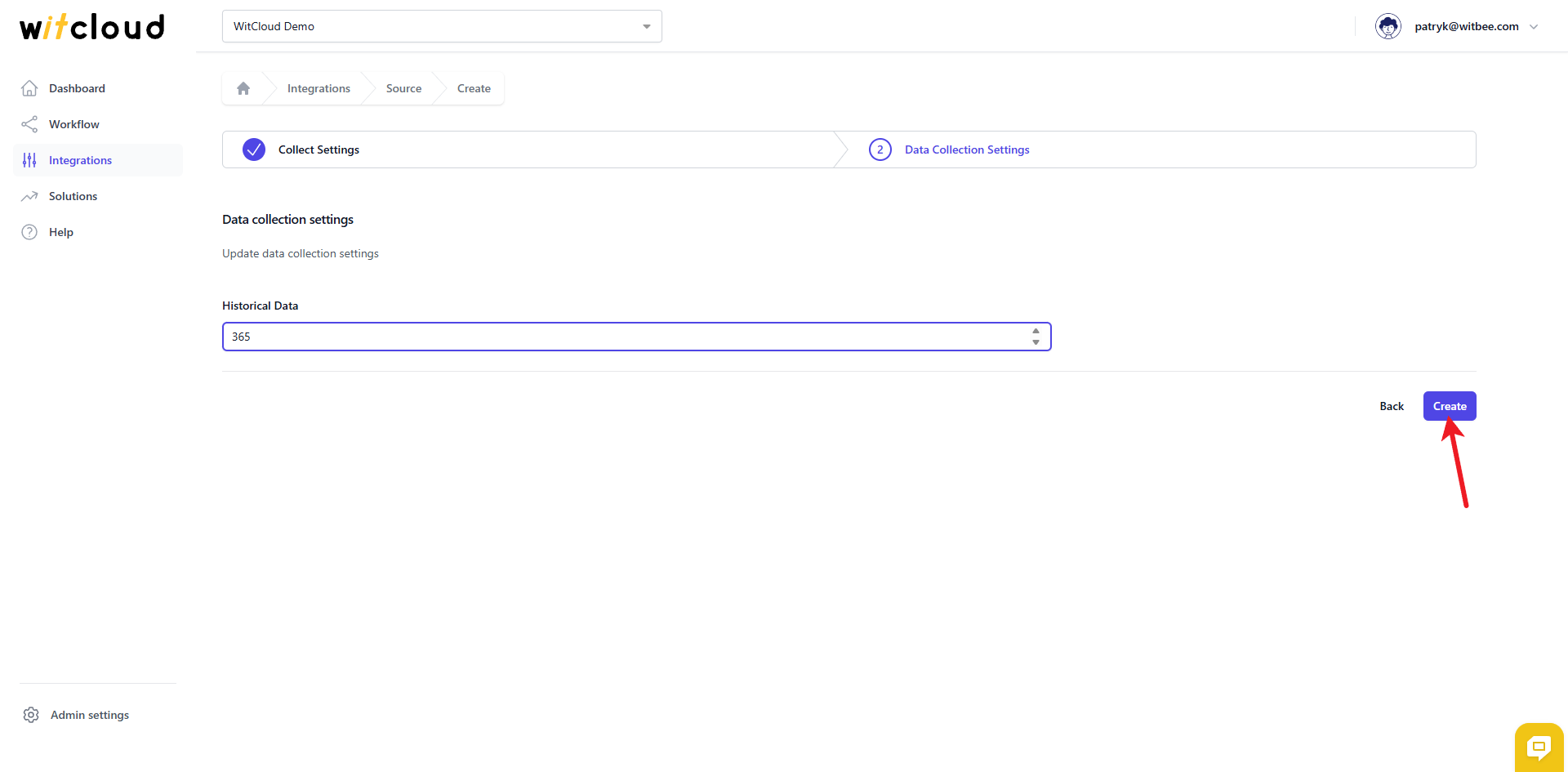
During the initial setup, you can retrieve data going back up to 12 months (365 days).
A data synchronization schedule will be created automatically. More information on this topic can be found here.
Click Create to complete the configuration.
✅ Done! Your Amazon data will now be synchronized with BigQuery, providing you with detailed insights into the performance of your marketplace operations.
📊 Data Schema
Expand the tables below to view the full data schema collected from Amazon.