
Integration of Facebook Catalog with BigQuery
📢 Introduction
This module integrates with the Facebook Catalog API (Meta Graph API), enabling you to collect product catalog data and store it in Google Cloud BigQuery. Gain deeper insights into your data and optimize the performance of your product catalog with regular data collection.
📝 Configuration Guide
Follow the steps below to connect Facebook Catalog with BigQuery. Once the setup is complete, your data will be automatically transferred to your BigQuery project.
💡 Tip: Make sure you have admin access to the Meta Business and the product catalogs you want to collect before starting the configuration.
🔧 Module Setup
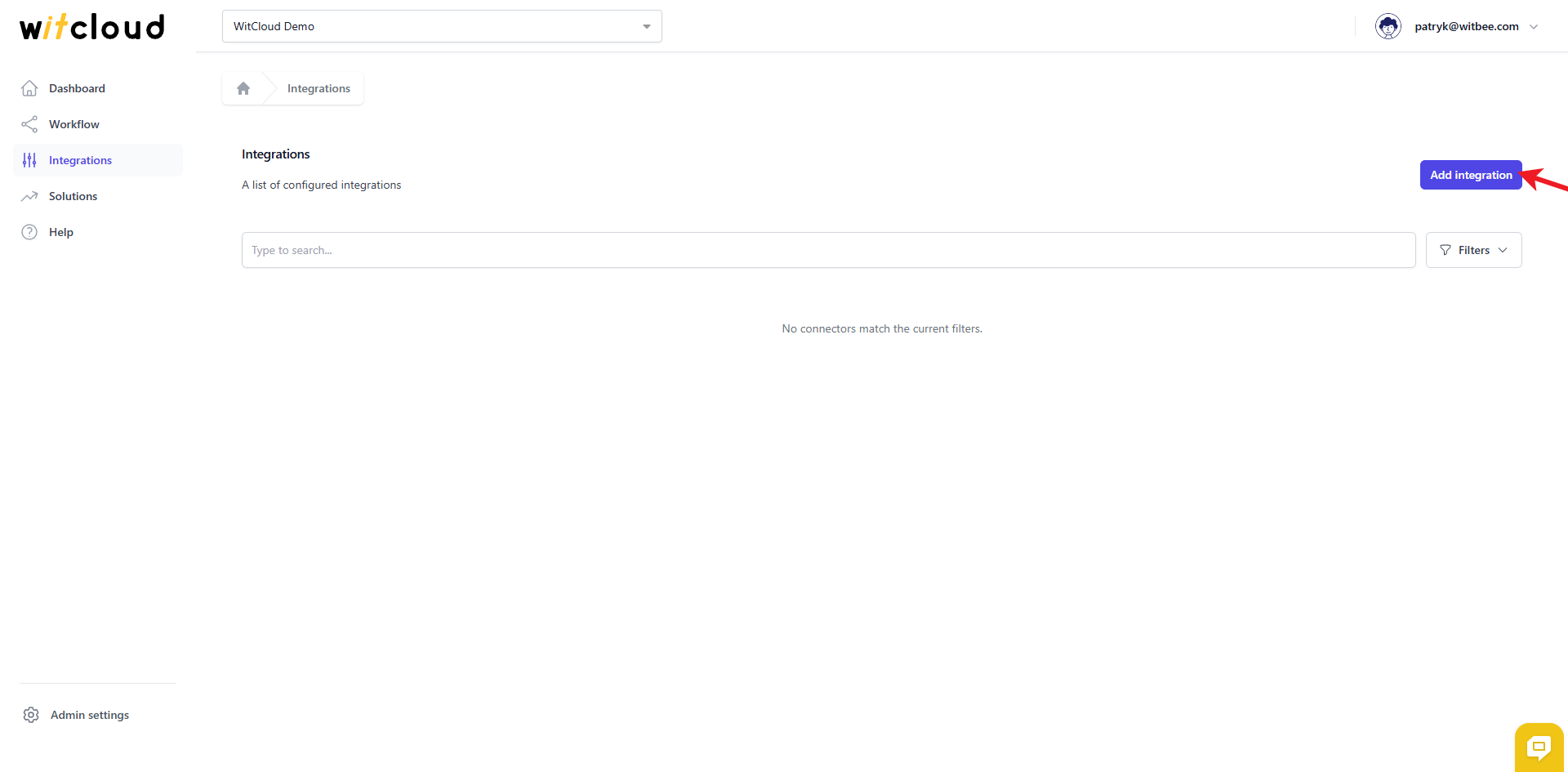
Go to the Integrations section in the menu > Click Add integration.
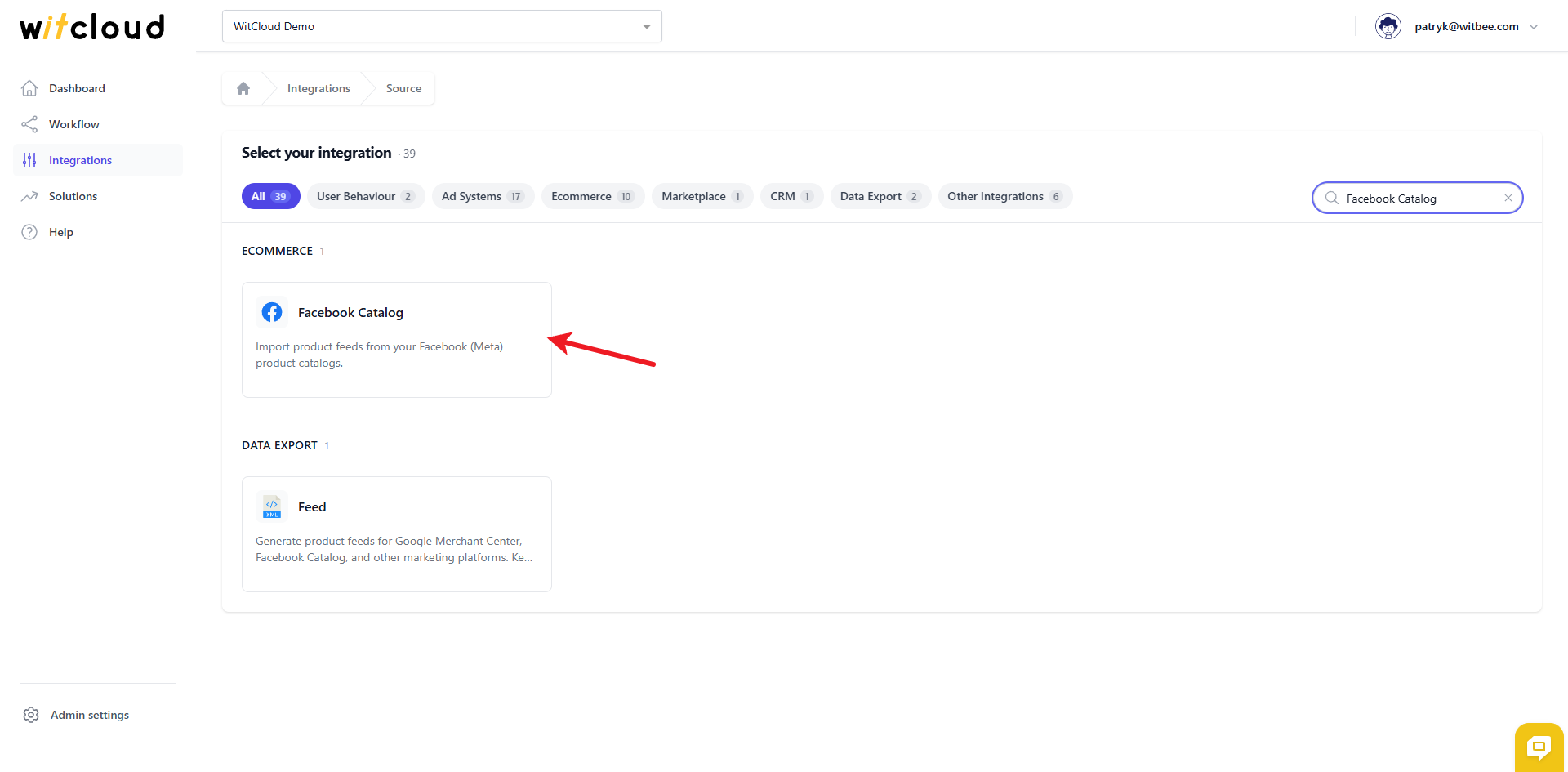
Select Facebook Catalog from the list of available integrations.
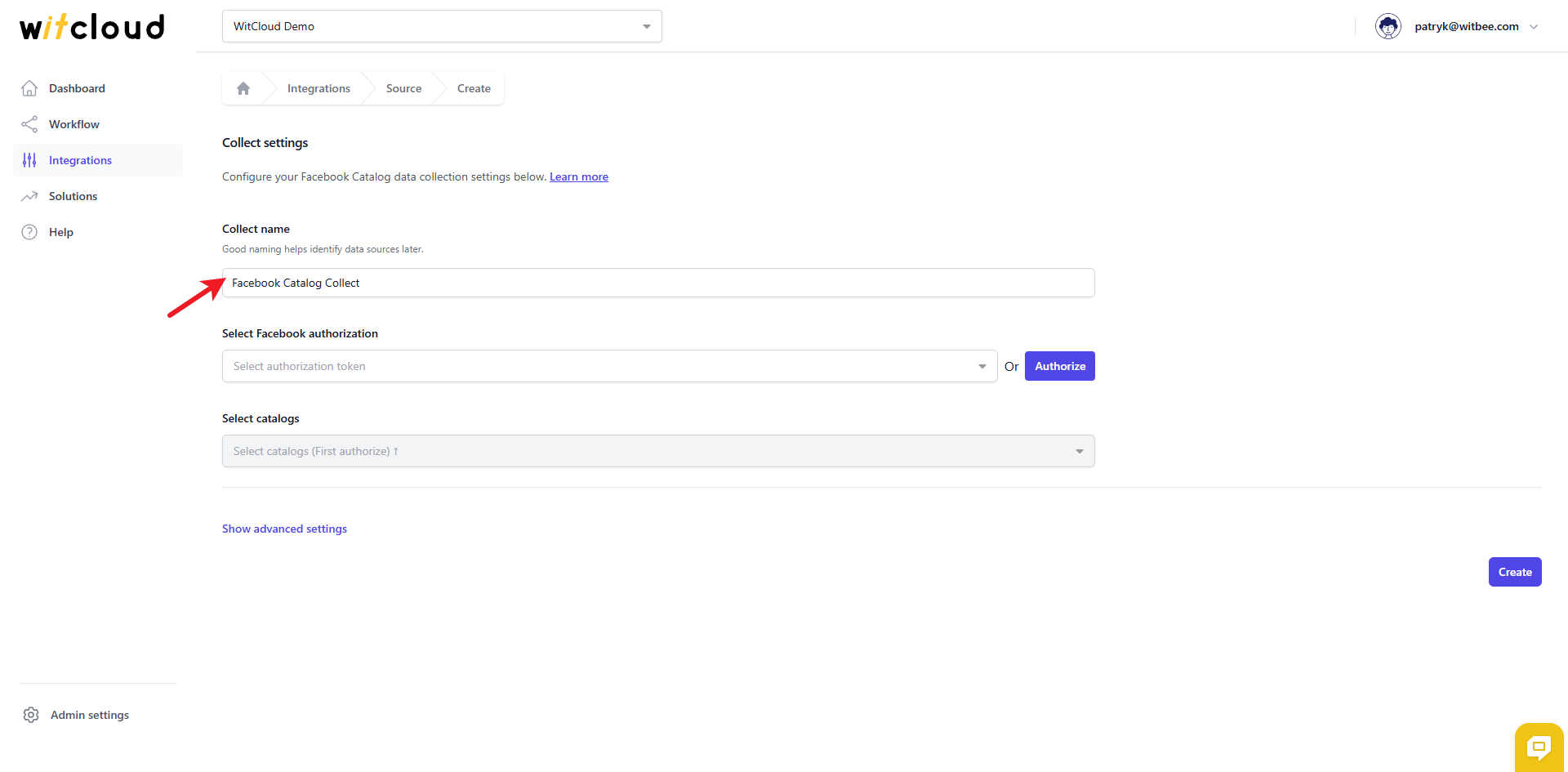
Enter the Collect Name, e.g., "Facebook Catalog Collect".
🔑 Authorization
💡 Tip: If you have already created a Facebook Catalog token and it still has the correct scopes, simply pick it from the drop‑down and skip this step.
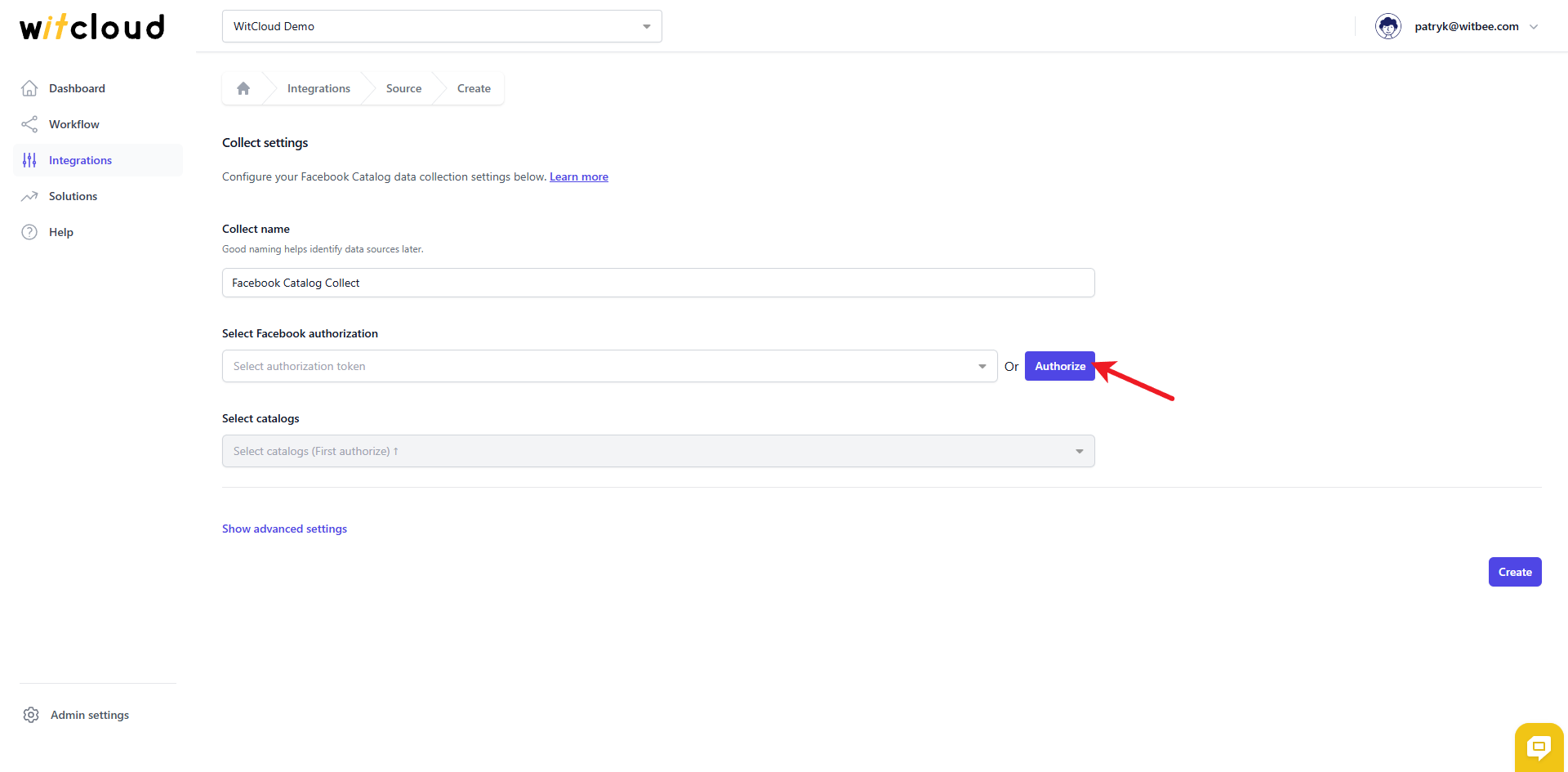
Click Authorize.
In the Facebook window:
- Log in to Facebook and choose the account you want to use.
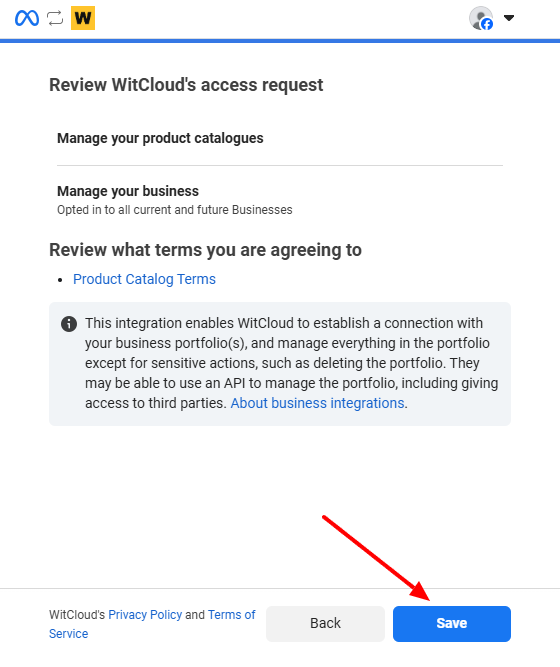
- On the "Review WitCloud's access request" screen, confirm the permissions "Manage your product catalogues" and "Manage your business" (scopes
catalog_management,business_management). - Click Save.
Back in WitCloud, choose the Facebook catalogs you wish to export.
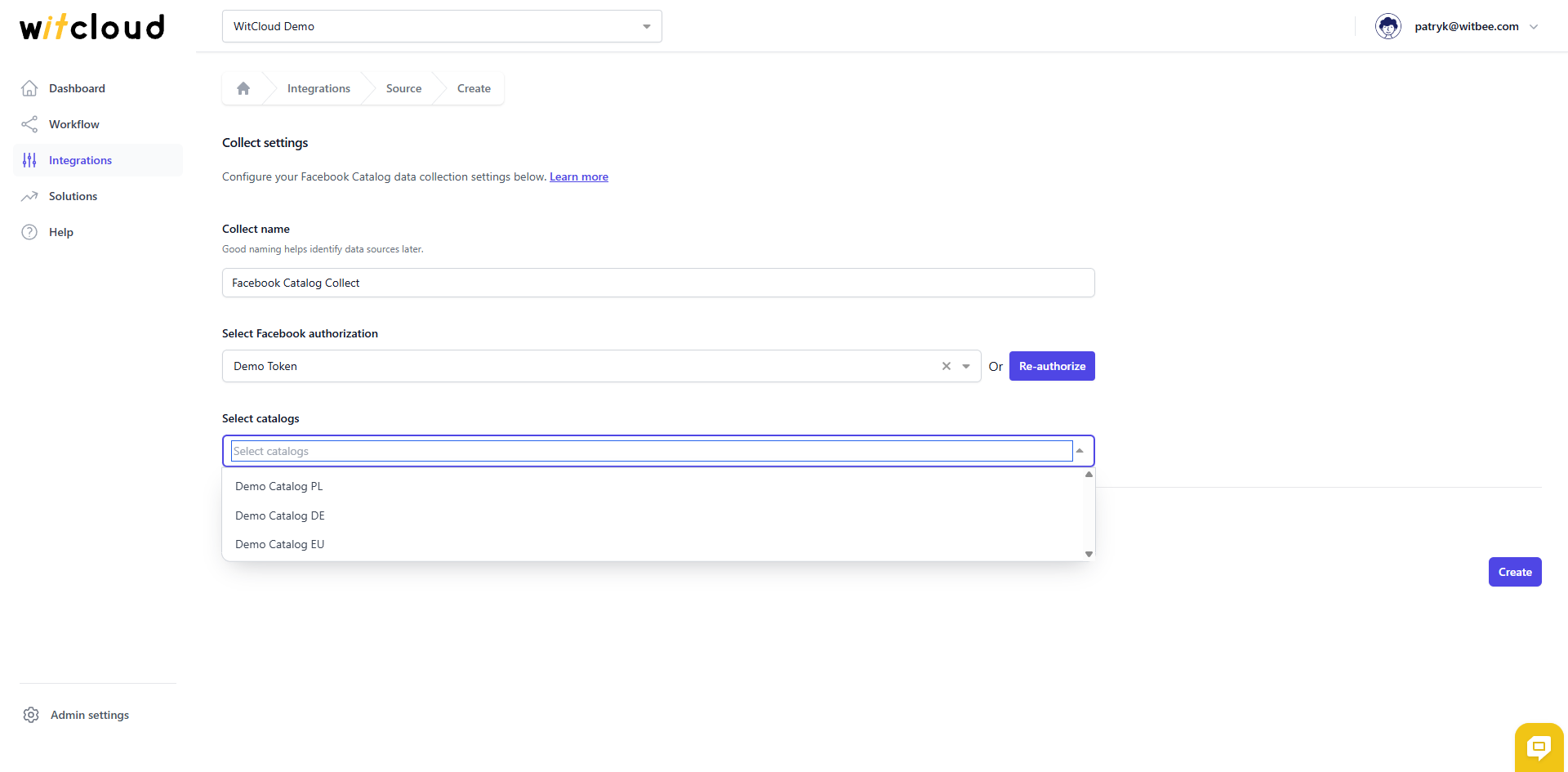
💡 Tip: You can select multiple catalogs at once — WitCloud creates a separate data collect for each one.
Optionally, expand Advanced to set the Data freshness (hours) — how often the catalog is refreshed (minimum 4, maximum 12 hours; default 4) — and to narrow down the Tables to collect if you don't need every table.
Click Create to complete the configuration.
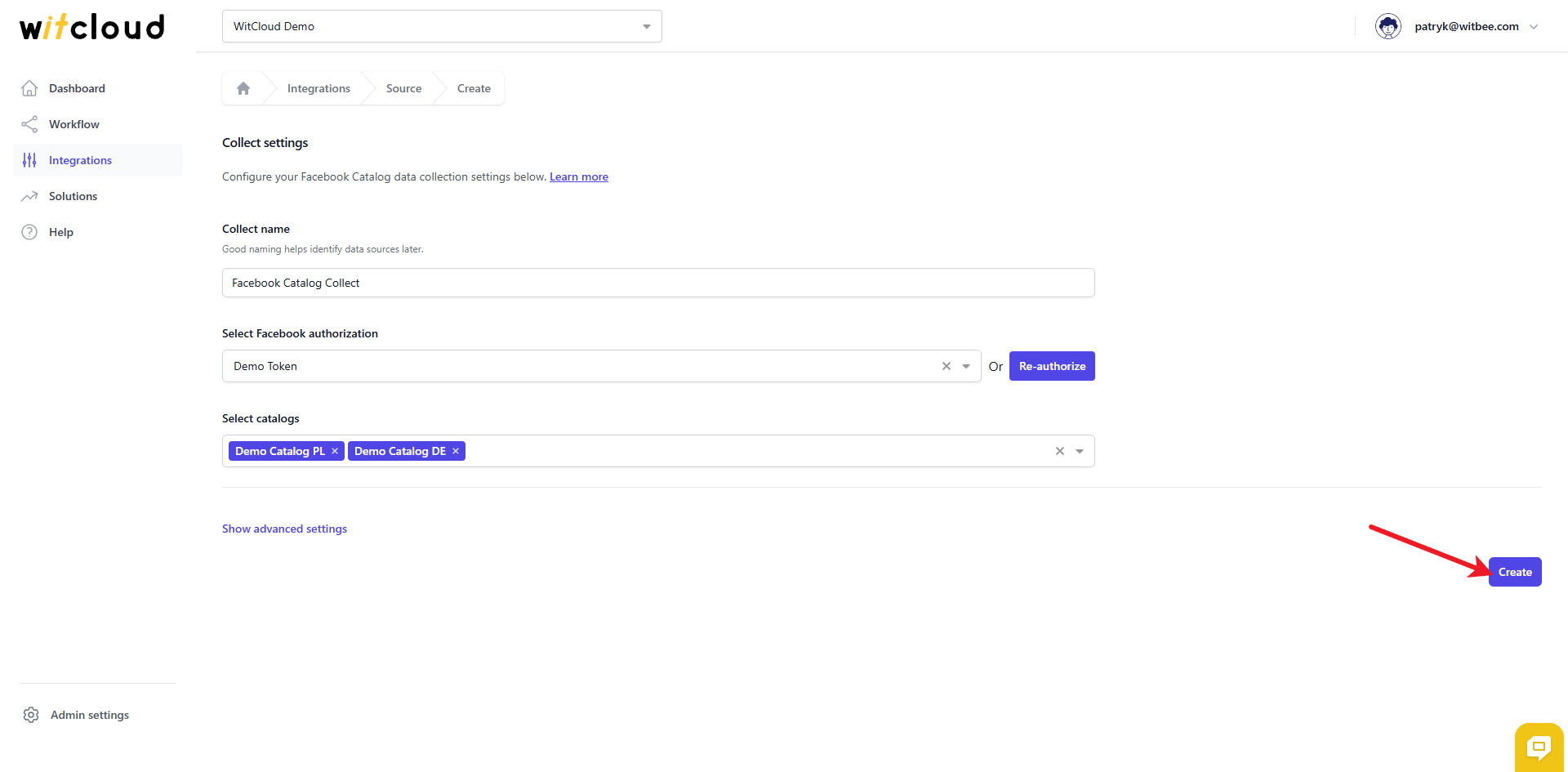
✅ Done! Your Facebook Catalog data will now be synchronized with BigQuery, providing you with detailed insights into the performance of your product catalog.
⏳ Data Synchronization
Facebook Catalog data is a current‑state snapshot of your product catalog, so there is no historical date‑range step — each run overwrites that day's partition with the latest state.
A data synchronization schedule will be created automatically and runs on the cadence you set in Data freshness (every 4–12 hours, default 4). More information on this topic can be found here.
📊 Data Schema
Expand the tables below to view the full data schema collected from Facebook Catalog.