
Custom hook ingegration
📢 Introduction
The Withook module allows you to send an HTTP request to any URL, enabling you to solve many custom problems. Combined with the Workflow module, you have full control over when to send such an events using the Withook module — for example, after fetching data using modules like Collect.
📝 Configuration Guide
Follow the steps below to create Withook module
🔧 Module Setup
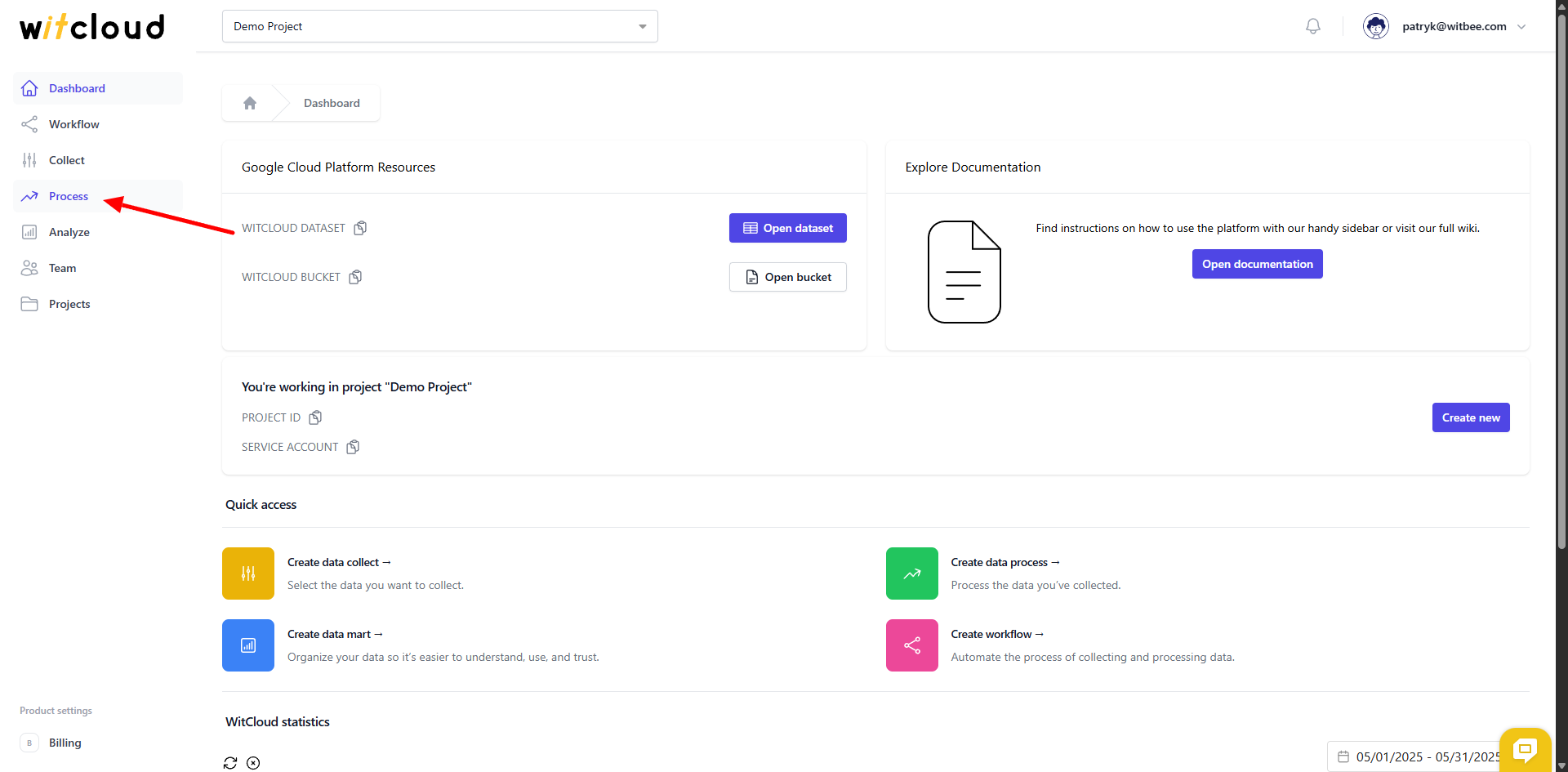
Go to the Process section in the menu > Click Create Data Process.
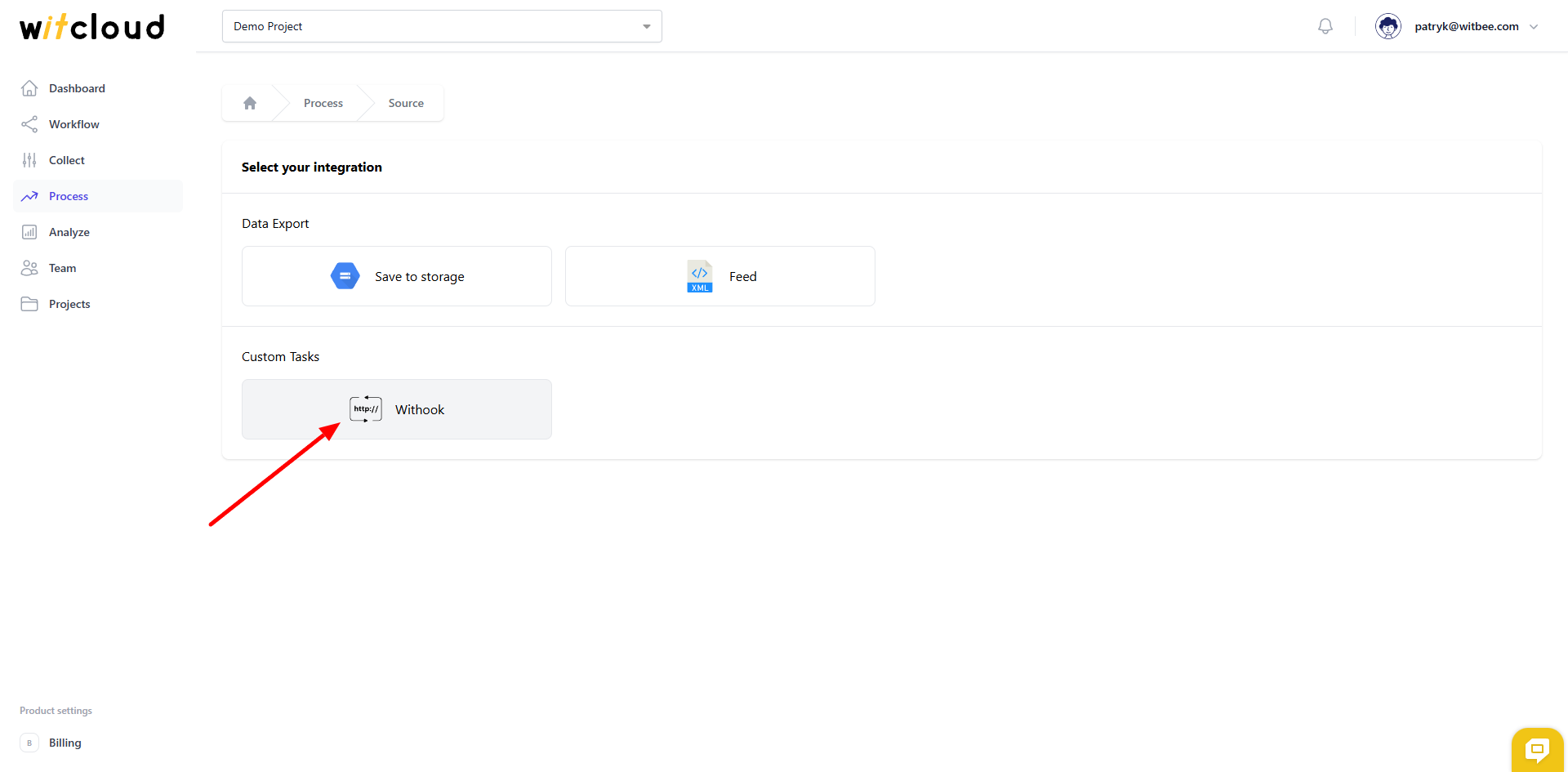
Select Withook from the list of available integrations.
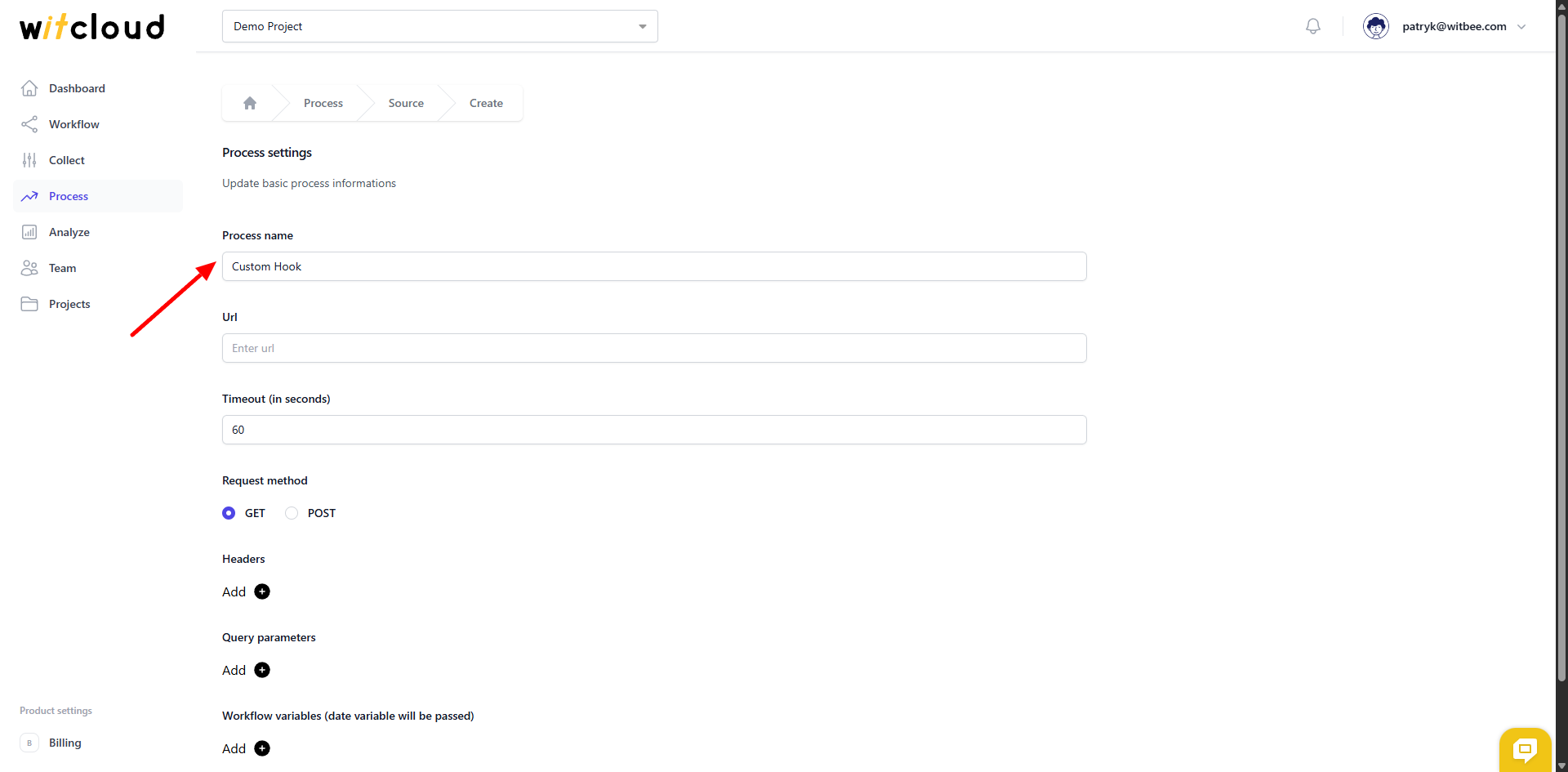
Enter the Process Name, e.g., "Custom hook".
Enter the URL of your custom hook.
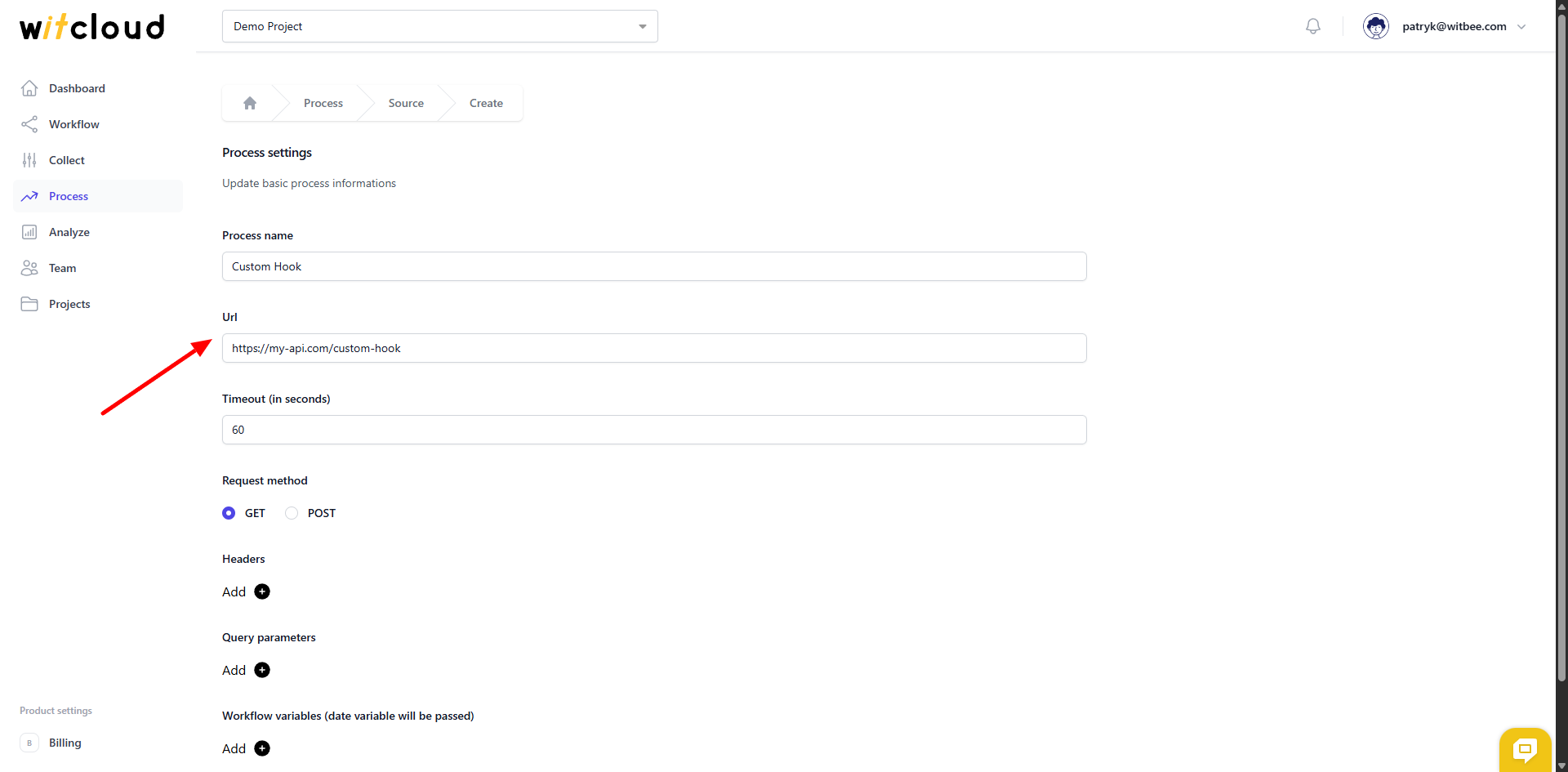
In the Timeout field, you can set the maximum execution time for your custom hook.
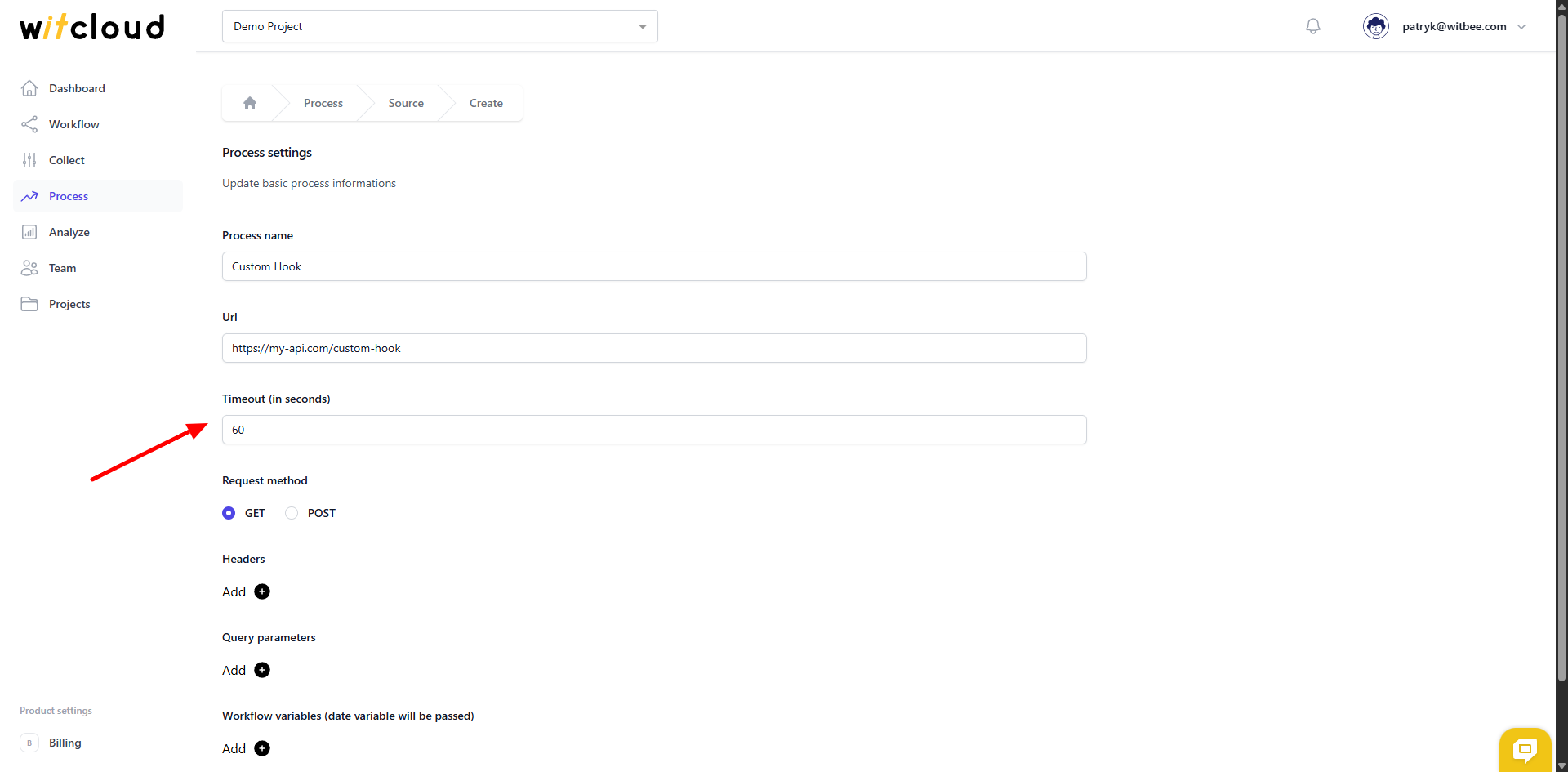
In the Request method field, you set the method to be used for sending the HTTP request.
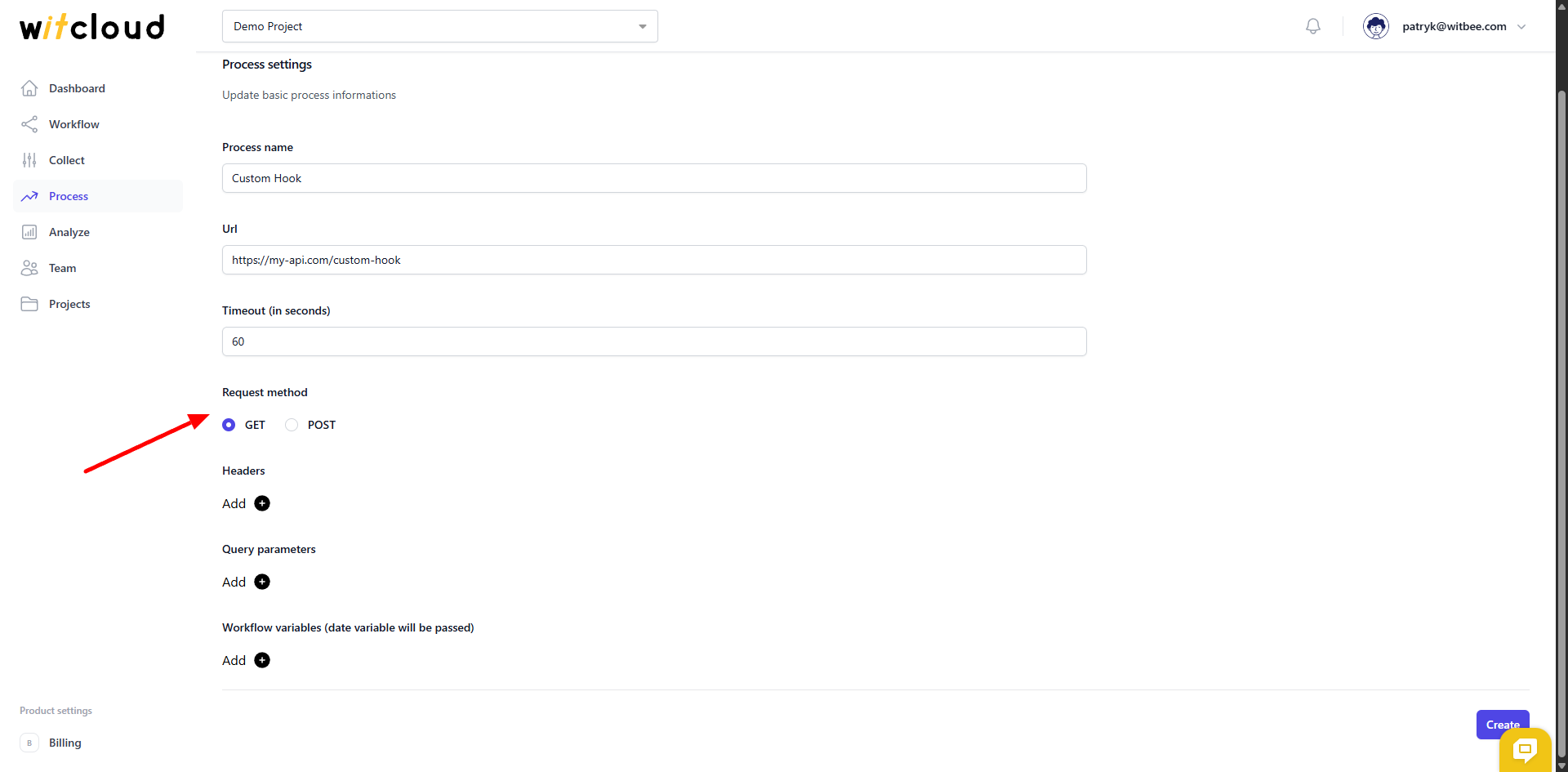
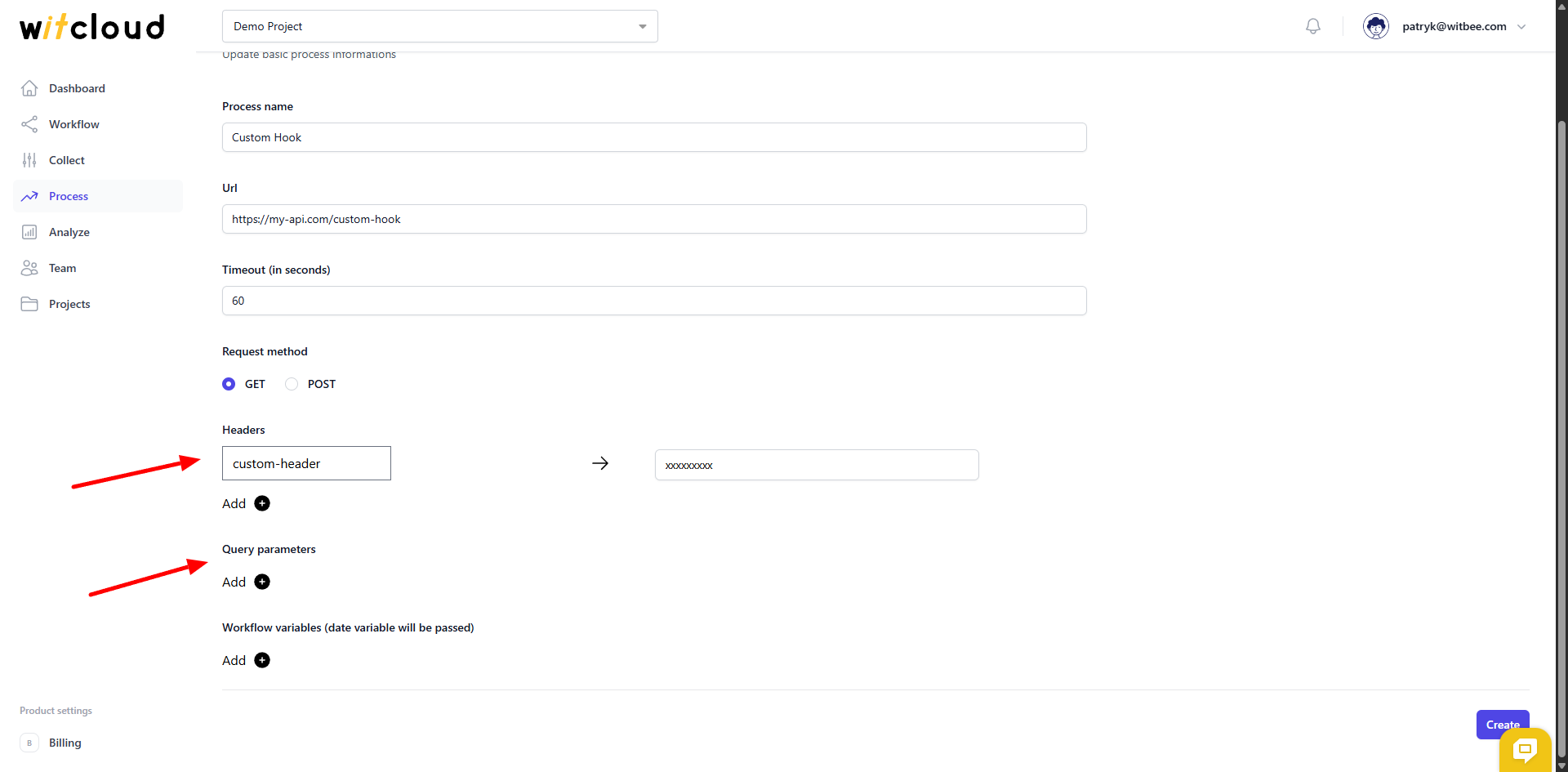
In the Headers and Query parameters fields, you can pass parameters for calling your hook.
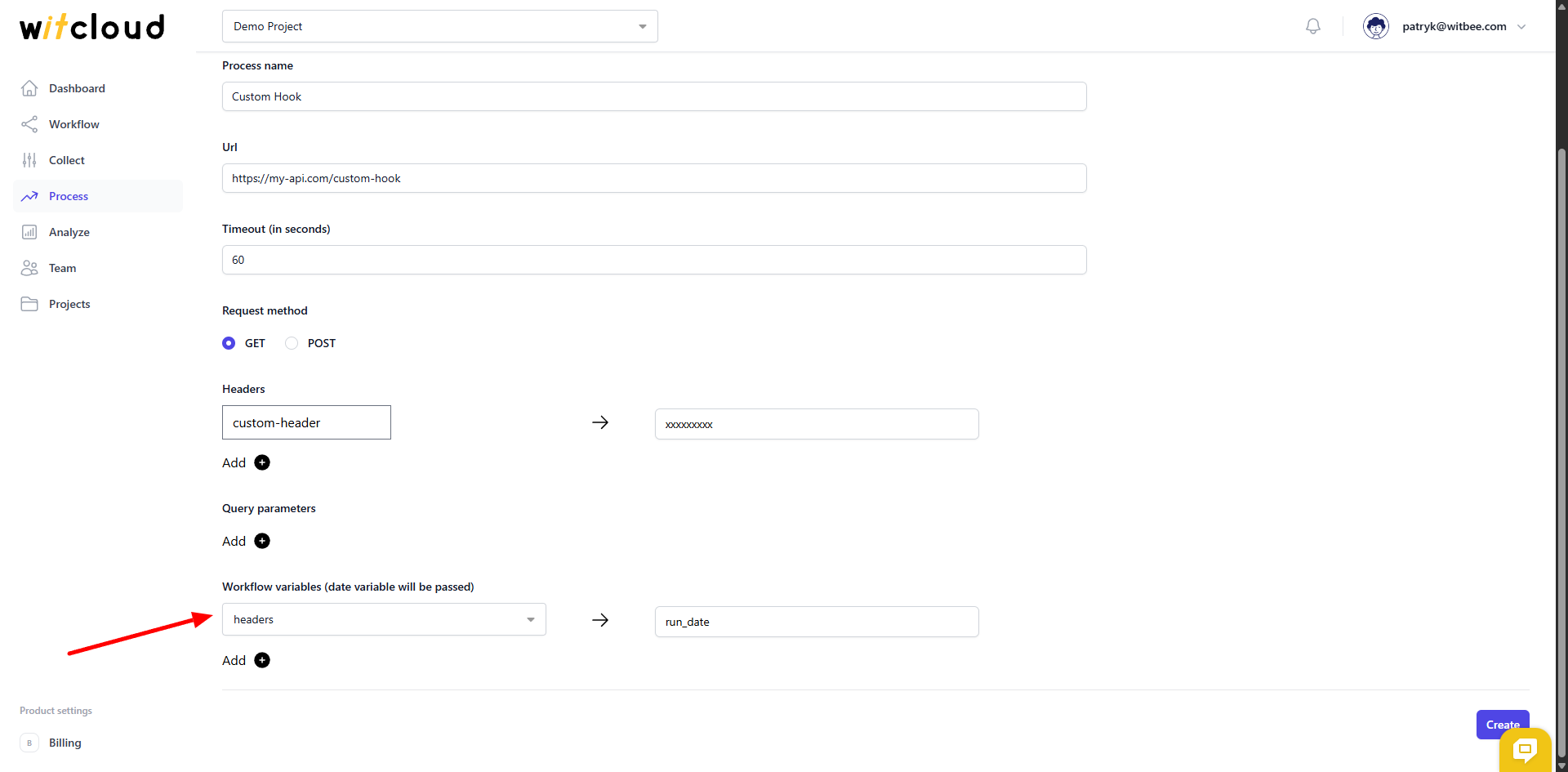
In the Workflow variables field, you can configure workflow variables to be passed to the function call. For example, here I added the run_date variable to the headers, which will be passed to the hook.
✅ Done! Withook module is now ready to use.
⏳ Execution and scheduling
To run the module and assign it a schedule, you need to configure a Workflow. You can read more about it here.