
Integration of WP Ads with BigQuery
📢 Introduction
This module integrates with the WP Ads API, enabling you to collect campaign data and store it in Google Cloud BigQuery. Gain deeper insights into your data and optimize the performance of your marketing efforts with real-time data collection.
📝 Configuration Guide
Follow the steps below to connect WP Ads with BigQuery. Once the setup is complete, your ad data will be automatically transferred to your BigQuery project.
💡 Tip: Make sure you have access to the WP Ads Panel. You need to create API key before starting the configuration.
🔧 Module Setup
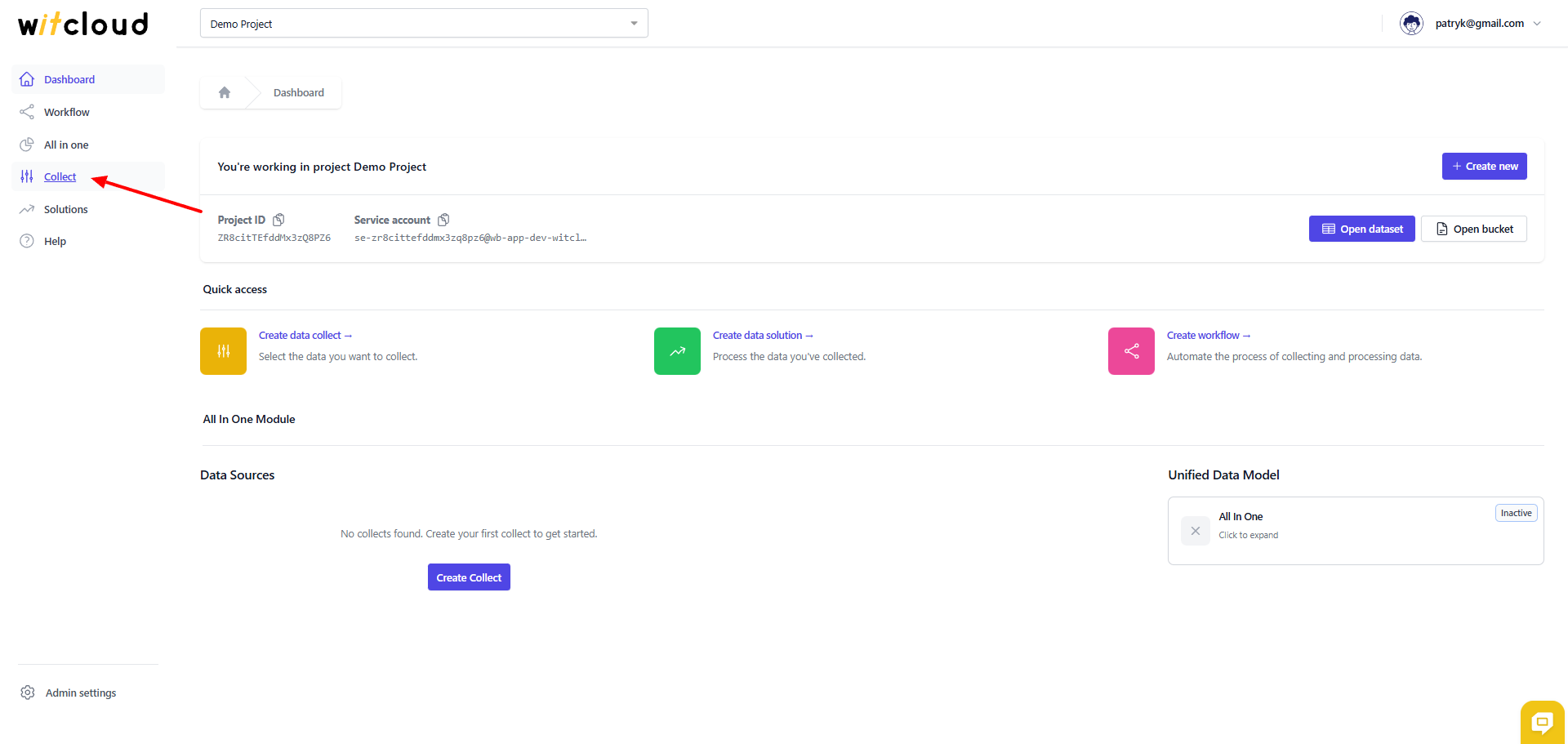
Go to the Collect section in the menu > Click Create Data Collect.
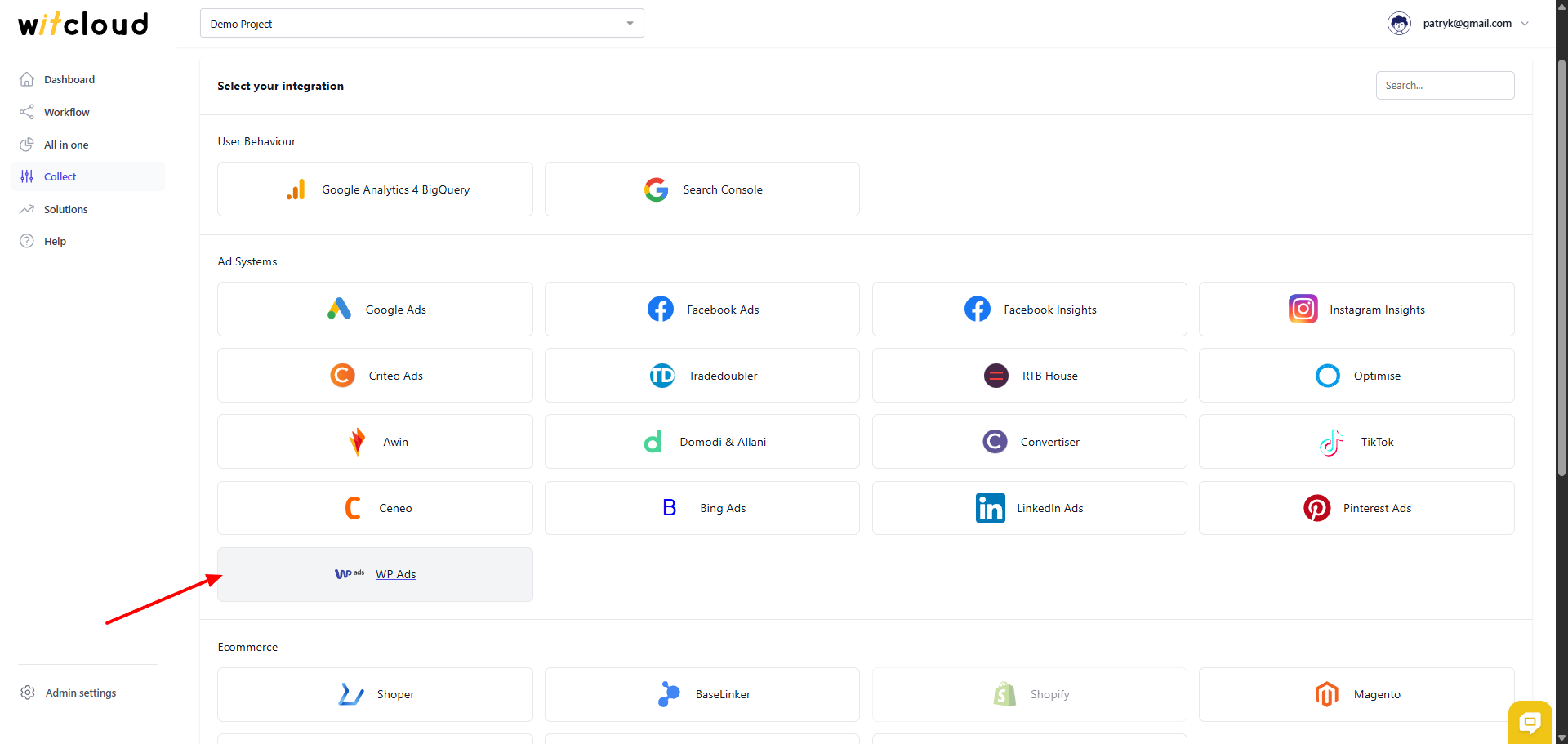
Select WP Ads from the list of available integrations.
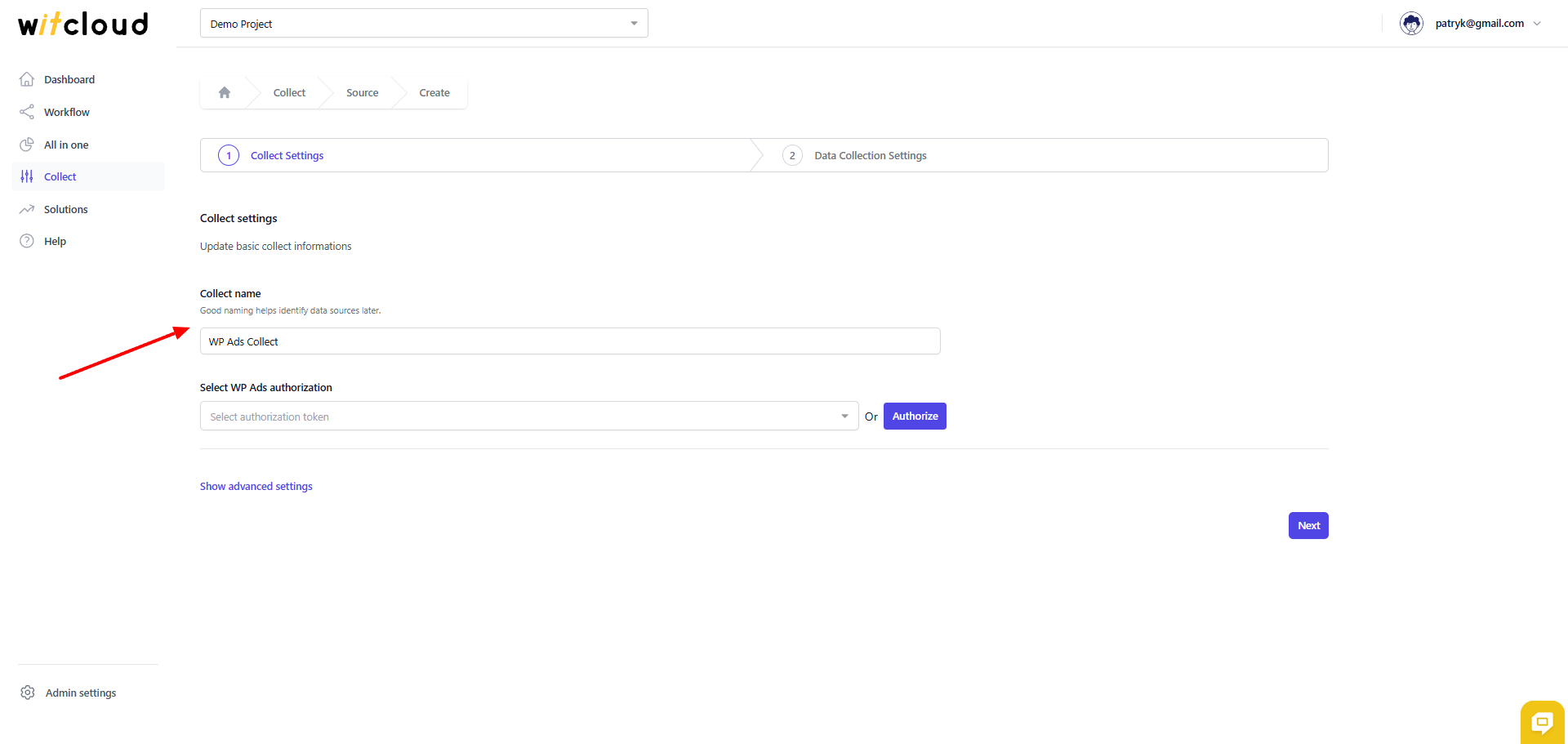
Enter the Collector Name, e.g., "WP Ads Collect".
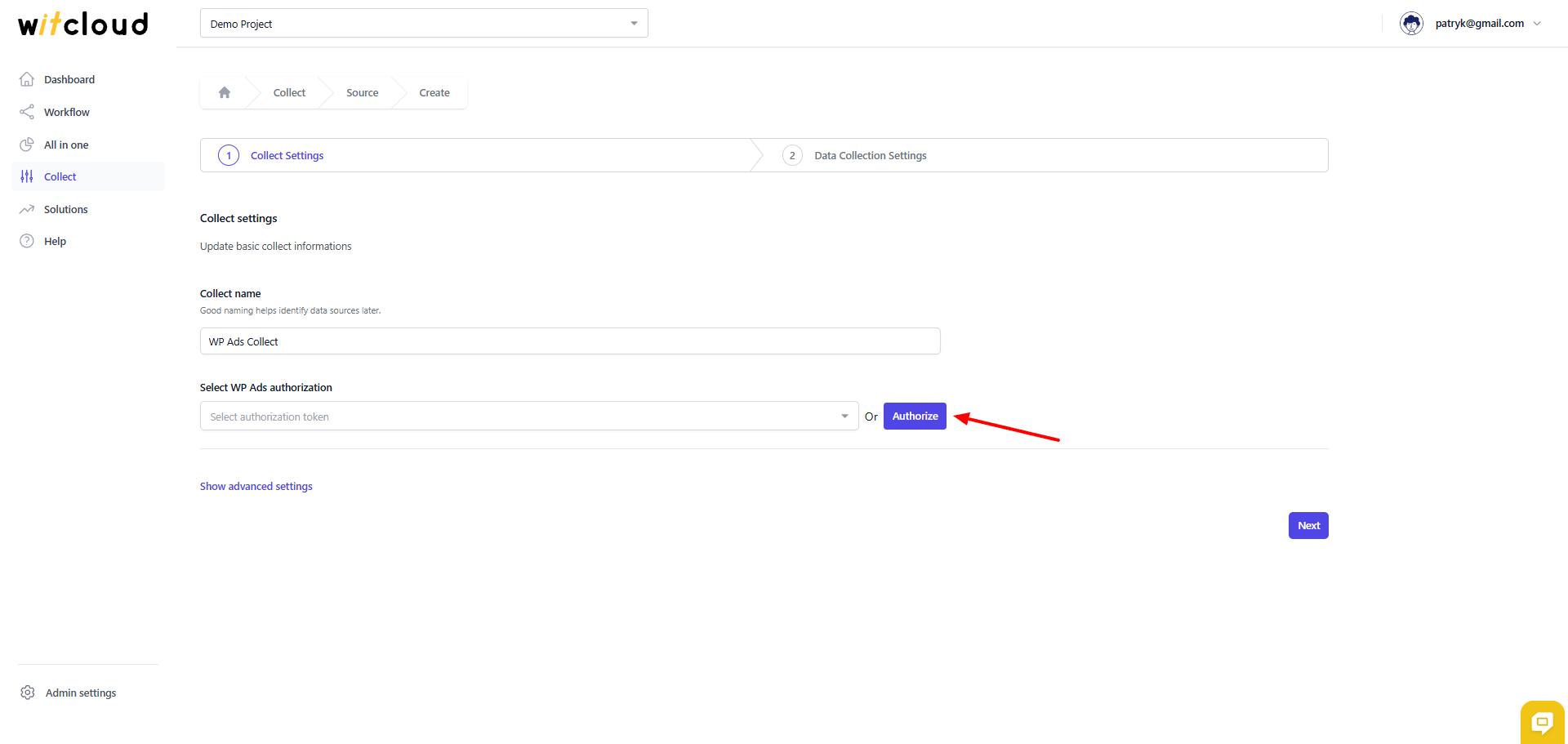
🔑 Authorization
Click Authorize.
Paste API key from WP Ads panel in the authorization form.
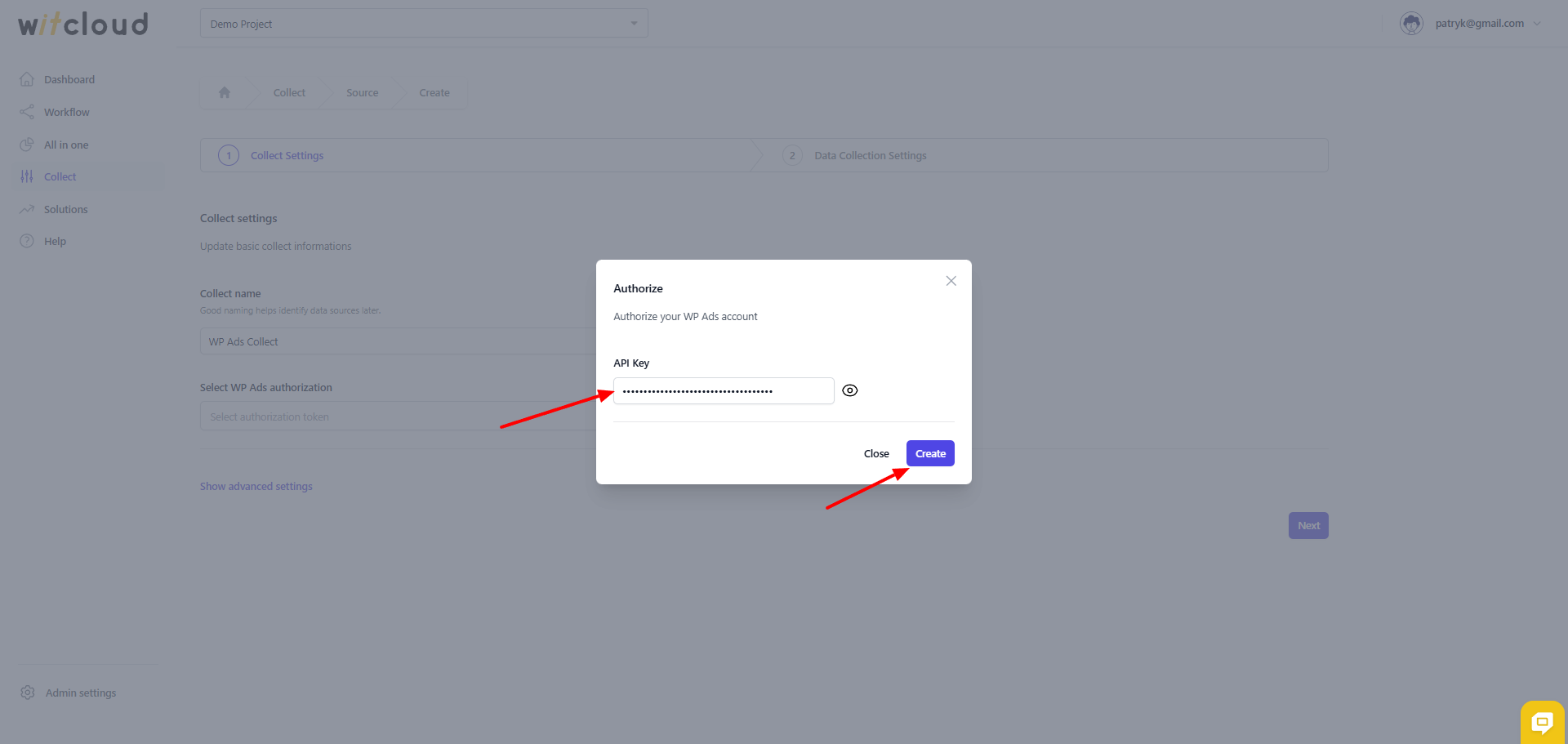
Click next button
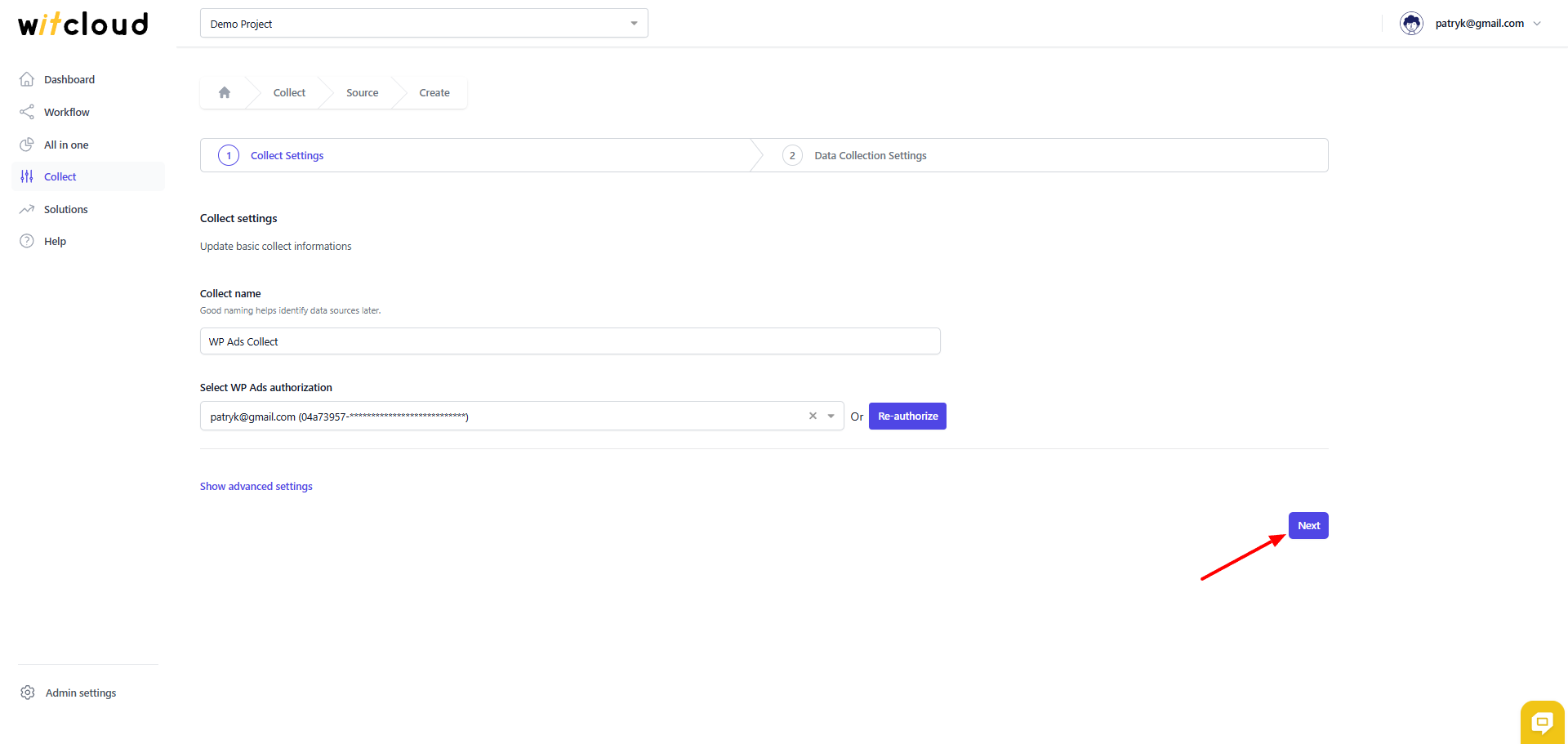
⏳ Historical Data and Scheduling
Select the date range for which you want to fetch historical data.
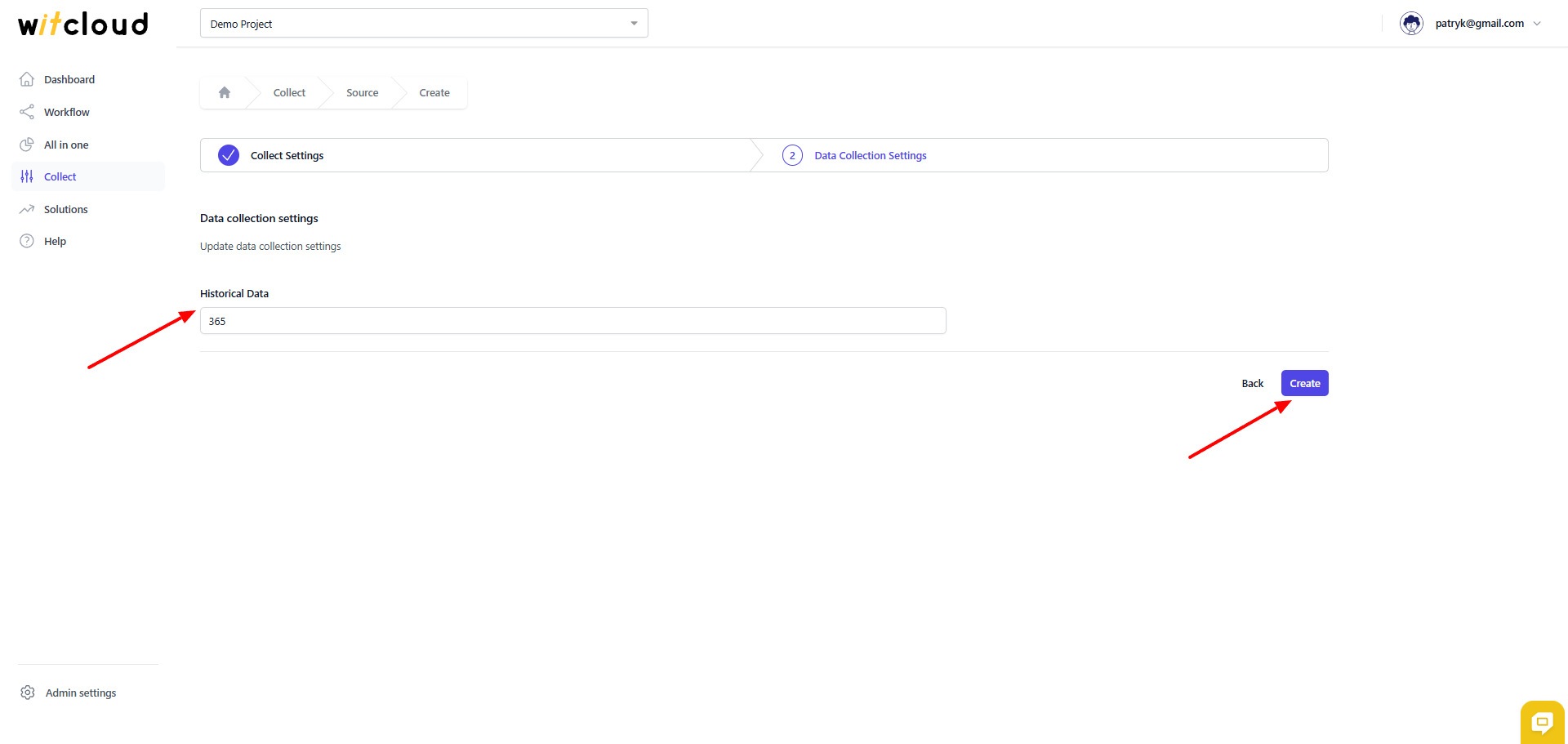
During the initial setup, you can retrieve data going back up to 12 months, with the possibility of importing older data.
A data synchronization schedule will be created automatically. More information on this topic can be found here.
Click Create to complete the configuration.
✅ Done! Your WP Ads data will now be synchronized with BigQuery, providing you with detailed insights into the performance of your ad campaigns.
📊 Data Schema
Expand the table below to view the full data schema collected from WP Ads.