
Billing
Start or manage your WitCloud subscription, download invoices and usage reports, and keep your billing details up to date.
Updated
The billing page shows the subscription of the current project's billing account: the free trial or the plan, what the next invoice will contain, your invoices and the details printed on them.
Where to find it
Go to Admin settings > Billing.
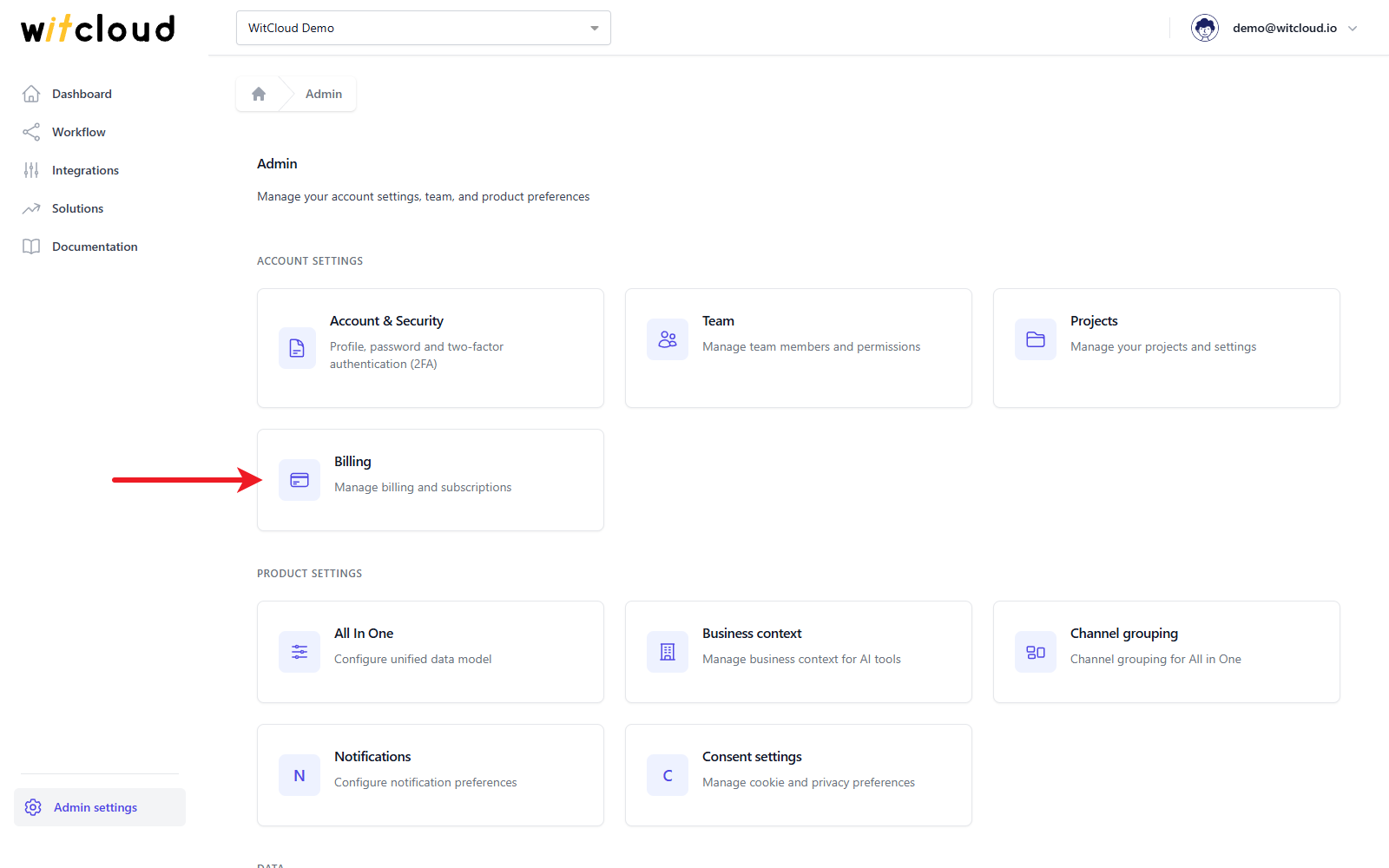
Everyone in the project can see the billing page; only the Owner and Admins can start or change the subscription and edit the customer details (roles).
Subscription
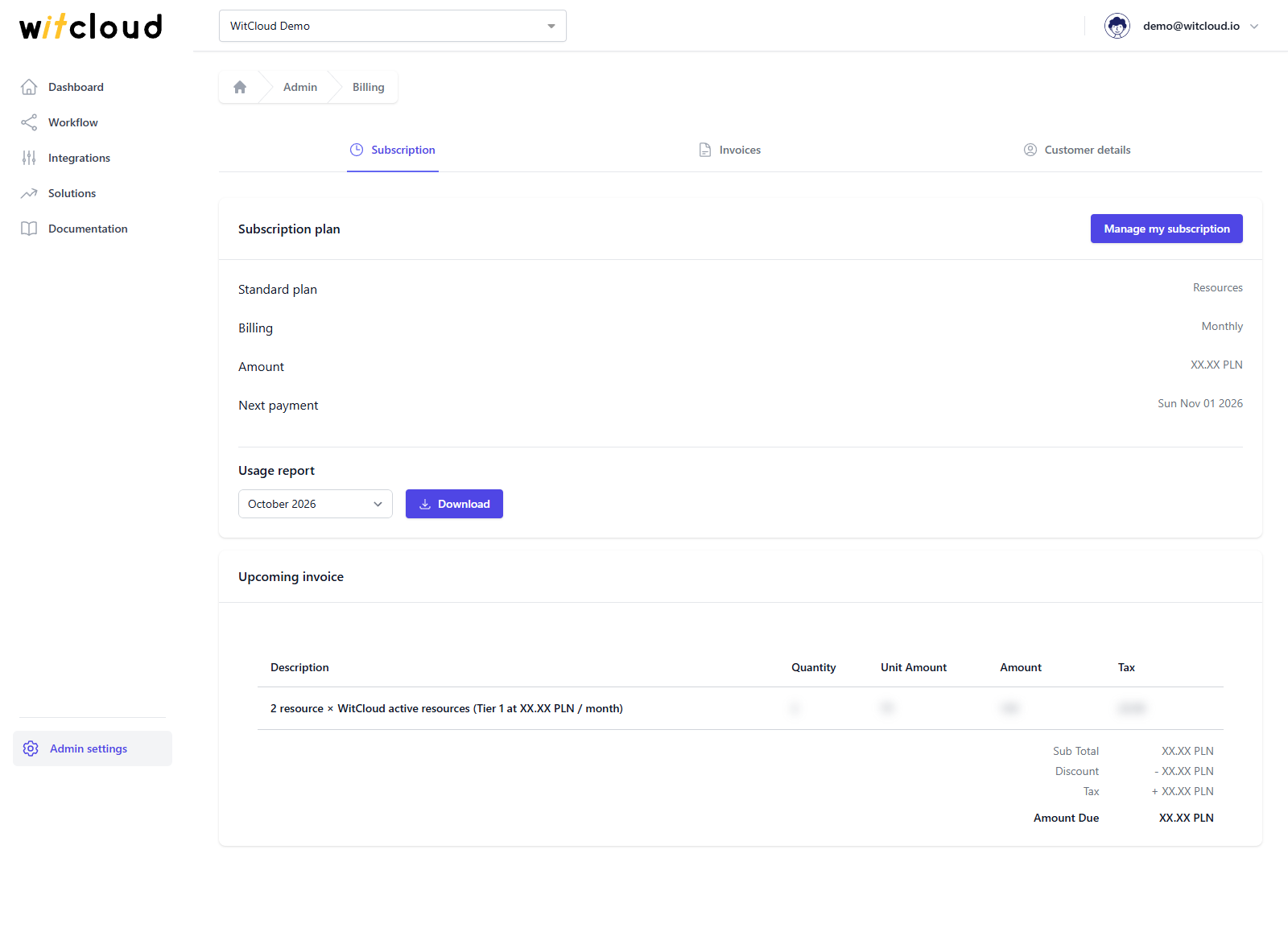
The Subscription tab shows the Subscription plan.
During the free trial
The card shows Free trial and the day it ends, and an Estimated cost after upgrade: what the plan would cost based on your usage this month, split into Resources (your active connections) and MCP AIO Users, with a Total / month. View full pricing opens the price list.
Start the subscription
Click Upgrade to paid plan. WitCloud opens a secure Stripe checkout page, where you enter the card details, the invoice e-mail, the billing address and the company details, including the VAT number, and subscribe.
If you subscribe during the free trial, the trial still runs to its end — billing starts after that.
With an active subscription
The card shows the Standard plan with its products, Billing (monthly), the Amount and the Next payment date. Below it:
- Usage report — pick a month and click Download for the usage behind the invoice.
- Upcoming invoice — the lines of the next invoice with quantity, unit amount, amount and tax.
Change the payment method or cancel
Click Manage my subscription. It opens the Stripe customer portal, where you can change the payment method or cancel the subscription.
Invoices
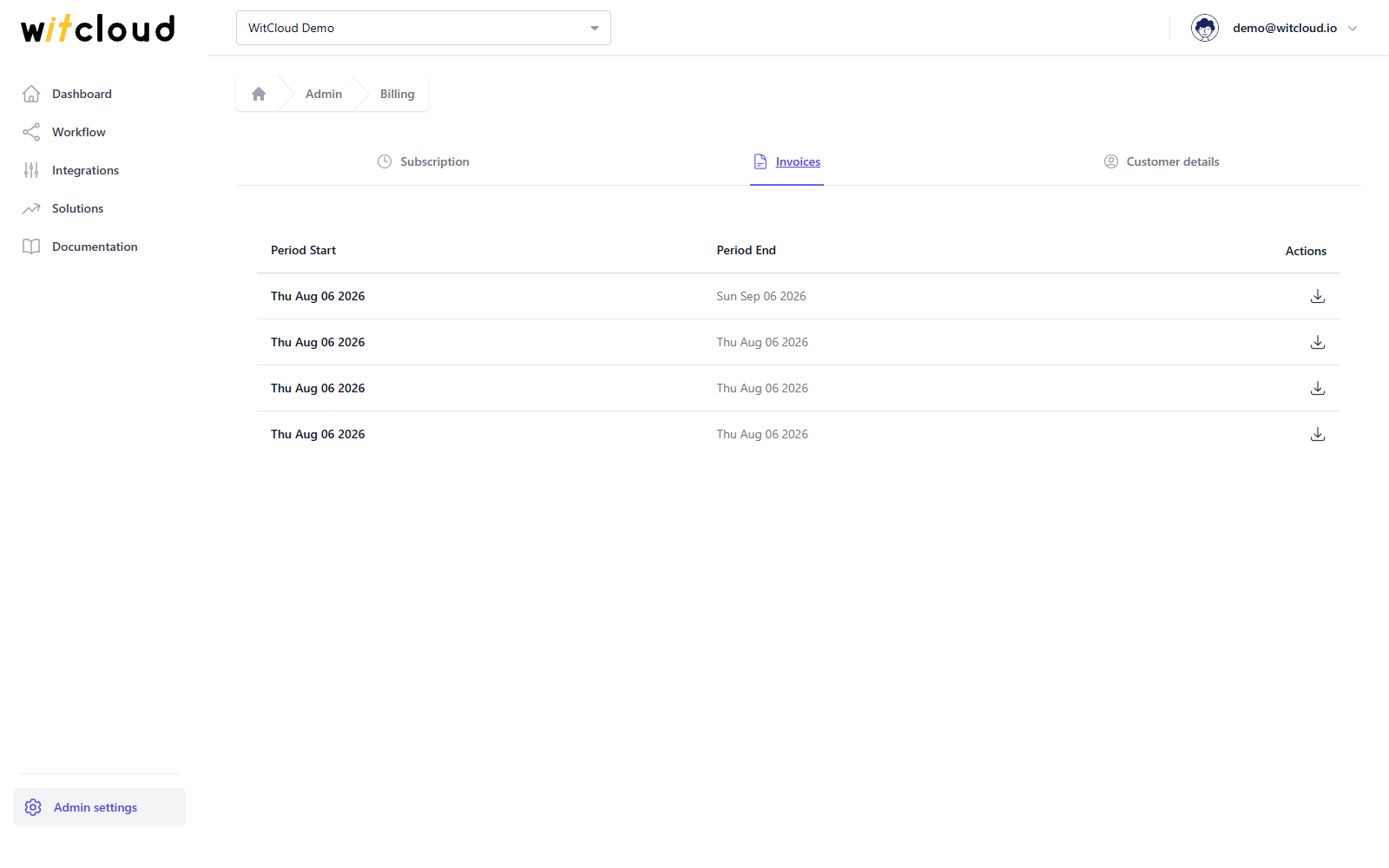
The Invoices tab lists your invoices by billing period. Click the download icon to open an invoice.
Customer details
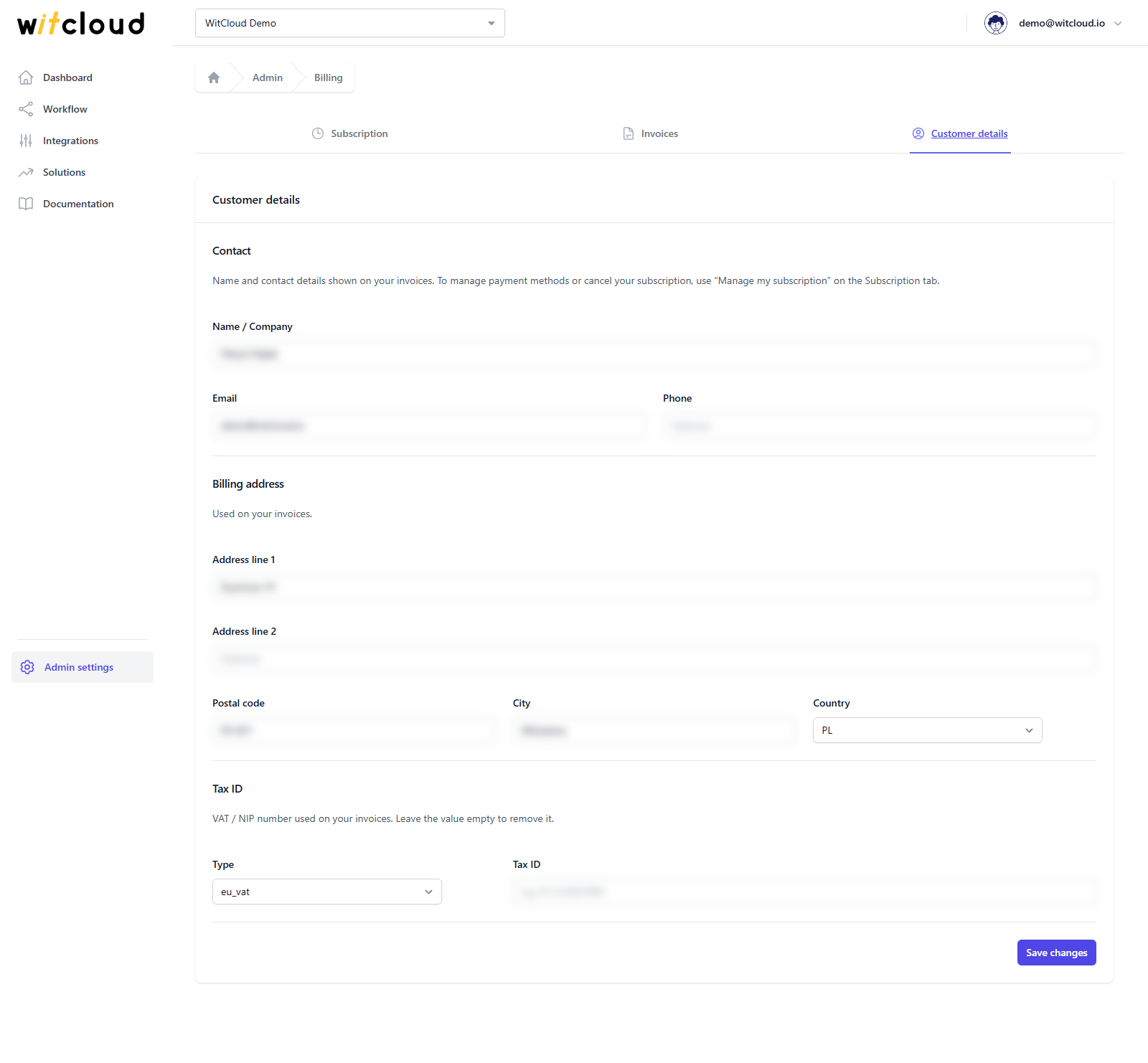
The Customer details tab holds the details printed on your invoices:
- Contact — Name / Company, Email and Phone.
- Billing address — Address line 1, Address line 2, Postal code, City and Country.
- Tax ID — its Type and number.
Change them and click Save changes.
Pricing
You pay a monthly fee that depends on how many connections (integrations) are active in the project, and — if you use WitCloud MCP — on the number of its users. Both are priced in tiers: the more you have, the lower the price of each next one.
The current prices are on the WitCloud pricing page. The Estimated cost after upgrade during the trial, and the Upcoming invoice afterwards, show what this means for your project.