
Integration of Google Ads with BigQuery
Learn how to connect Google Ads to Google BigQuery using WitCloud and automatically fetch campaign, click, cost, shopping and conversion data.
Updated
Introduction
This module integrates with the Google Ads API, enabling you to collect campaign, click, criteria, shopping, conversion and label data and store it in Google Cloud BigQuery. Having it in BigQuery lets you join Google Ads data with web analytics, CRM or finance data for end-to-end performance reporting.
Configuration guide
Follow the steps below to connect Google Ads with BigQuery. Once the setup is complete, your data will be automatically transferred to your BigQuery project.
Authorize with a Google account that has access to the Google Ads accounts you want to export. Only the accounts that account can reach are offered in the account list.
Module setup
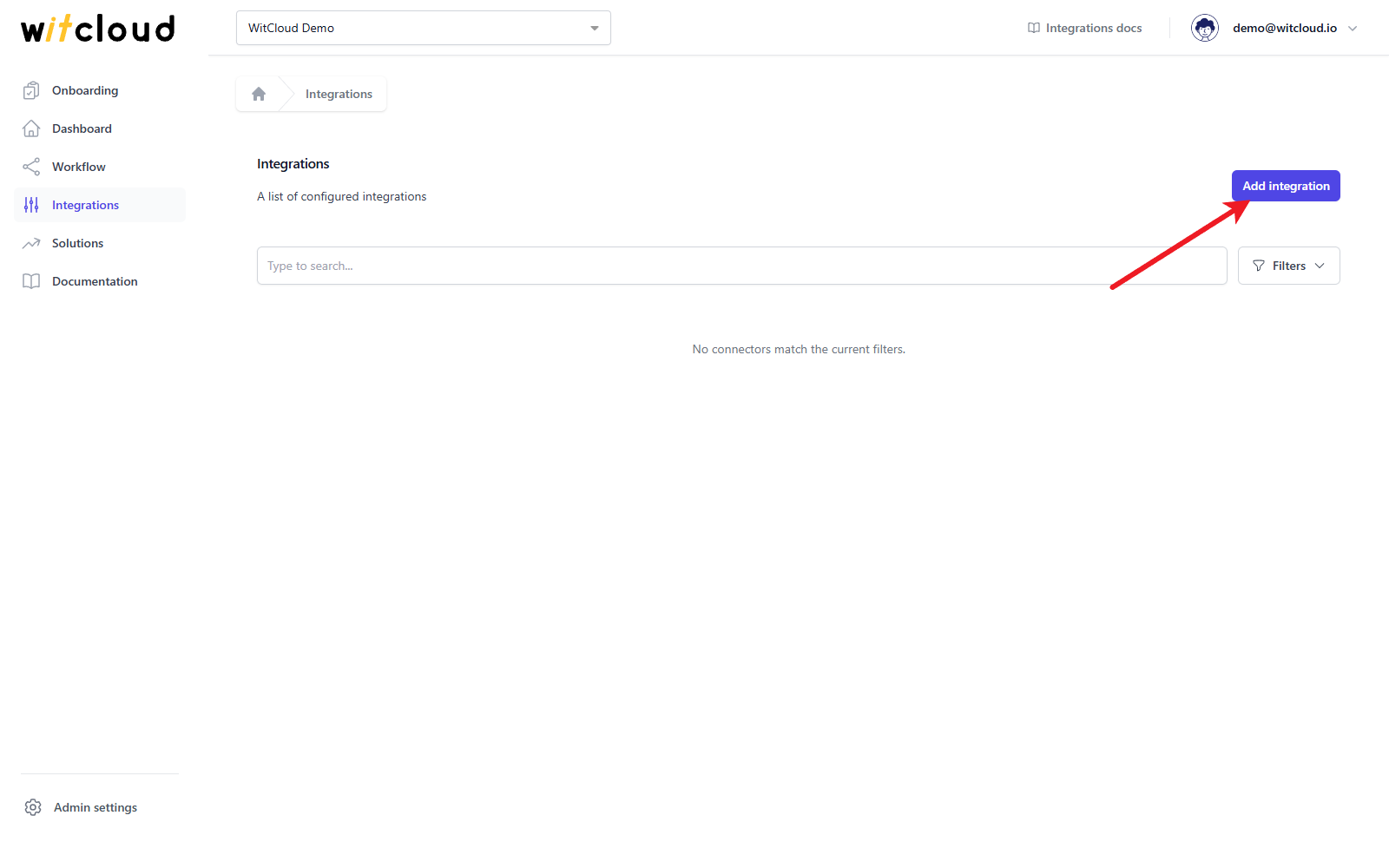
Go to the Integrations section in the menu > Click Add integration.
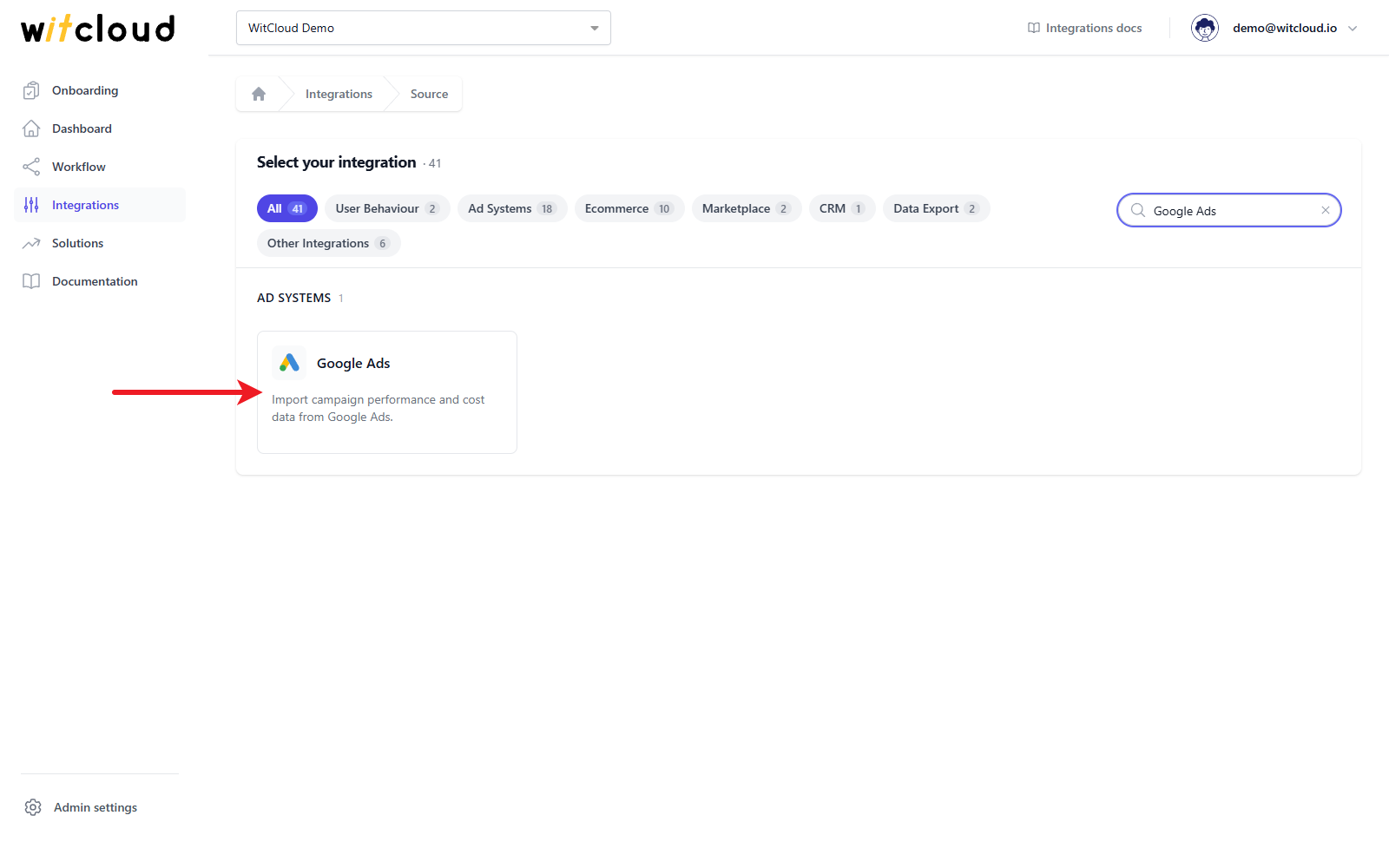
Select Google Ads from the list of available integrations.
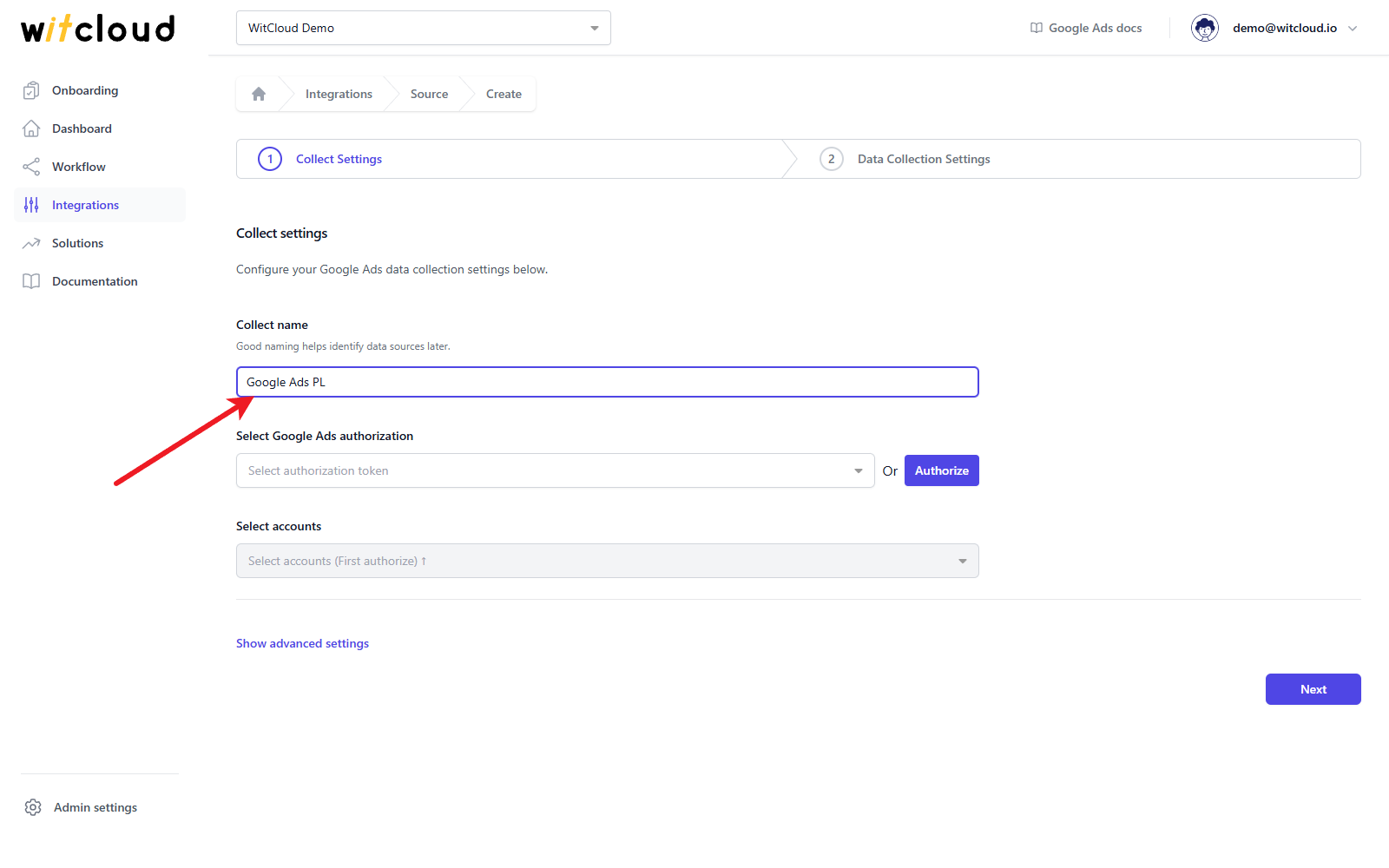
Enter the Collect name, e.g., "Google Ads PL".
Authorization
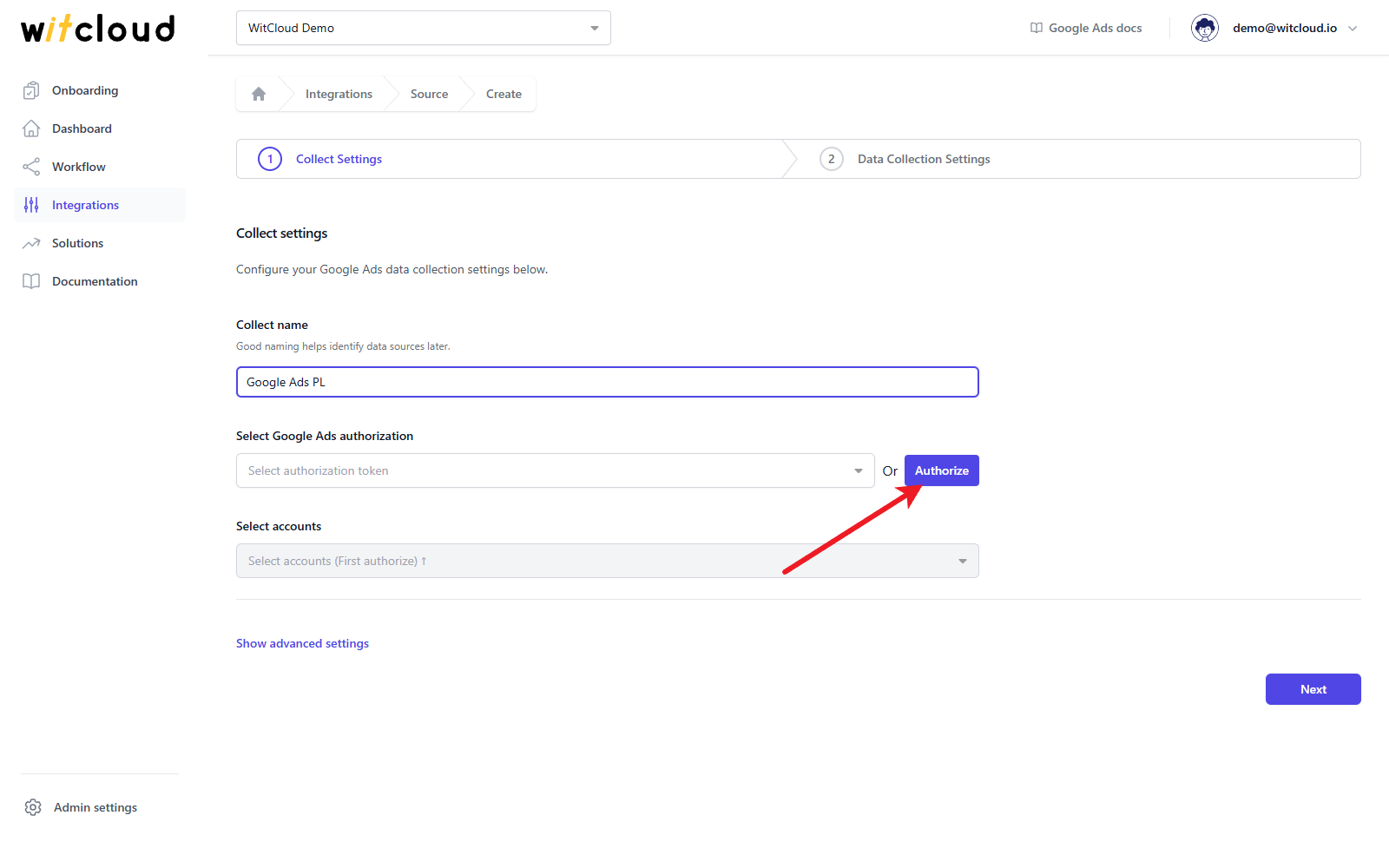
If you have already authorized Google Ads and the token has the Google Ads permission, simply pick it from the Select Google Ads authorization drop-down and skip this step.
Click Authorize.
A Google window opens. Choose the Google account you want to use and allow WitCloud to access it. WitCloud asks for two permissions: to manage your Google Ads accounts and data (the Google Ads API permission, shown by Google as "See, edit, create and delete your Google Ads accounts and data"), and to see your basic Google profile, which gives the authorization its name in the drop-down. When the window closes, the new authorization is selected for you.
Accounts
Open the Select accounts drop-down and choose the Google Ads accounts to export. Accounts are listed as name (account ID). Manager accounts are not listed, only the accounts that hold the data, including client accounts under a manager account.
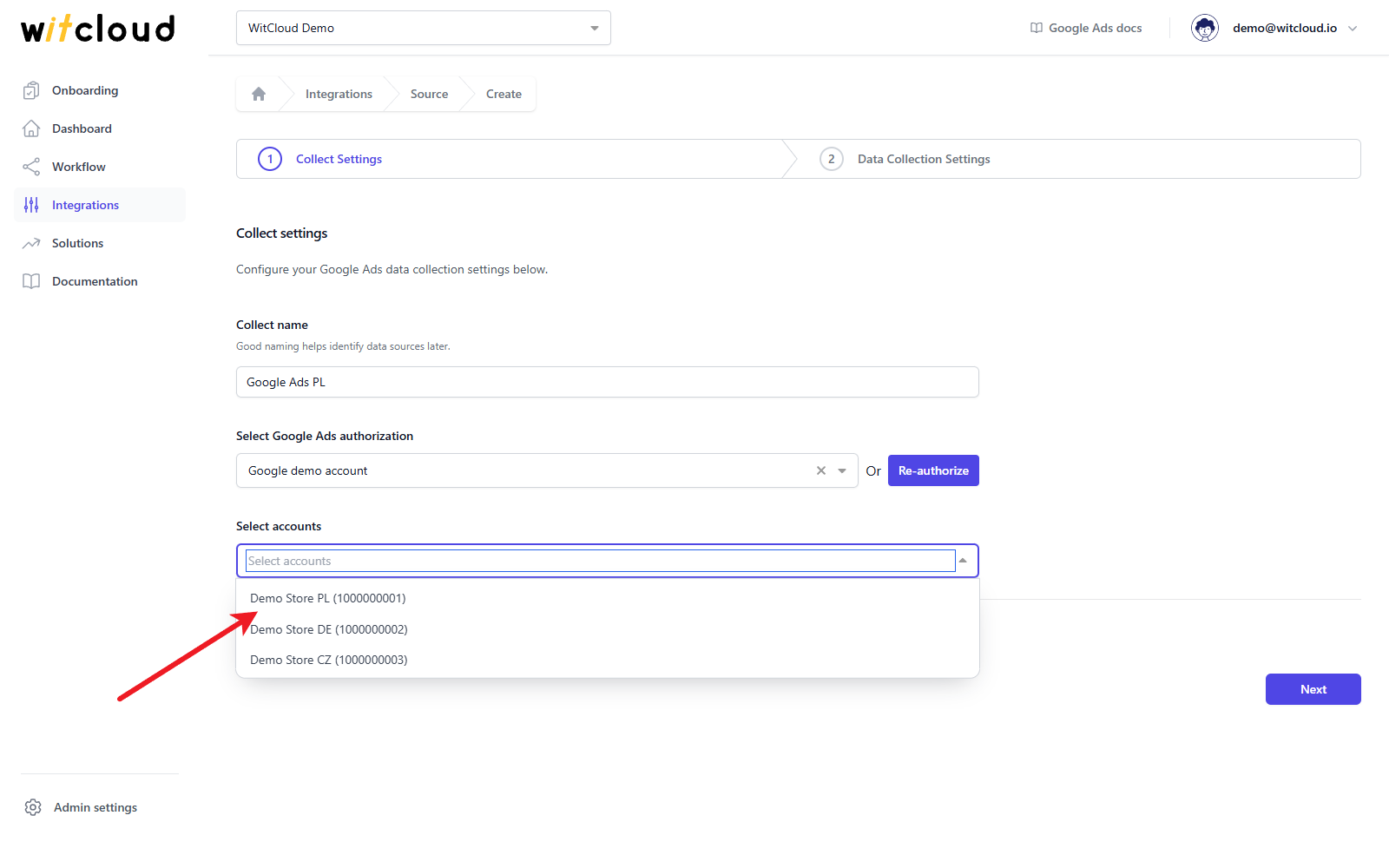
You can select several accounts.
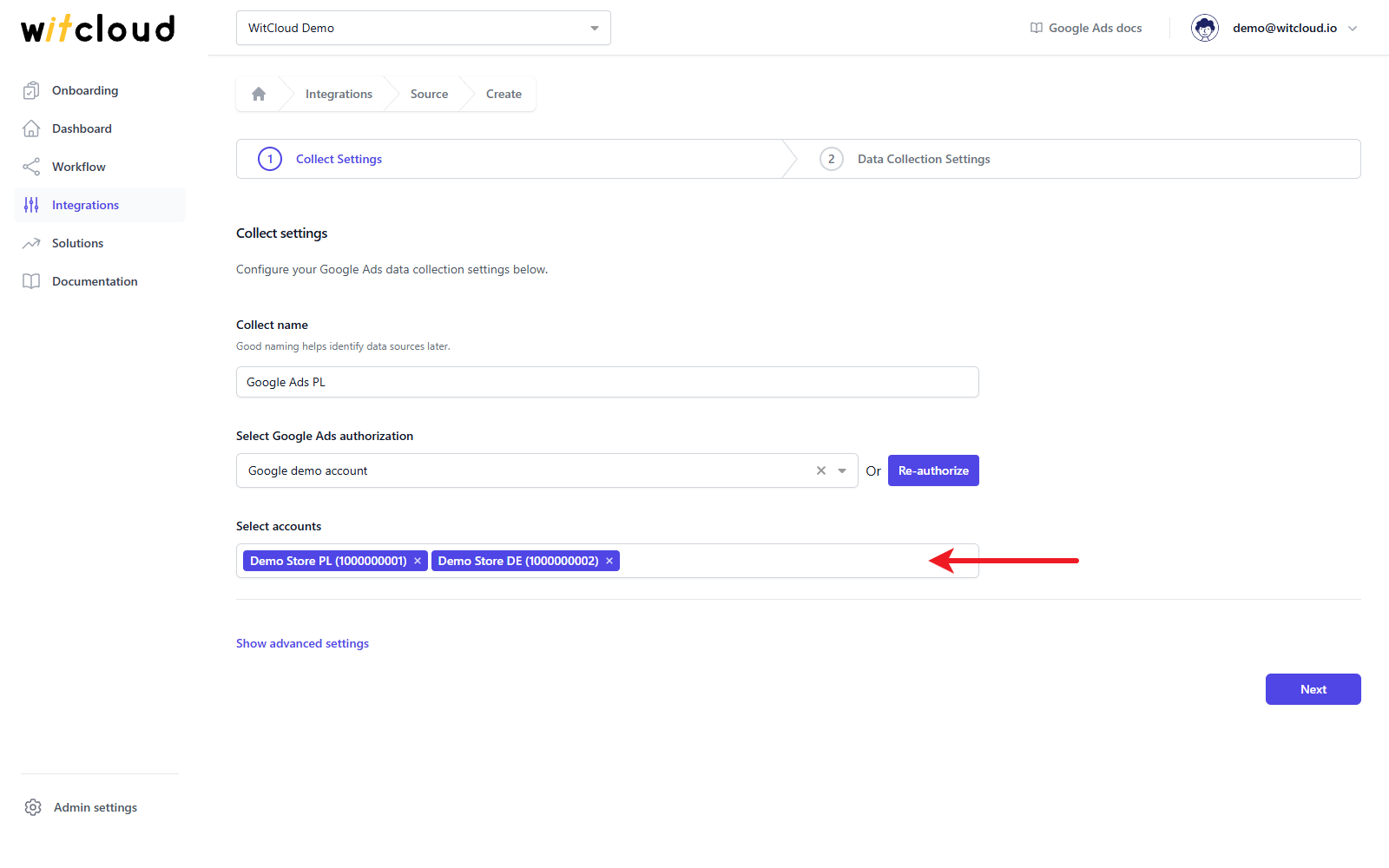
Each selected account becomes a separate data collect named "<Collect name> - <account name (ID)>", with its own set of BigQuery tables. All of them use the settings you enter below.
Advanced settings
Click Show advanced settings to choose the Tables to collect. All six tables are selected by default and at least one must stay selected. Remove the ones you do not need: they are not filled with data.
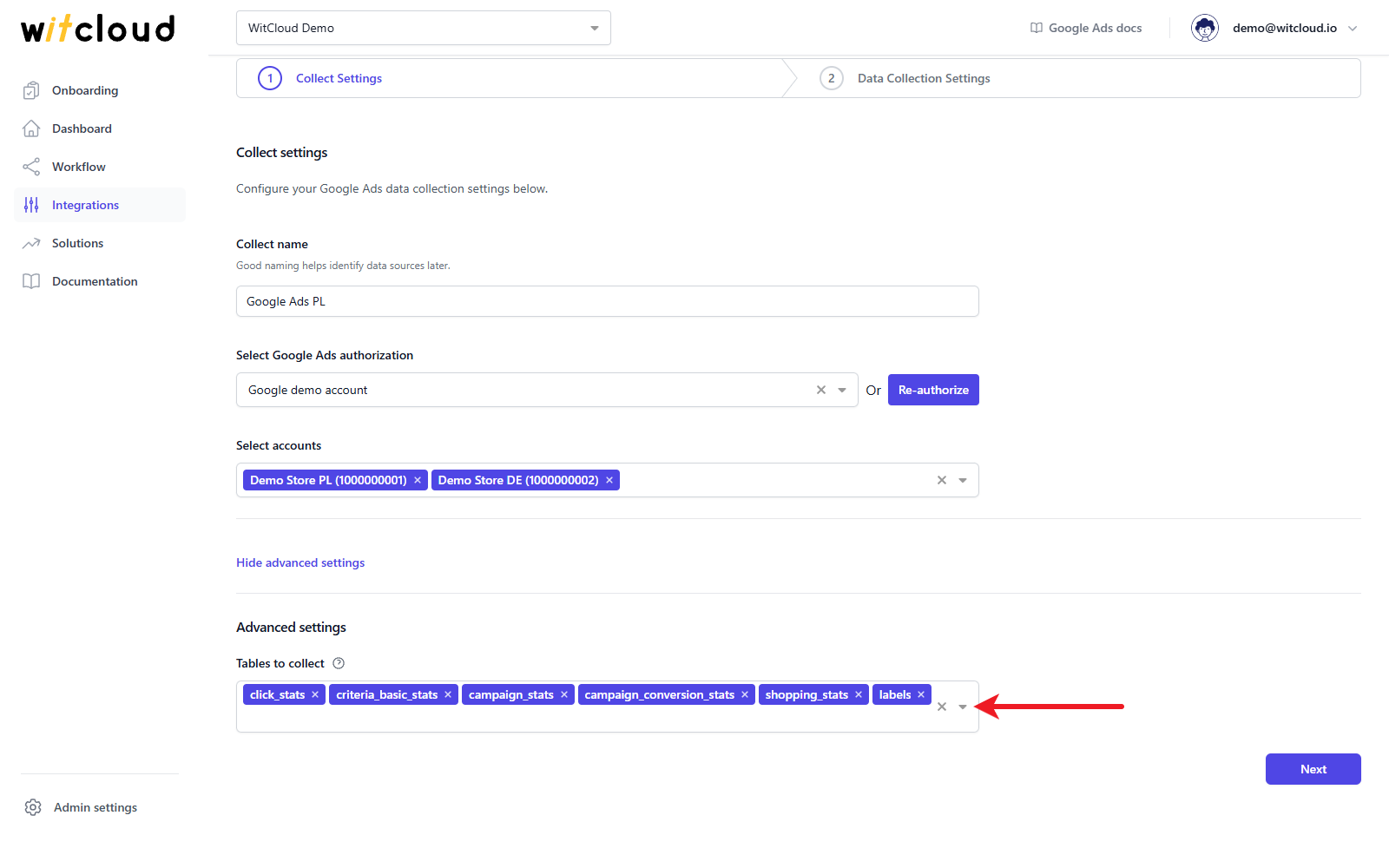
| Table to collect | What it holds |
|---|---|
click_stats | Clicks with the Google Click ID (GCLID), campaign, ad group, device and network |
criteria_basic_stats | Keyword performance by day: impressions, clicks, cost, conversions |
campaign_stats | Campaign performance by day: impressions, clicks, cost, conversions, Active View |
campaign_conversion_stats | Campaign conversions split by conversion action |
shopping_stats | Shopping performance by product |
labels | Labels with the campaigns they are assigned to |
Google Ads provides click-level data only for the last 90 days. Older days are skipped in click_stats, including during the historical import.
Click Next to continue.
Historical data and scheduling
Enter the number of days of historical data to fetch in the Historical Data field (required, up to 365).
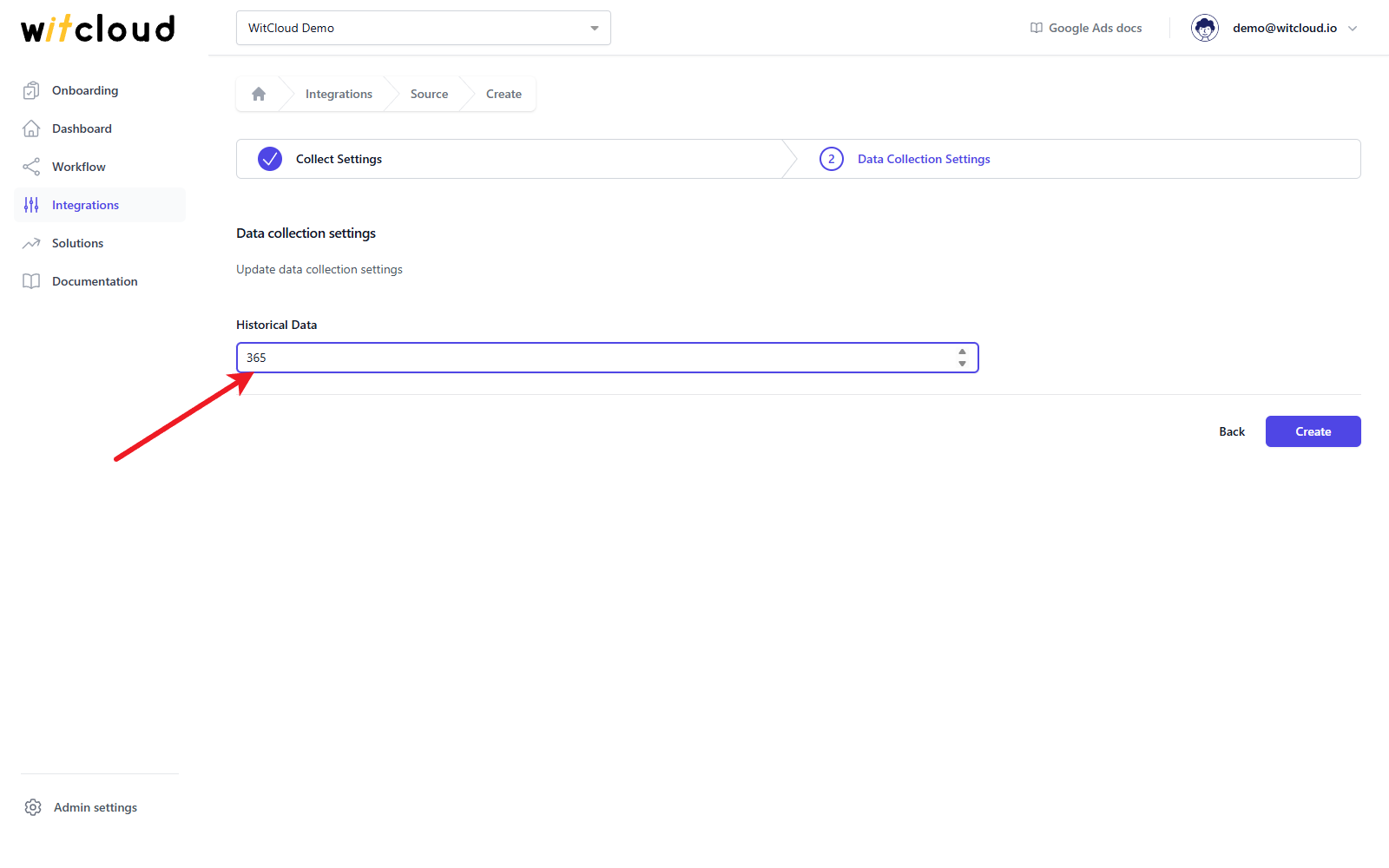
A data synchronization schedule will be created automatically. More information on this topic can be found here.
Click Create to complete the configuration.
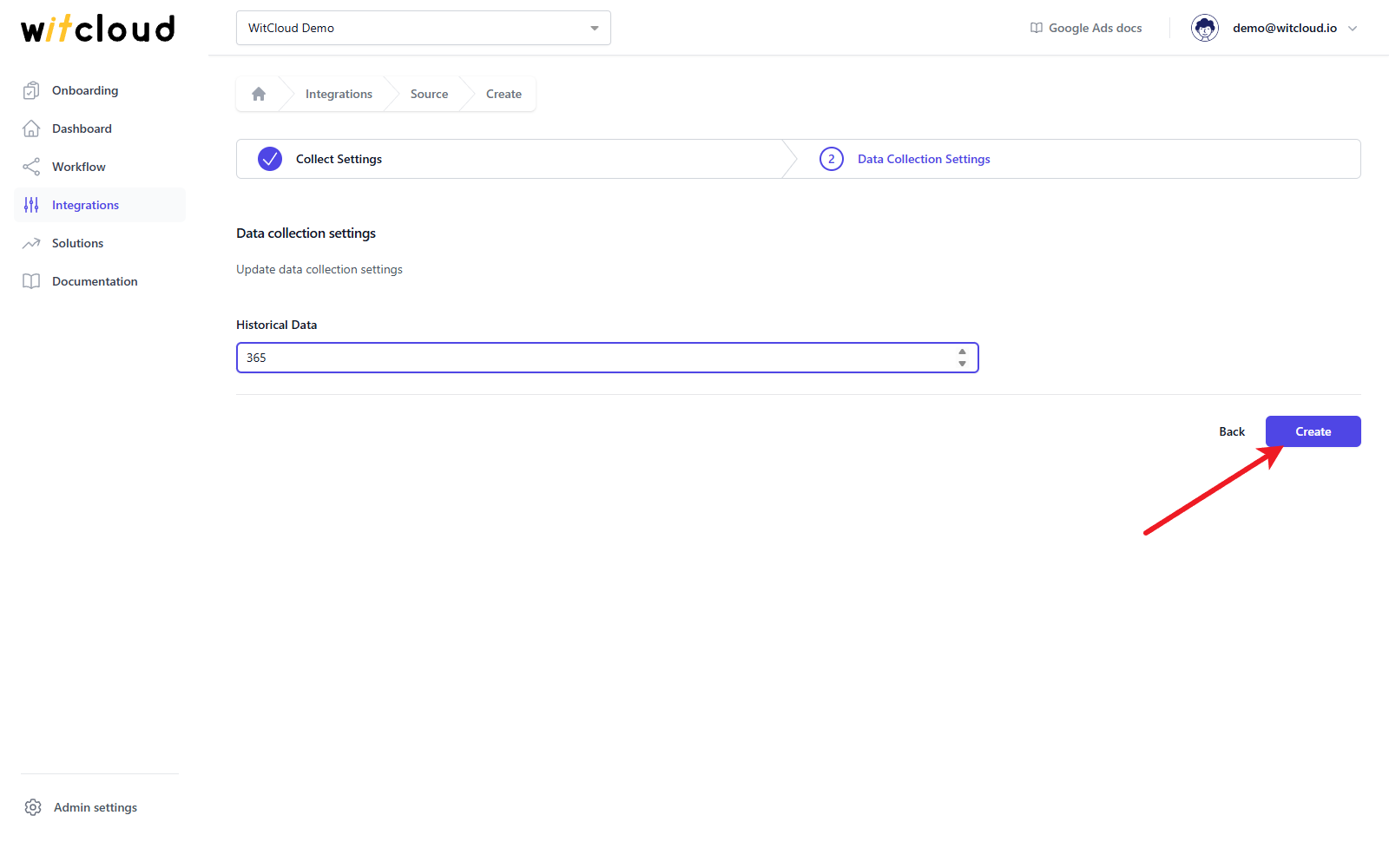
Done! Your Google Ads data will now be loaded into BigQuery on the schedule, without manual exports.
Data schema
Each table is created per account, as gads_<table>_<account ID>, for example gads_campaign_stats_1000000001. The tables below show the columns of every table.
Data schema for gads_campaign_conversion_stats
| Field Name | Mode | Type |
|---|---|---|
| ExternalCustomerId | NULLABLE | STRING |
| AccountDescriptiveName | NULLABLE | STRING |
| CampaignId | NULLABLE | STRING |
| CampaignName | NULLABLE | STRING |
| ConversionAction | NULLABLE | STRING |
| ConversionActionCategory | NULLABLE | STRING |
| ConversionActionName | NULLABLE | STRING |
| AdNetworkType1 | NULLABLE | STRING |
| AdNetworkType2 | NULLABLE | STRING |
| ConversionValue | NULLABLE | FLOAT |
| Conversions | NULLABLE | FLOAT |
| AllConversions | NULLABLE | FLOAT |
| AllConversionsValue | NULLABLE | FLOAT |
| Date | NULLABLE | DATE |
| DayOfWeek | NULLABLE | STRING |
| Device | NULLABLE | STRING |
| Month | NULLABLE | DATE |
| MonthOfYear | NULLABLE | STRING |
| Quarter | NULLABLE | DATE |
| Week | NULLABLE | DATE |
| Year | NULLABLE | INTEGER |
| CampaignStatus | NULLABLE | STRING |
| Currency | NULLABLE | STRING |
Data schema for gads_campaign_stats
| Field Name | Mode | Type |
|---|---|---|
| ExternalCustomerId | NULLABLE | STRING |
| AccountDescriptiveName | NULLABLE | STRING |
| BaseCampaignId | NULLABLE | STRING |
| CampaignGroupId | NULLABLE | STRING |
| CampaignId | NULLABLE | STRING |
| CampaignName | NULLABLE | STRING |
| ActiveViewCpm | NULLABLE | FLOAT |
| ActiveViewCtr | NULLABLE | FLOAT |
| ActiveViewImpressions | NULLABLE | INTEGER |
| ActiveViewMeasurability | NULLABLE | FLOAT |
| ActiveViewMeasurableCost | NULLABLE | FLOAT |
| ActiveViewMeasurableImpressions | NULLABLE | INTEGER |
| ActiveViewViewability | NULLABLE | FLOAT |
| AdNetworkType1 | NULLABLE | STRING |
| AdNetworkType2 | NULLABLE | STRING |
| AverageCost | NULLABLE | FLOAT |
| AverageCpc | NULLABLE | FLOAT |
| AverageCpm | NULLABLE | FLOAT |
| AveragePosition | NULLABLE | STRING |
| ClickType | NULLABLE | STRING |
| Clicks | NULLABLE | INTEGER |
| ConversionRate | NULLABLE | FLOAT |
| ConversionValue | NULLABLE | FLOAT |
| Conversions | NULLABLE | FLOAT |
| AllConversions | NULLABLE | FLOAT |
| Cost | NULLABLE | FLOAT |
| CostPerConversion | NULLABLE | FLOAT |
| Ctr | NULLABLE | FLOAT |
| Date | NULLABLE | DATE |
| DayOfWeek | NULLABLE | STRING |
| Device | NULLABLE | STRING |
| Impressions | NULLABLE | INTEGER |
| InteractionRate | NULLABLE | FLOAT |
| InteractionTypes | NULLABLE | STRING |
| Interactions | NULLABLE | INTEGER |
| Month | NULLABLE | DATE |
| MonthOfYear | NULLABLE | STRING |
| Quarter | NULLABLE | DATE |
| Slot | NULLABLE | STRING |
| ValuePerConversion | NULLABLE | FLOAT |
| Week | NULLABLE | DATE |
| Year | NULLABLE | INTEGER |
| CampaignStatus | NULLABLE | STRING |
| Currency | NULLABLE | STRING |
Data schema for gads_click_stats
| Field Name | Mode | Type |
|---|---|---|
| ExternalCustomerId | NULLABLE | STRING |
| AccountDescriptiveName | NULLABLE | STRING |
| CampaignId | NULLABLE | STRING |
| CampaignName | NULLABLE | STRING |
| AdGroupId | NULLABLE | STRING |
| AdGroupName | NULLABLE | STRING |
| CreativeId | NULLABLE | STRING |
| CriteriaId | NULLABLE | STRING |
| GclId | NULLABLE | STRING |
| UserListId | NULLABLE | STRING |
| AdNetworkType1 | NULLABLE | STRING |
| AdNetworkType2 | NULLABLE | STRING |
| Clicks | NULLABLE | INTEGER |
| CriteriaParameters | NULLABLE | STRING |
| KeywordMatchType | NULLABLE | STRING |
| Page | NULLABLE | INTEGER |
| Slot | NULLABLE | STRING |
| Device | NULLABLE | STRING |
| Currency | NULLABLE | STRING |
Data schema for gads_criteria_basic_stats
| Field Name | Mode | Type |
|---|---|---|
| ExternalCustomerId | NULLABLE | STRING |
| AccountDescriptiveName | NULLABLE | STRING |
| CampaignId | NULLABLE | STRING |
| CampaignName | NULLABLE | STRING |
| AdGroupId | NULLABLE | STRING |
| AdGroupName | NULLABLE | STRING |
| Id | NULLABLE | STRING |
| Criteria | NULLABLE | STRING |
| ActiveViewImpressions | NULLABLE | INTEGER |
| ActiveViewMeasurability | NULLABLE | FLOAT |
| ActiveViewMeasurableCost | NULLABLE | FLOAT |
| ActiveViewMeasurableImpressions | NULLABLE | INTEGER |
| ActiveViewViewability | NULLABLE | FLOAT |
| AdNetworkType1 | NULLABLE | STRING |
| AdNetworkType2 | NULLABLE | STRING |
| AveragePosition | NULLABLE | STRING |
| Clicks | NULLABLE | INTEGER |
| ConversionValue | NULLABLE | FLOAT |
| Conversions | NULLABLE | FLOAT |
| Cost | NULLABLE | FLOAT |
| CrossDeviceConversions | NULLABLE | STRING |
| Date | NULLABLE | DATE |
| Device | NULLABLE | STRING |
| Impressions | NULLABLE | INTEGER |
| InteractionTypes | NULLABLE | STRING |
| Interactions | NULLABLE | INTEGER |
| ViewThroughConversions | NULLABLE | INTEGER |
| Currency | NULLABLE | STRING |
Data schema for gads_labels
| Field Name | Mode | Type |
|---|---|---|
| Id | NULLABLE | STRING |
| Name | NULLABLE | STRING |
| CustomerId | NULLABLE | STRING |
| CampaignId | NULLABLE | STRING |
| CampaignName | NULLABLE | STRING |
Data schema for gads_shopping_stats
| Field Name | Mode | Type |
|---|---|---|
| ExternalCustomerId | NULLABLE | STRING |
| AccountDescriptiveName | NULLABLE | STRING |
| CampaignId | NULLABLE | STRING |
| CampaignName | NULLABLE | STRING |
| AdGroupId | NULLABLE | STRING |
| AdGroupName | NULLABLE | STRING |
| AdNetworkType | NULLABLE | STRING |
| ClickType | NULLABLE | STRING |
| ConversionAction | NULLABLE | STRING |
| ConversionActionCategory | NULLABLE | STRING |
| ConversionActionName | NULLABLE | STRING |
| Date | NULLABLE | DATE |
| DayOfWeek | NULLABLE | STRING |
| Device | NULLABLE | STRING |
| ExternalConversionSource | NULLABLE | STRING |
| Month | NULLABLE | STRING |
| ProductAggregatorId | NULLABLE | STRING |
| ProductBiddingCategoryLevel1 | NULLABLE | STRING |
| ProductBiddingCategoryLevel2 | NULLABLE | STRING |
| ProductBiddingCategoryLevel3 | NULLABLE | STRING |
| ProductBiddingCategoryLevel4 | NULLABLE | STRING |
| ProductBiddingCategoryLevel5 | NULLABLE | STRING |
| ProductBrand | NULLABLE | STRING |
| ProductChannel | NULLABLE | STRING |
| ProductChannelExclusivity | NULLABLE | STRING |
| ProductCondition | NULLABLE | STRING |
| ProductCountry | NULLABLE | STRING |
| ProductCustomAttribute0 | NULLABLE | STRING |
| ProductCustomAttribute1 | NULLABLE | STRING |
| ProductCustomAttribute2 | NULLABLE | STRING |
| ProductCustomAttribute3 | NULLABLE | STRING |
| ProductCustomAttribute4 | NULLABLE | STRING |
| ProductItemId | NULLABLE | STRING |
| ProductLanguage | NULLABLE | STRING |
| ProductMerchantId | NULLABLE | STRING |
| ProductStoreId | NULLABLE | STRING |
| ProductTitle | NULLABLE | STRING |
| ProductTypeL1 | NULLABLE | STRING |
| ProductTypeL2 | NULLABLE | STRING |
| ProductTypeL3 | NULLABLE | STRING |
| ProductTypeL4 | NULLABLE | STRING |
| ProductTypeL5 | NULLABLE | STRING |
| Quarter | NULLABLE | DATE |
| Week | NULLABLE | DATE |
| Year | NULLABLE | STRING |
| AllConversions | NULLABLE | FLOAT |
| AllConversionsFromInteractionsRate | NULLABLE | FLOAT |
| AllConversionsValue | NULLABLE | FLOAT |
| AverageCpc | NULLABLE | FLOAT |
| Clicks | NULLABLE | INTEGER |
| Conversions | NULLABLE | FLOAT |
| ConversionsFromInteractionsRate | NULLABLE | FLOAT |
| ConversionsValue | NULLABLE | FLOAT |
| CostMicros | NULLABLE | INTEGER |
| CostPerAllConversions | NULLABLE | FLOAT |
| CostPerConversion | NULLABLE | FLOAT |
| CrossDeviceConversions | NULLABLE | FLOAT |
| Ctr | NULLABLE | FLOAT |
| Impressions | NULLABLE | INTEGER |
| SearchAbsoluteTopImpressionShare | NULLABLE | FLOAT |
| SearchClickShare | NULLABLE | FLOAT |
| SearchImpressionShare | NULLABLE | FLOAT |
| ValuePerAllConversions | NULLABLE | FLOAT |
| ValuePerConversion | NULLABLE | FLOAT |
| Currency | NULLABLE | STRING |