
Integration of LinkedIn Ads with BigQuery
Learn how to connect LinkedIn Ads to Google BigQuery using WitCloud and automatically fetch account, campaign and creative performance, cost and conversion data.
Updated
Introduction
This module integrates with the LinkedIn Marketing API, enabling you to collect account, campaign and creative performance data (impressions, clicks, engagements, cost and conversions) and store it in Google Cloud BigQuery. Having it in BigQuery lets you join LinkedIn Ads data with your other advertising and web analytics data.
Configuration guide
Follow the steps below to connect LinkedIn Ads with BigQuery. Once the setup is complete, your data will be automatically transferred to your BigQuery project.
Authorize with a LinkedIn account that has access to the LinkedIn Ads accounts you want to export. Only the ad accounts that account can reach are offered in the account list.
Module setup
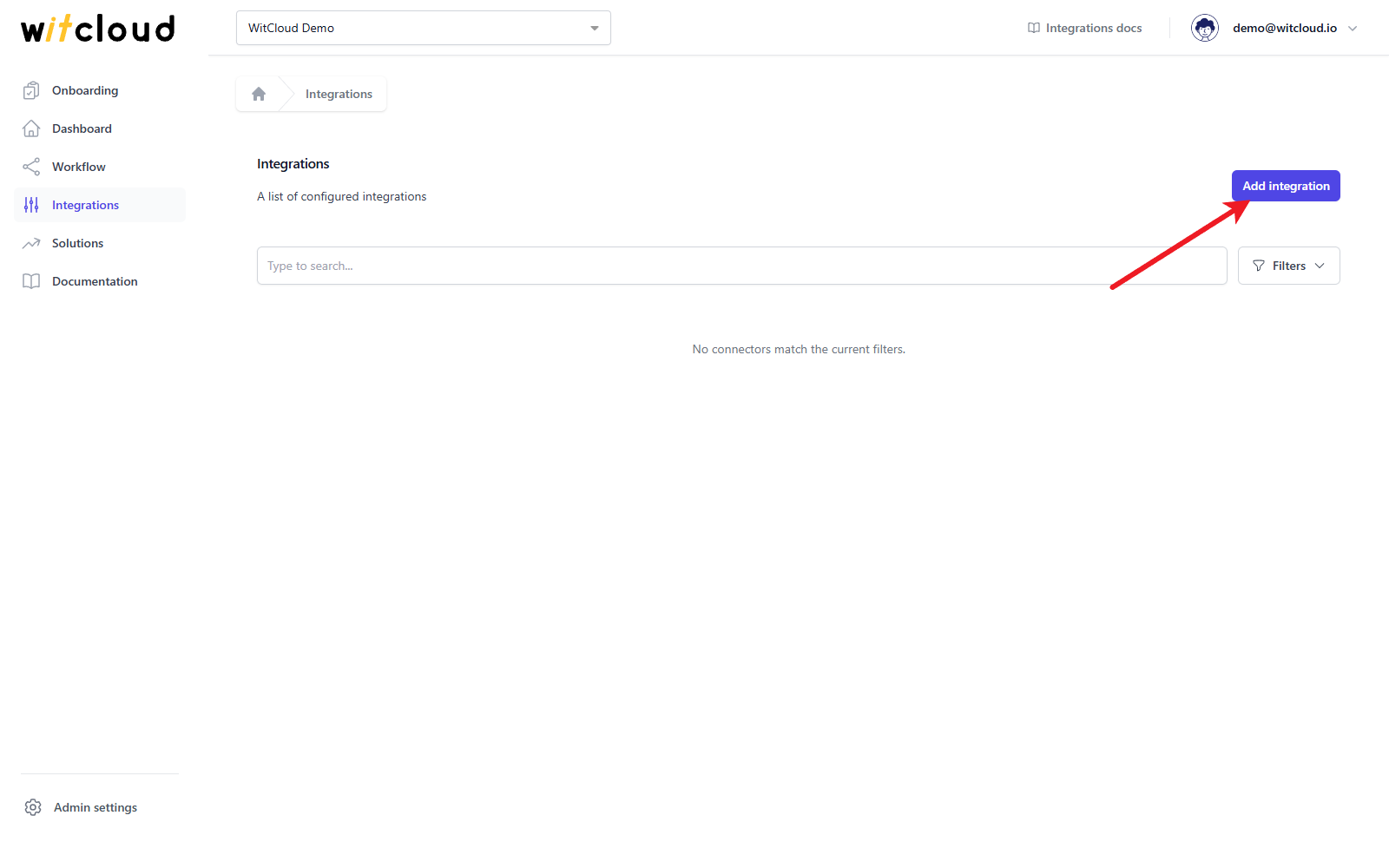
Go to the Integrations section in the menu > Click Add integration.
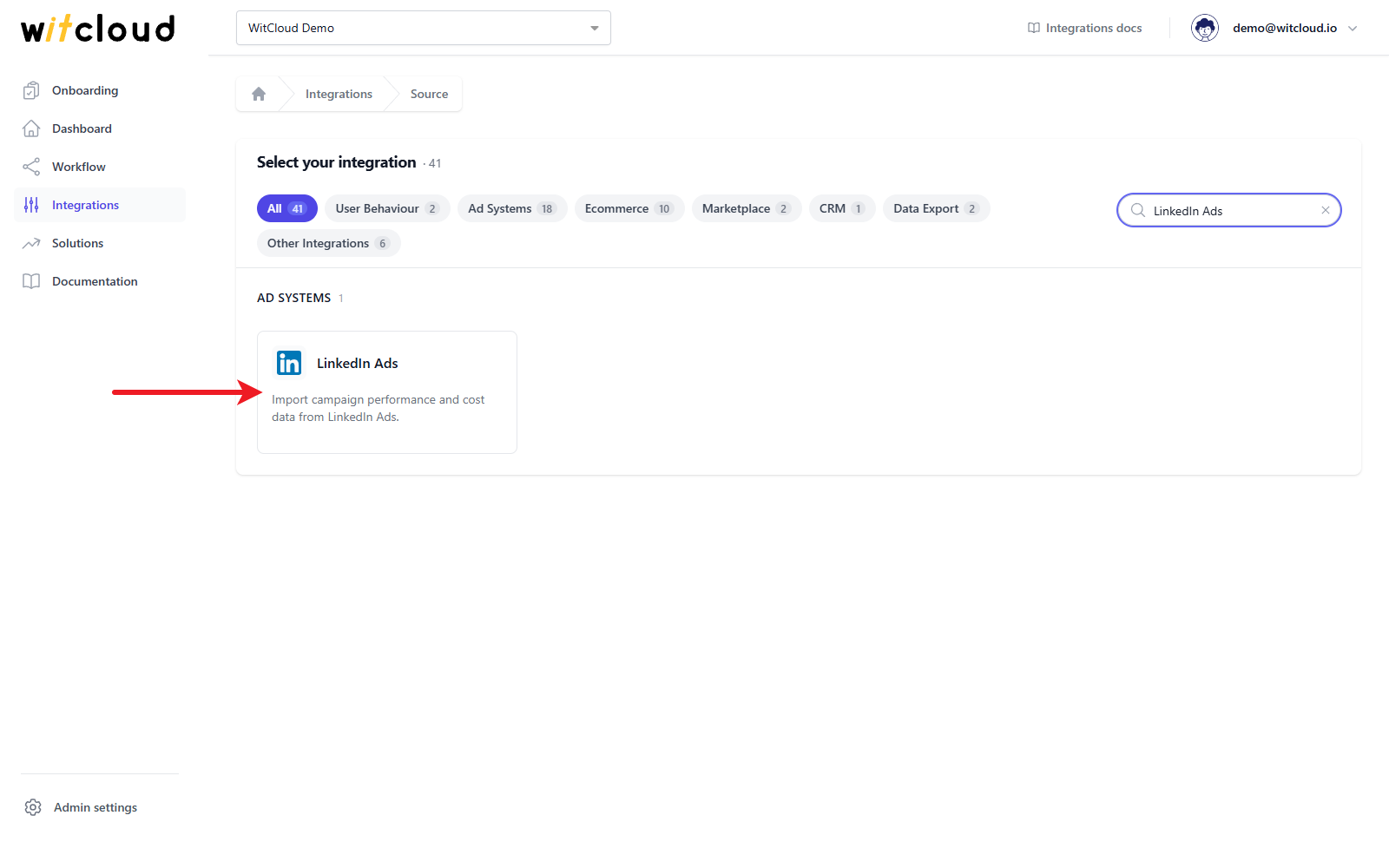
Select LinkedIn Ads from the list of available integrations.
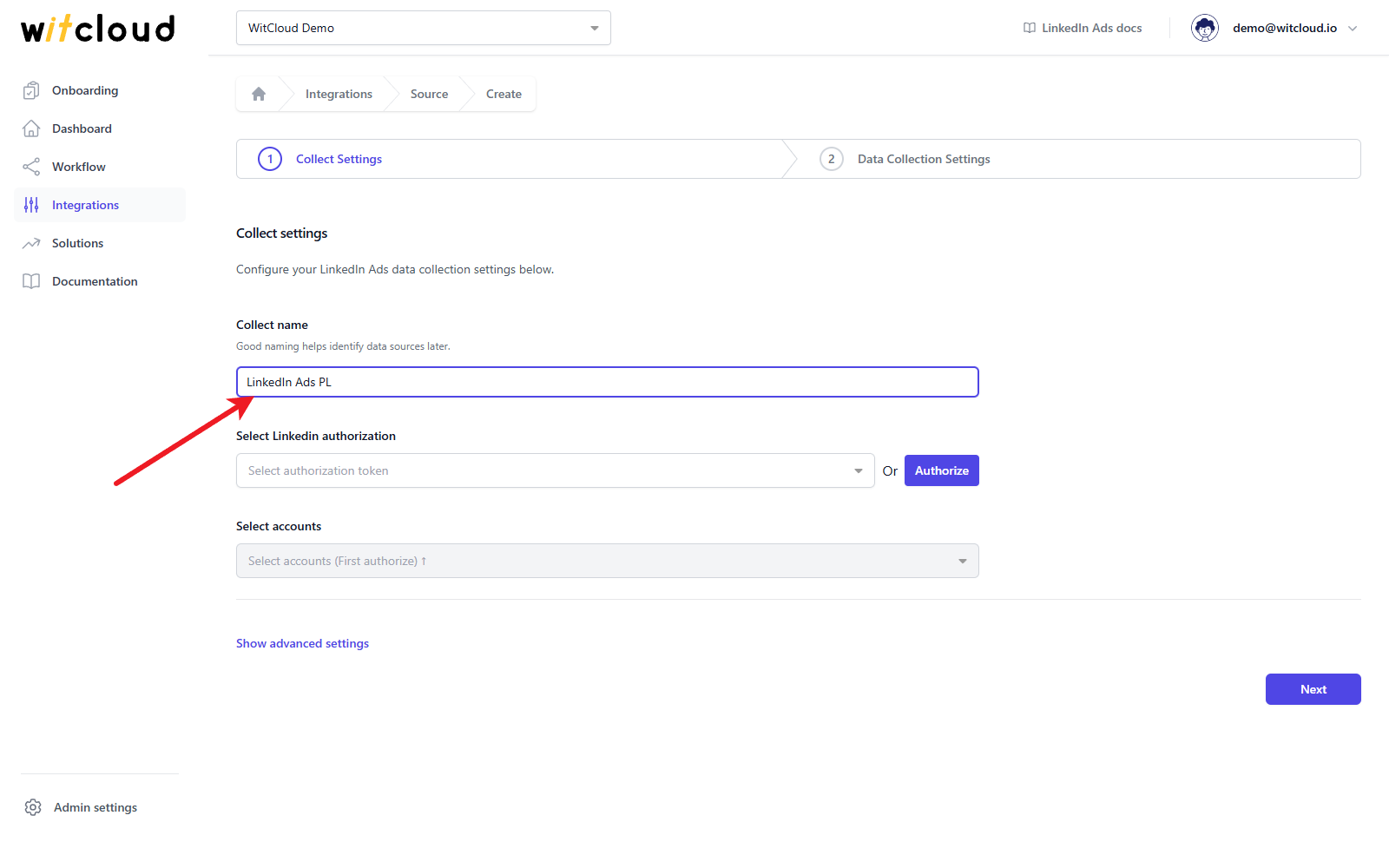
Enter the Collect name, e.g., "LinkedIn Ads PL".
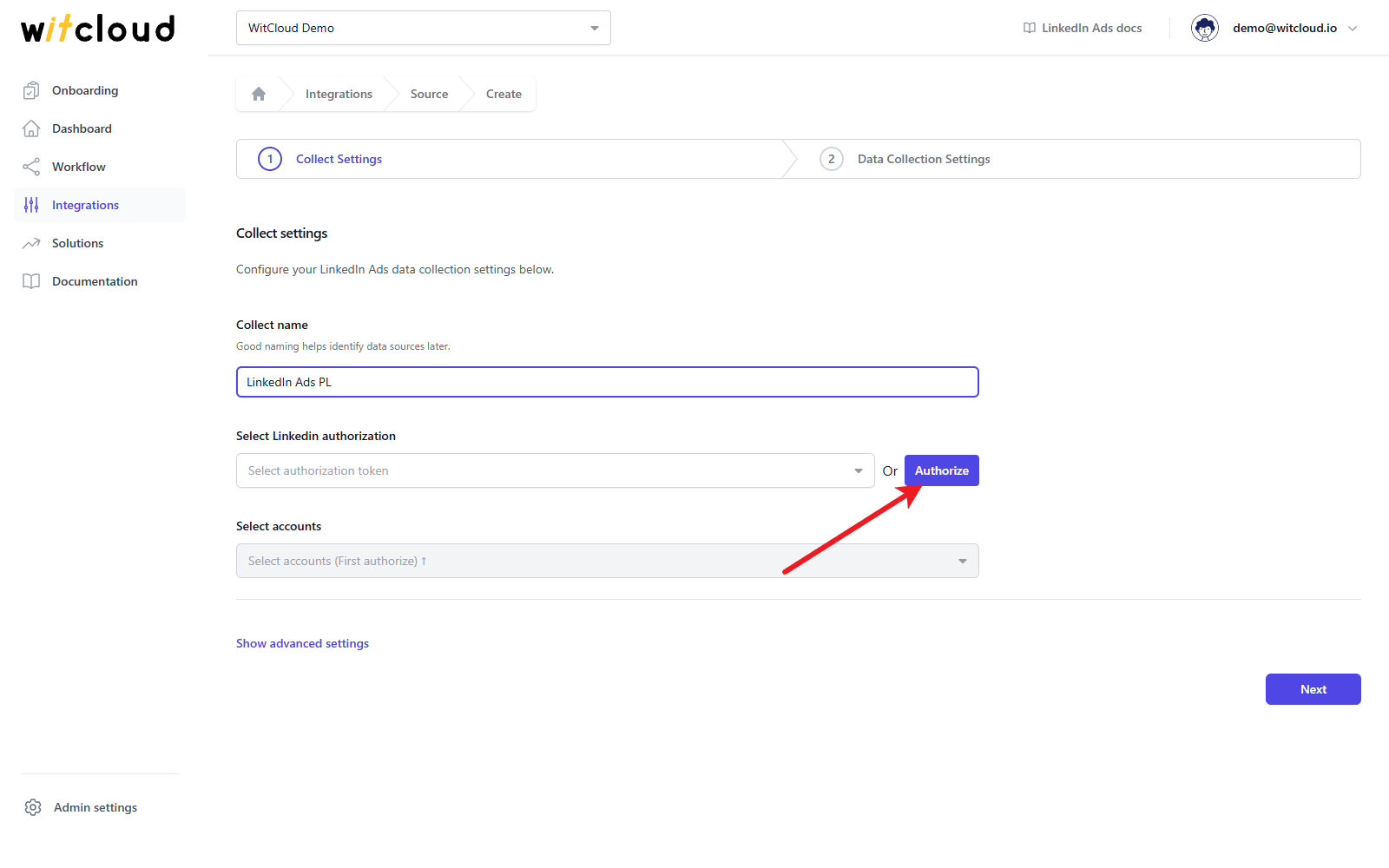
Authorization
If you have already authorized LinkedIn, simply pick that authorization from the Select Linkedin authorization drop-down and skip this step.
Click Authorize.
A LinkedIn window opens. Sign in, review the permissions WitCloud asks for and allow them. WitCloud asks for read access to your LinkedIn advertising accounts and their reporting, and to your basic LinkedIn profile, which gives the authorization its name in the drop-down. When the window closes, the new authorization is selected for you.
Accounts
Open the Select accounts drop-down and choose the LinkedIn Ads accounts to export.
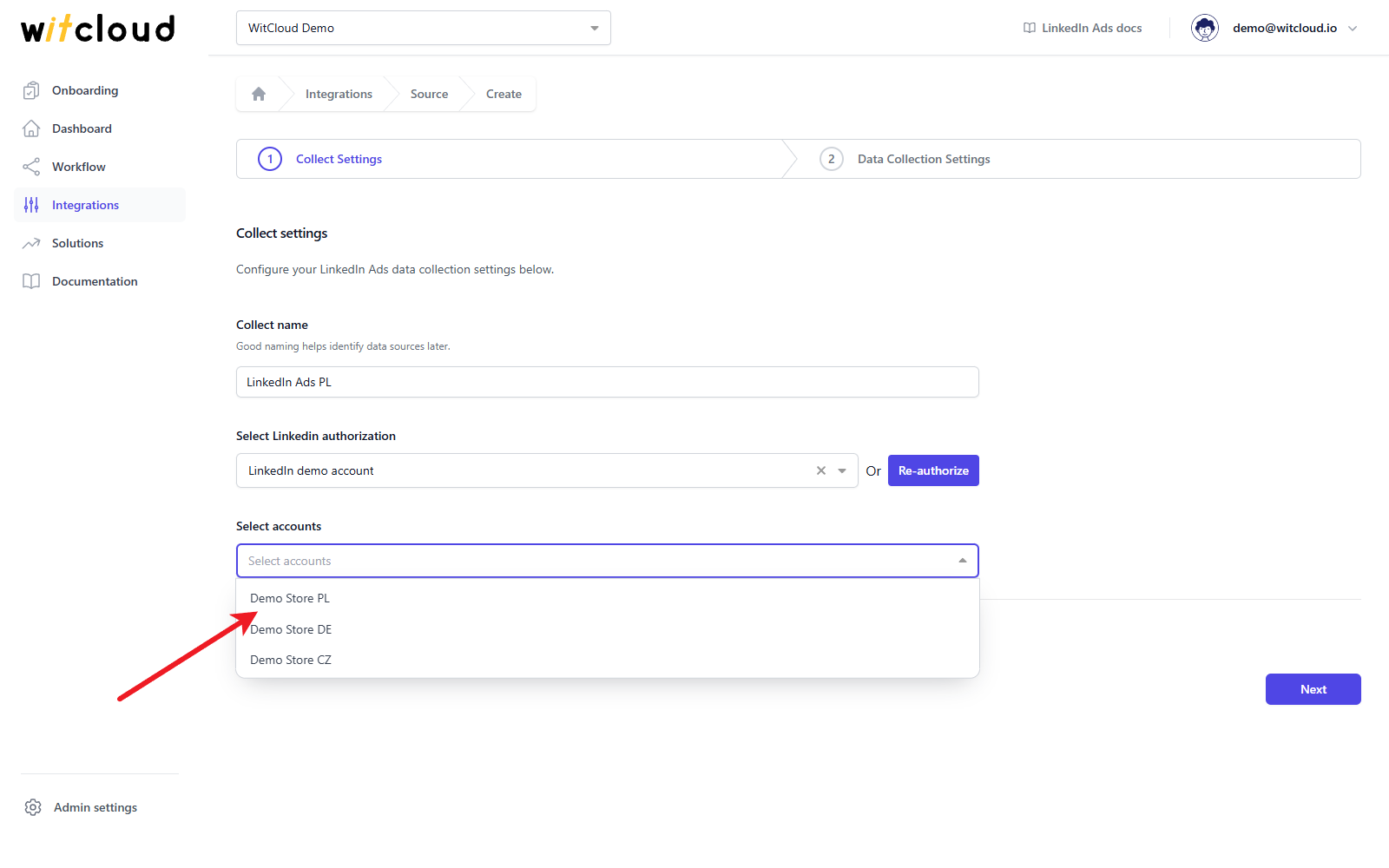
You can select several accounts.
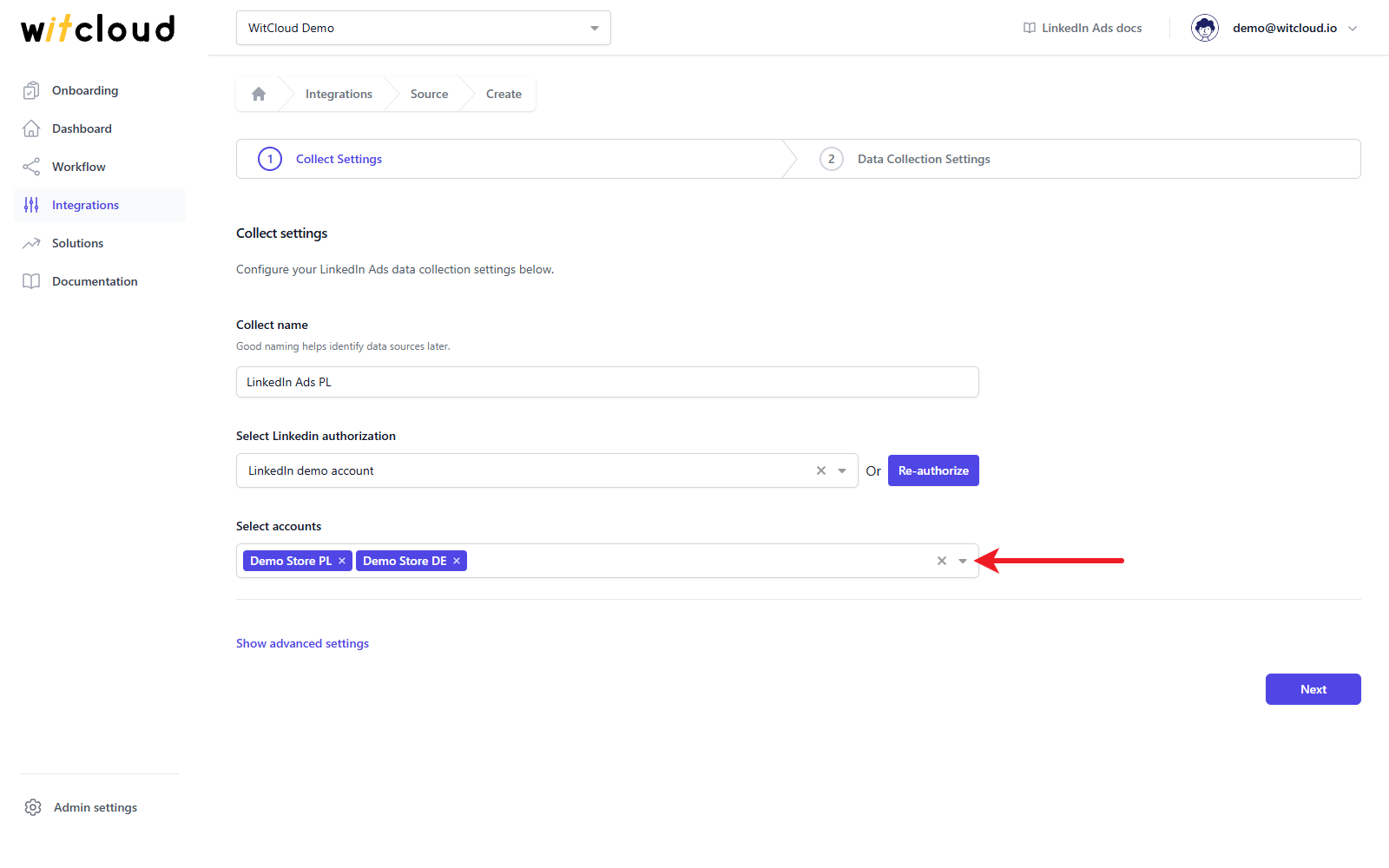
Each selected account becomes its own data collect named "<Collect name> - <account name>", with its own set of tables in BigQuery. All of them use the settings you enter below.
Advanced settings
Click Show advanced settings to choose the Tables to collect. All three tables are selected by default and at least one must stay selected. Remove the ones you do not need: they will not be filled with data, which makes the collection faster.
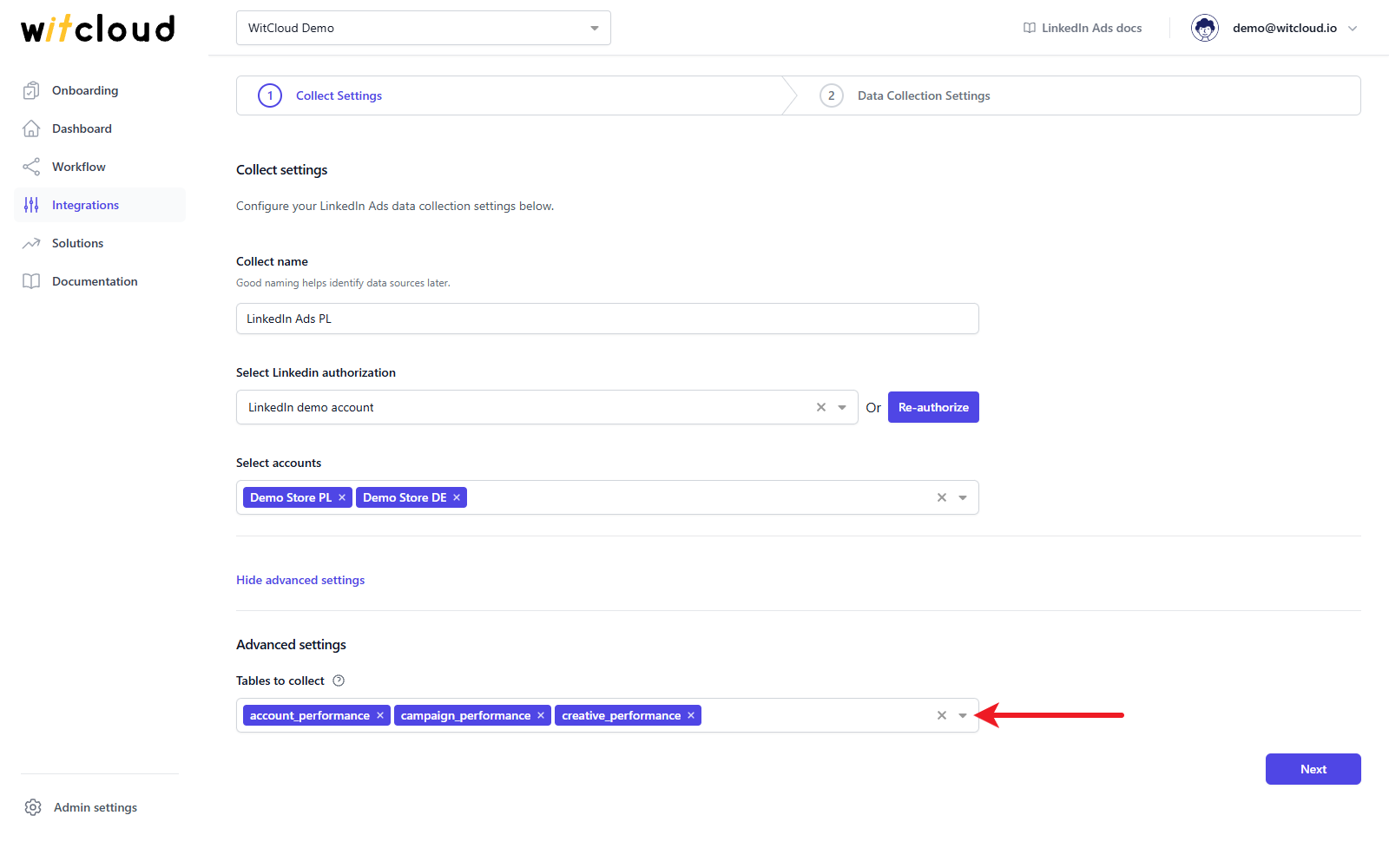
| Table to collect | What it holds |
|---|---|
account_performance | Daily performance of the whole ad account |
campaign_performance | Daily performance per campaign |
creative_performance | Daily performance per creative (ad) |
Click Next to continue.
Historical data and scheduling
In the Historical Data field enter the number of days of history to fetch (required, at most 365).
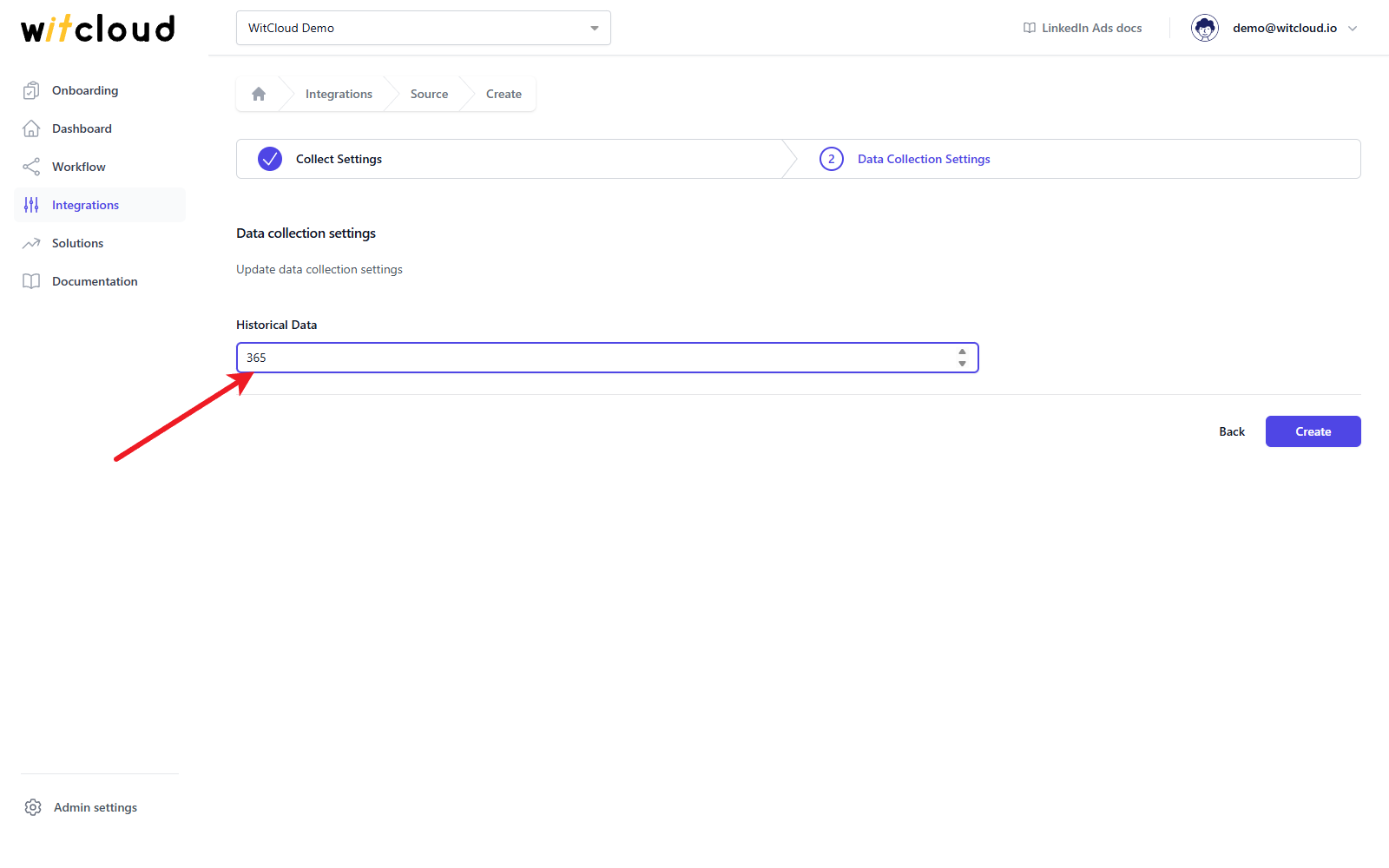
A data synchronization schedule will be created automatically. More information on this topic can be found here.
Click Create to complete the configuration.
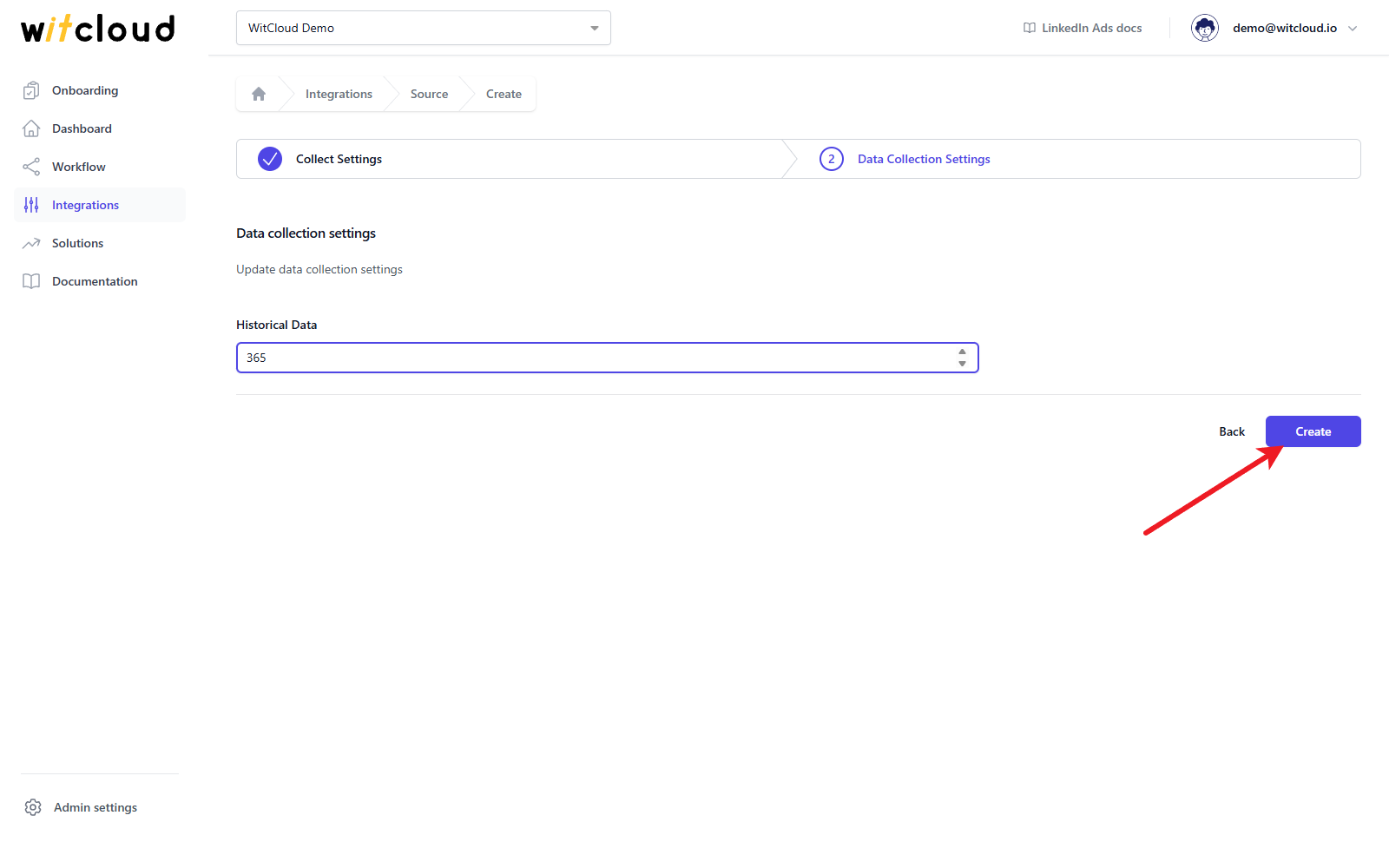
Done! Your LinkedIn Ads data will now be synchronized with BigQuery, providing you with detailed insights into the performance of your ad campaigns.
Data schema
Expand the tables below to view the full data schema collected from LinkedIn Ads. Every row is one day (time_granularity is DAILY).
Data schema for linkedin_account_performance
| Field Name | Mode | Type |
|---|---|---|
| date | NULLABLE | DATE |
| time_granularity | NULLABLE | STRING |
| currency | NULLABLE | STRING |
| account_id | NULLABLE | STRING |
| account_name | NULLABLE | STRING |
| impressions | NULLABLE | INTEGER |
| clicks | NULLABLE | INTEGER |
| landingPageClicks | NULLABLE | INTEGER |
| totalEngagements | NULLABLE | INTEGER |
| likes | NULLABLE | INTEGER |
| shares | NULLABLE | INTEGER |
| comments | NULLABLE | INTEGER |
| videoViews | NULLABLE | INTEGER |
| opens | NULLABLE | INTEGER |
| sends | NULLABLE | INTEGER |
| follows | NULLABLE | INTEGER |
| costInLocalCurrency | NULLABLE | FLOAT |
| costInUsd | NULLABLE | FLOAT |
| externalWebsiteConversions | NULLABLE | INTEGER |
| conversionValueInLocalCurrency | NULLABLE | FLOAT |
Data schema for linkedin_campaign_performance
| Field Name | Mode | Type |
|---|---|---|
| date | NULLABLE | DATE |
| time_granularity | NULLABLE | STRING |
| currency | NULLABLE | STRING |
| account_id | NULLABLE | STRING |
| account_name | NULLABLE | STRING |
| campaign_id | NULLABLE | STRING |
| campaign_name | NULLABLE | STRING |
| impressions | NULLABLE | INTEGER |
| clicks | NULLABLE | INTEGER |
| landingPageClicks | NULLABLE | INTEGER |
| totalEngagements | NULLABLE | INTEGER |
| likes | NULLABLE | INTEGER |
| shares | NULLABLE | INTEGER |
| comments | NULLABLE | INTEGER |
| videoViews | NULLABLE | INTEGER |
| opens | NULLABLE | INTEGER |
| sends | NULLABLE | INTEGER |
| follows | NULLABLE | INTEGER |
| costInLocalCurrency | NULLABLE | FLOAT |
| costInUsd | NULLABLE | FLOAT |
| externalWebsiteConversions | NULLABLE | INTEGER |
| conversionValueInLocalCurrency | NULLABLE | FLOAT |
Data schema for linkedin_creative_performance
| Field Name | Mode | Type |
|---|---|---|
| date | NULLABLE | DATE |
| time_granularity | NULLABLE | STRING |
| currency | NULLABLE | STRING |
| account_id | NULLABLE | STRING |
| account_name | NULLABLE | STRING |
| creative_id | NULLABLE | STRING |
| creative_name | NULLABLE | STRING |
| impressions | NULLABLE | INTEGER |
| clicks | NULLABLE | INTEGER |
| landingPageClicks | NULLABLE | INTEGER |
| totalEngagements | NULLABLE | INTEGER |
| likes | NULLABLE | INTEGER |
| shares | NULLABLE | INTEGER |
| comments | NULLABLE | INTEGER |
| videoViews | NULLABLE | INTEGER |
| opens | NULLABLE | INTEGER |
| sends | NULLABLE | INTEGER |
| follows | NULLABLE | INTEGER |
| costInLocalCurrency | NULLABLE | FLOAT |
| costInUsd | NULLABLE | FLOAT |
| externalWebsiteConversions | NULLABLE | INTEGER |
| conversionValueInLocalCurrency | NULLABLE | FLOAT |