
Integration of Google Merchant Center with BigQuery
Learn how to connect Google Merchant Center to Google BigQuery using WitCloud. Collect a daily snapshot of your products, their approval status and price competitiveness, and analyze your shopping feed.
Updated
Introduction
This module integrates with the Google Merchant Center API and stores two sets of data in Google Cloud BigQuery: your products (attributes, approval status per country and item-level issues) and the price competitiveness report (your price compared with the benchmark price). Use them to analyze and optimize your shopping feed.
Configuration guide
Follow the steps below to connect Google Merchant Center with BigQuery. Once the setup is complete, your data will be transferred to your BigQuery project automatically.
Authorize with a Google account that has access to the Merchant Center accounts you want to export — WitCloud lists the accounts that Google account can reach.
Module setup
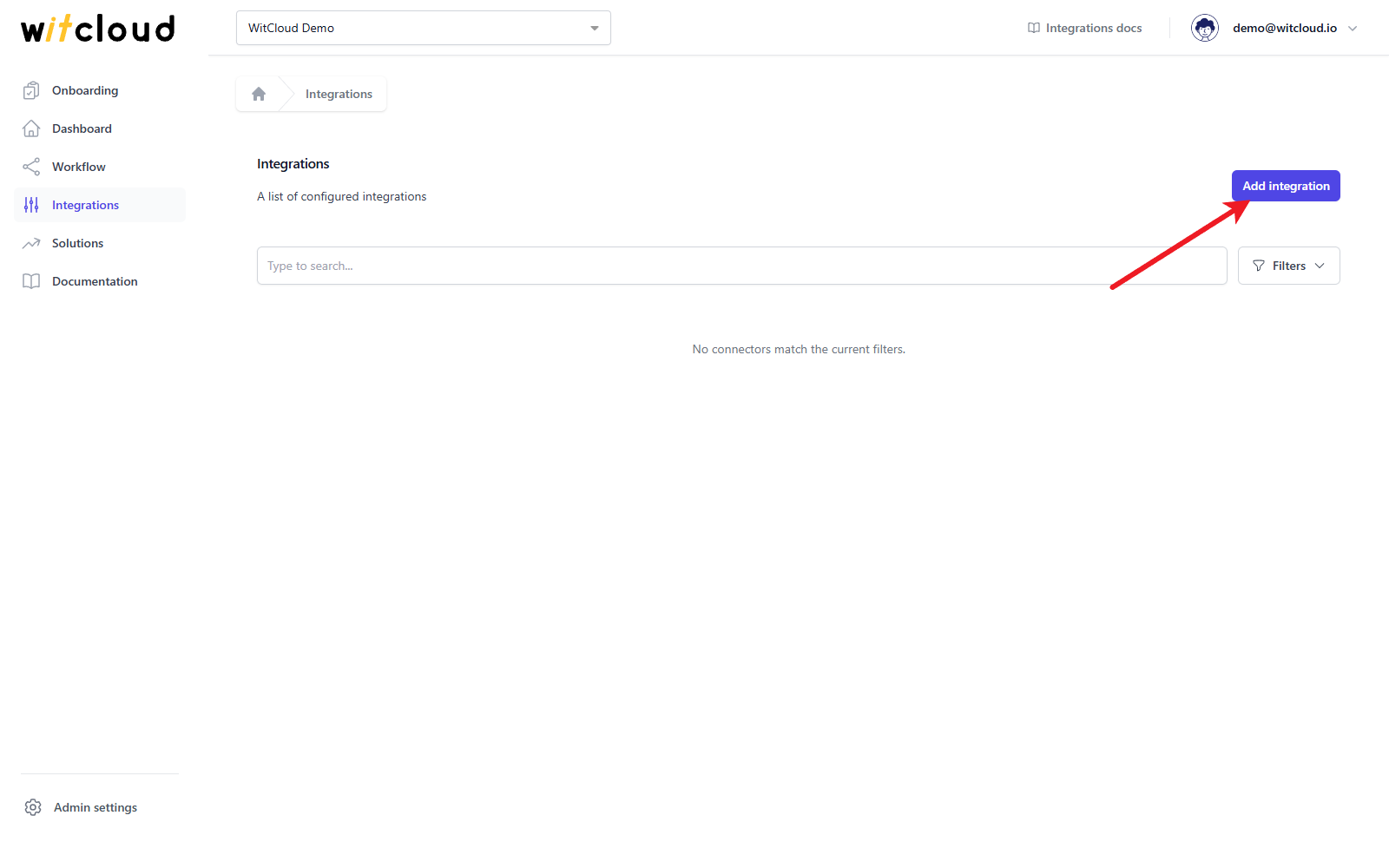
Go to Integrations in the menu and click Add integration.
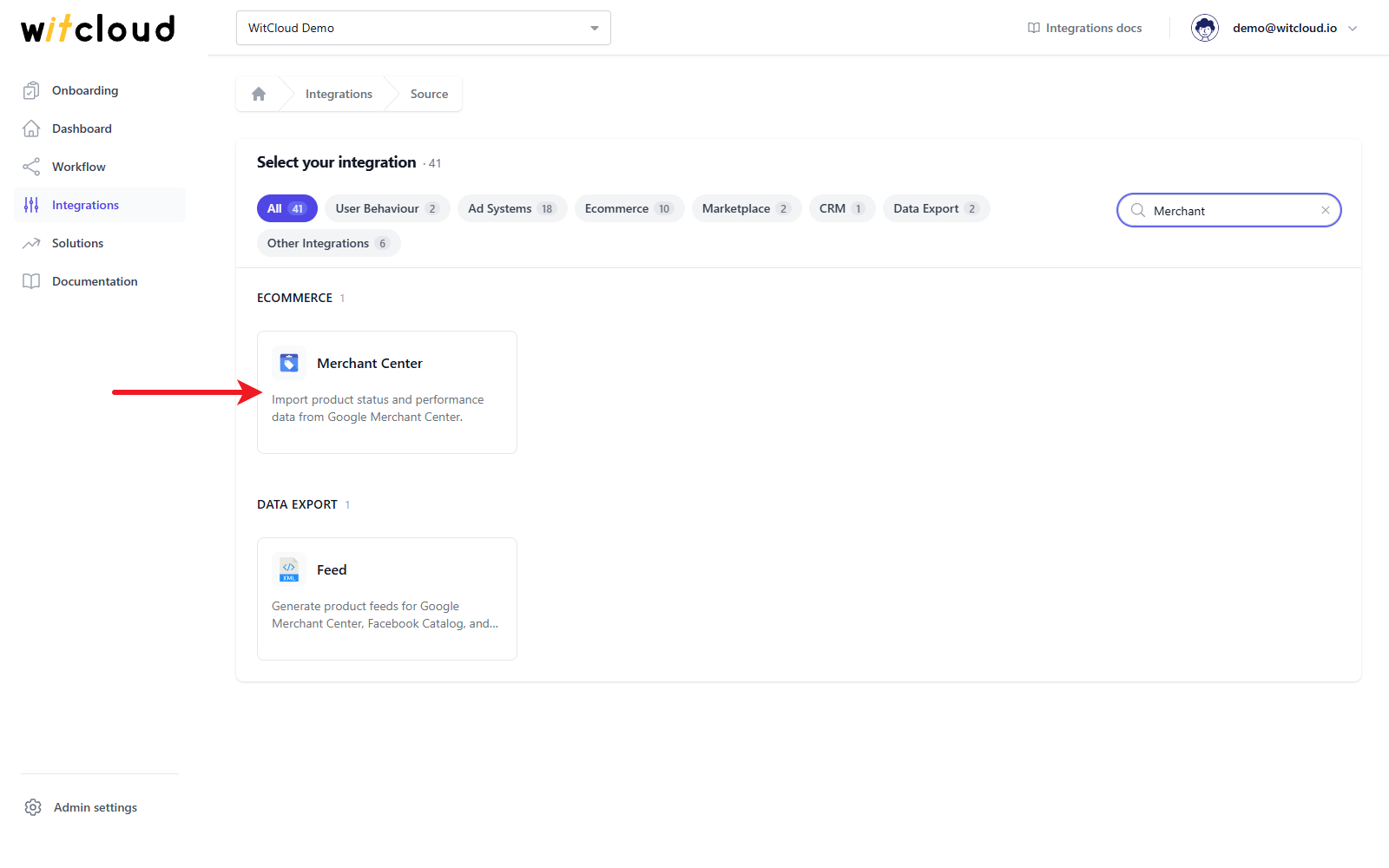
Select Merchant Center from the list of available integrations.
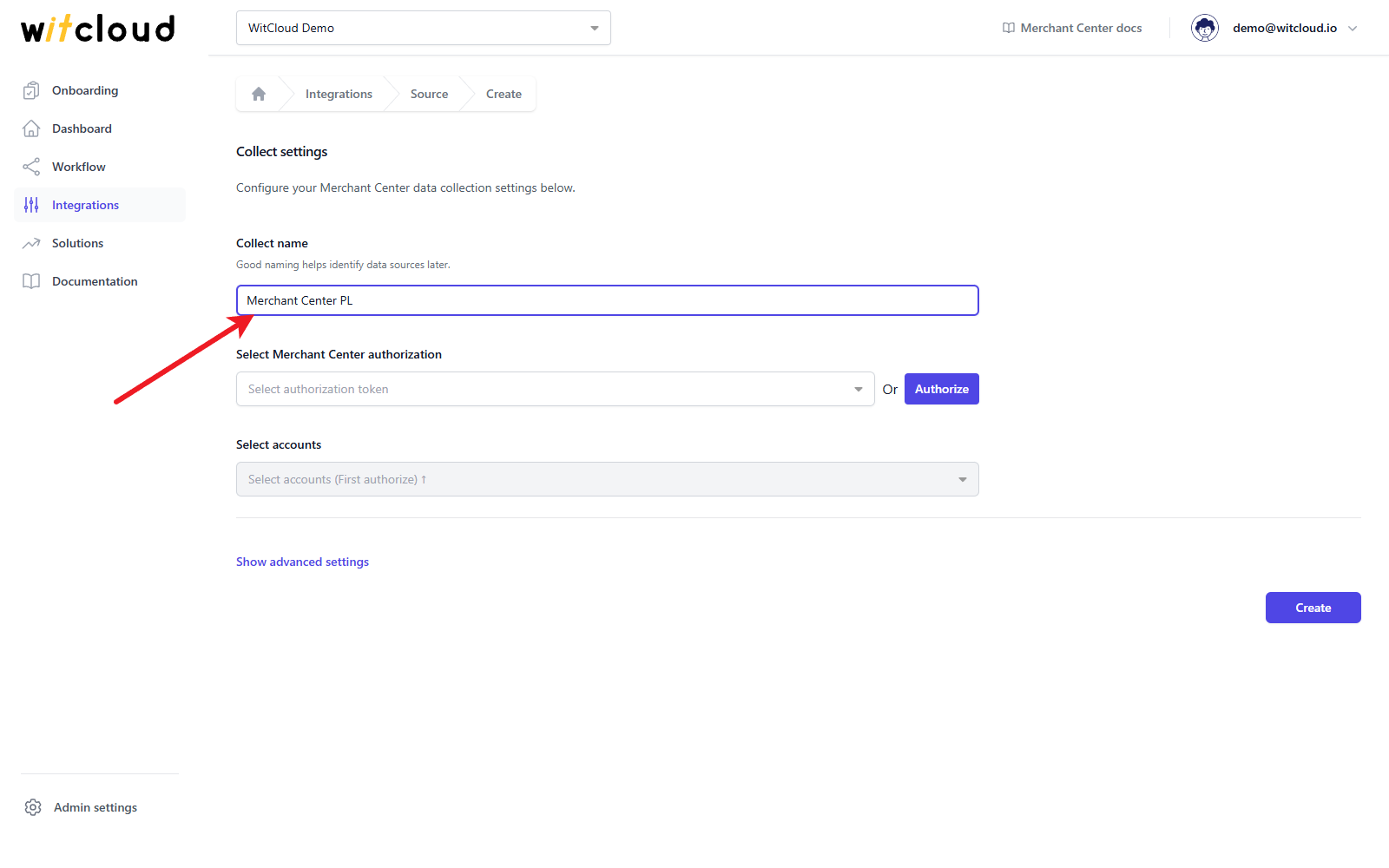
Enter the Collect name, e.g. Merchant Center PL.
Authorization
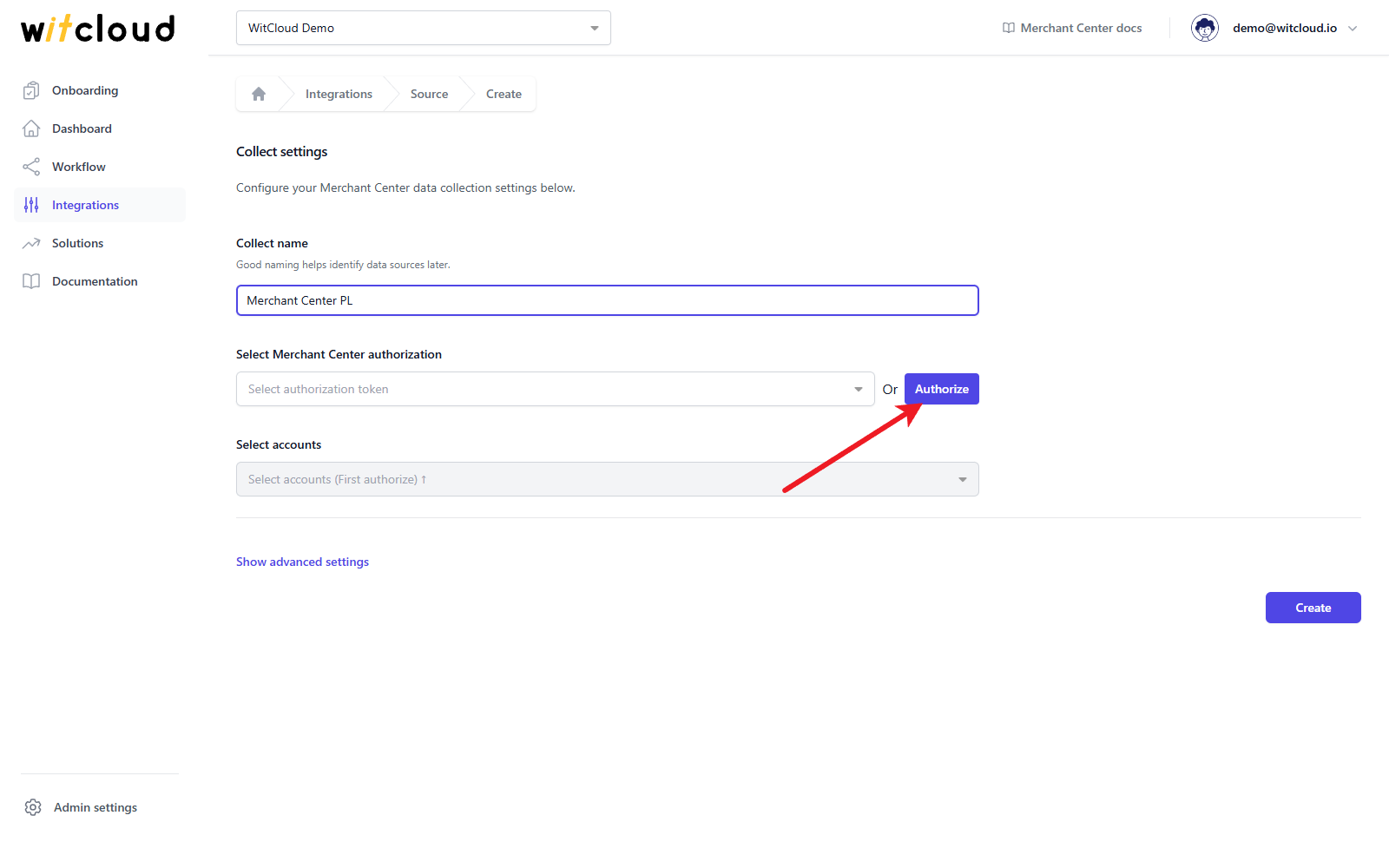
If you have already authorized Google Merchant Center, pick that token from the Select Merchant Center authorization drop-down and skip the Google sign-in. The drop-down lists only Google tokens that were granted access to Merchant Center.
Click Authorize.
In the Google window, choose the Google account you want to use and allow the permissions WitCloud asks for: managing your product listings and accounts for Google Shopping, and viewing your basic profile information. Back in WitCloud, the new token is selected for you.
Accounts and advanced settings
Open the Select accounts drop-down and choose the Merchant Center accounts to export. Sub-accounts of an aggregator (MCA) account are listed as well. Each account is shown as its name followed by its ID in brackets.
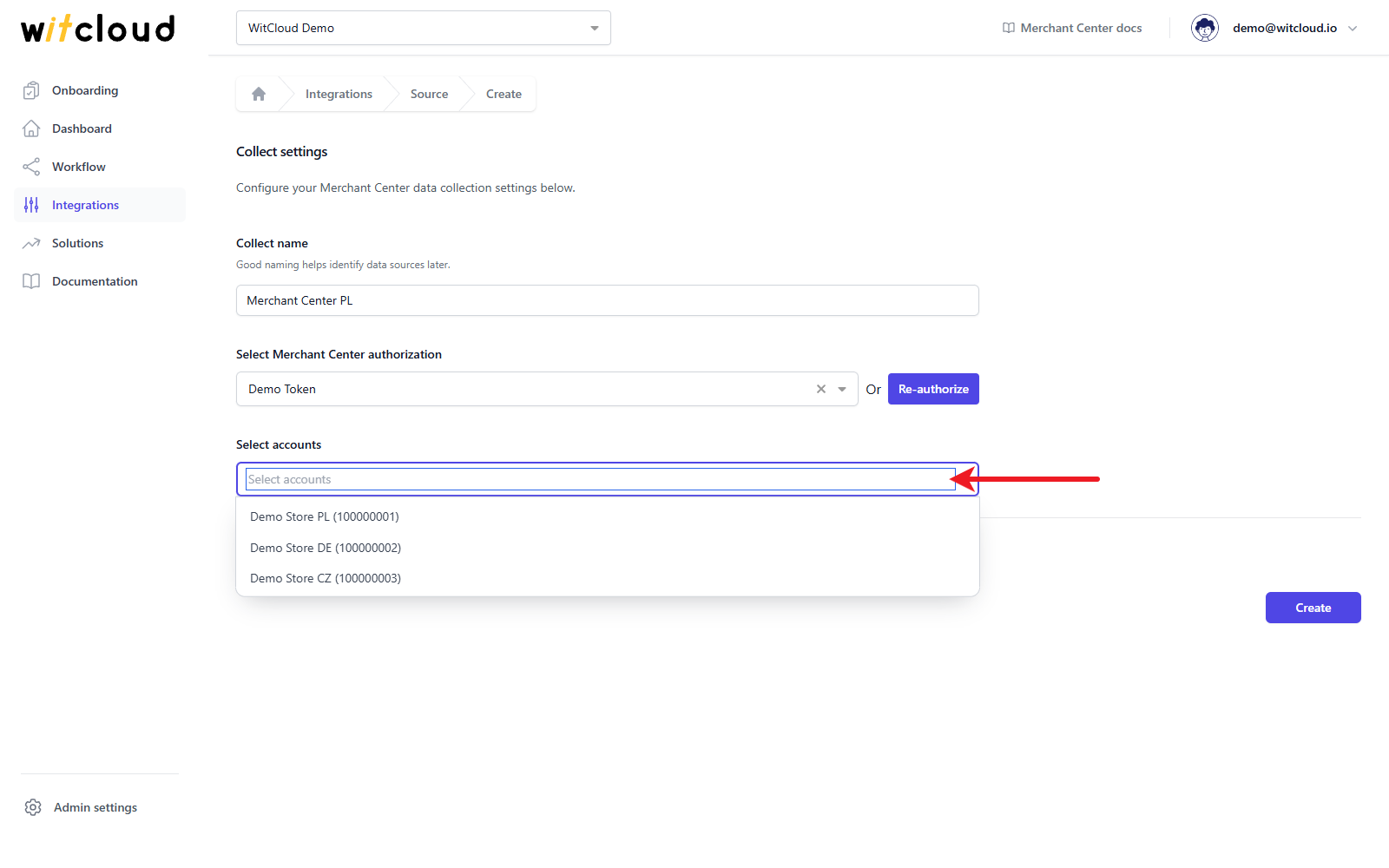
You can select several accounts at once. Each selected account becomes a separate data collect named after the Collect name, a dash and the account (for example "Merchant Center PL - Demo Store PL (100000001)"), with its own tables in BigQuery.
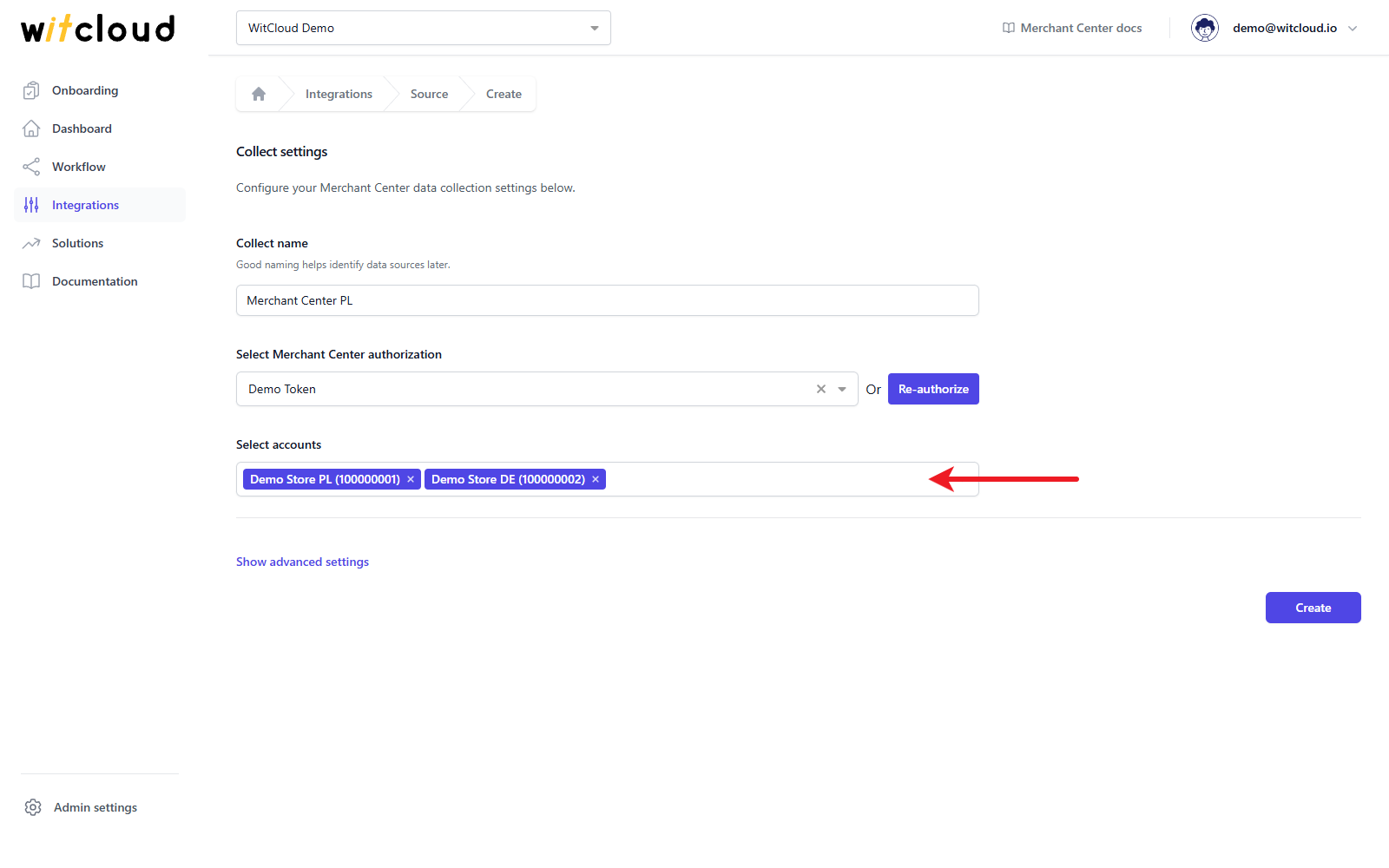
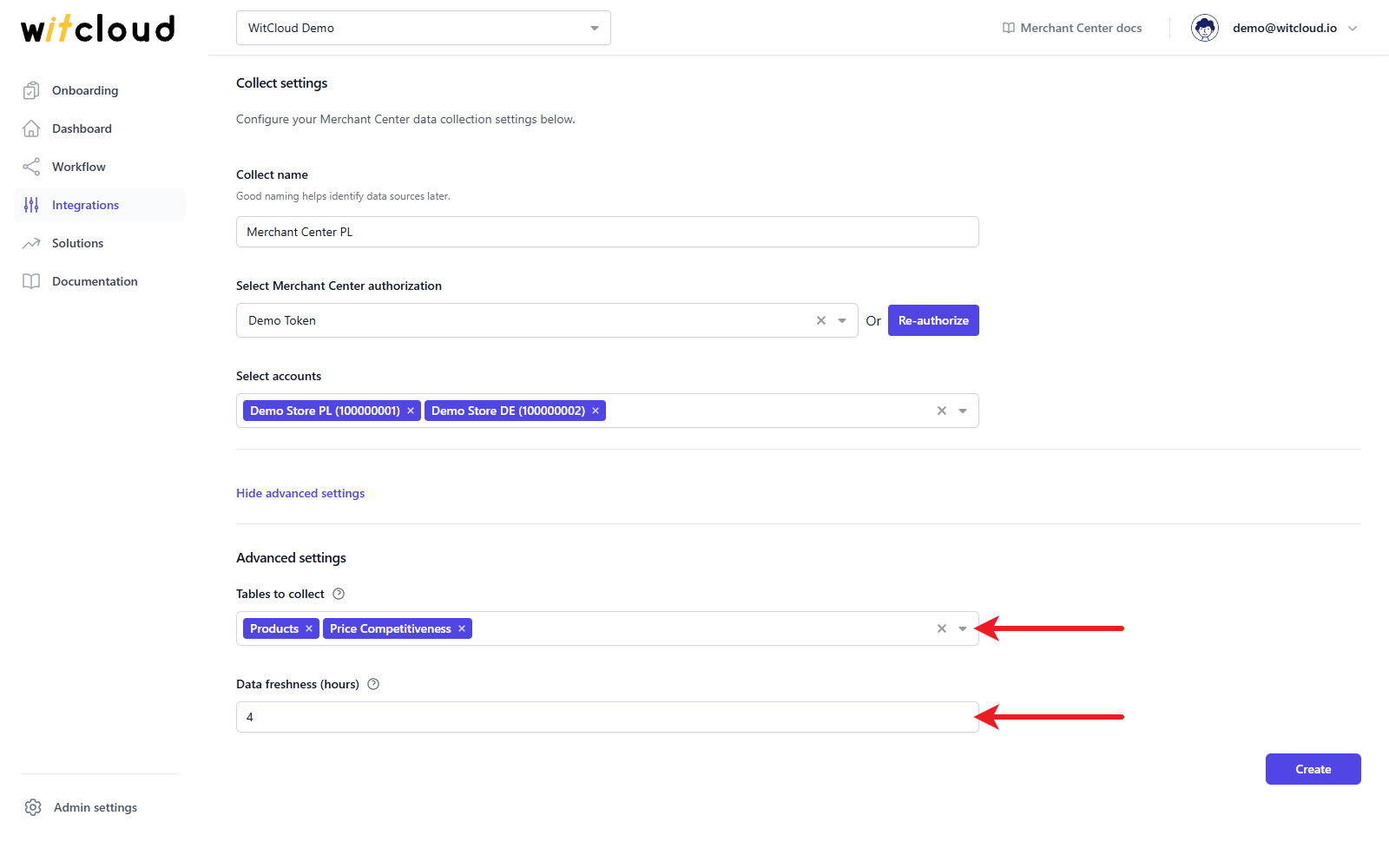
Optionally, click Show advanced settings:
- Tables to collect — all tables are selected by default (Products and Price Competitiveness); remove the ones you do not need. At least one table is required.
- Data freshness (hours) — how often, in hours, the data is refreshed. The default is 4, the minimum is 4 and the maximum is 12. Manual re-runs within that window are skipped.
Click Create to complete the configuration.
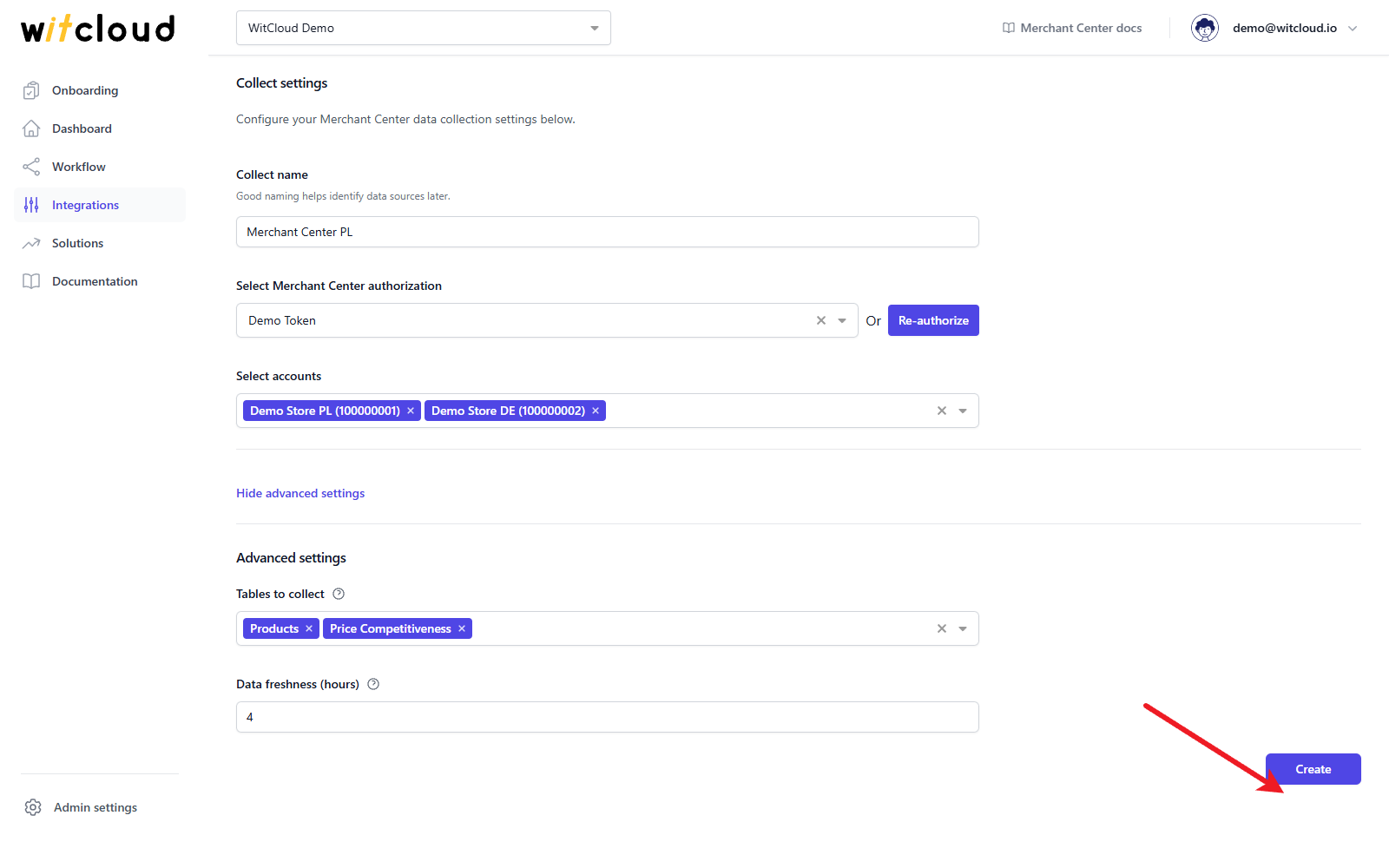
Done! Your Google Merchant Center data will now be synchronized with BigQuery.
Data synchronization
Google Merchant Center data is a daily current-state snapshot of your products, so there is no historical data step: each run replaces that day's data with the latest state, and the history builds up day by day from the moment you create the collect.
A data synchronization schedule is created automatically and runs once per day. More information on this topic can be found here.
Data schema
Each account has its own tables: the table name ends with the ID of the data collect, e.g. gmc_products_<collect id> and gmc_price_competitiveness_<collect id>. Expand the tables below to view the full data schema collected from Google Merchant Center.
Data schema for gmc_products
| Field Name | Mode | Type |
|---|---|---|
| name | NULLABLE | STRING |
| offerId | NULLABLE | STRING |
| contentLanguage | NULLABLE | STRING |
| feedLabel | NULLABLE | STRING |
| dataSource | NULLABLE | STRING |
| productAttributes | NULLABLE | RECORD |
| productAttributes.title | NULLABLE | STRING |
| productAttributes.description | NULLABLE | STRING |
| productAttributes.link | NULLABLE | STRING |
| productAttributes.imageLink | NULLABLE | STRING |
| productAttributes.additionalImageLinks | REPEATED | STRING |
| productAttributes.price | NULLABLE | RECORD |
| productAttributes.price.amountMicros | NULLABLE | INTEGER |
| productAttributes.price.currencyCode | NULLABLE | STRING |
| productAttributes.salePrice | NULLABLE | RECORD |
| productAttributes.salePrice.amountMicros | NULLABLE | INTEGER |
| productAttributes.salePrice.currencyCode | NULLABLE | STRING |
| productAttributes.salePriceEffectiveDate | NULLABLE | RECORD |
| productAttributes.salePriceEffectiveDate.startTime | NULLABLE | TIMESTAMP |
| productAttributes.salePriceEffectiveDate.endTime | NULLABLE | TIMESTAMP |
| productAttributes.costOfGoodsSold | NULLABLE | RECORD |
| productAttributes.costOfGoodsSold.amountMicros | NULLABLE | INTEGER |
| productAttributes.costOfGoodsSold.currencyCode | NULLABLE | STRING |
| productAttributes.availability | NULLABLE | STRING |
| productAttributes.availabilityDate | NULLABLE | TIMESTAMP |
| productAttributes.expirationDate | NULLABLE | TIMESTAMP |
| productAttributes.condition | NULLABLE | STRING |
| productAttributes.brand | NULLABLE | STRING |
| productAttributes.gtins | REPEATED | STRING |
| productAttributes.mpn | NULLABLE | STRING |
| productAttributes.googleProductCategory | NULLABLE | STRING |
| productAttributes.productTypes | REPEATED | STRING |
| productAttributes.itemGroupId | NULLABLE | STRING |
| productAttributes.customLabel0 | NULLABLE | STRING |
| productAttributes.customLabel1 | NULLABLE | STRING |
| productAttributes.customLabel2 | NULLABLE | STRING |
| productAttributes.customLabel3 | NULLABLE | STRING |
| productAttributes.customLabel4 | NULLABLE | STRING |
| productAttributes.color | NULLABLE | STRING |
| productAttributes.size | NULLABLE | STRING |
| productAttributes.sizeSystem | NULLABLE | STRING |
| productAttributes.sizeTypes | REPEATED | STRING |
| productAttributes.gender | NULLABLE | STRING |
| productAttributes.ageGroup | NULLABLE | STRING |
| productAttributes.material | NULLABLE | STRING |
| productAttributes.pattern | NULLABLE | STRING |
| productAttributes.promotionIds | REPEATED | STRING |
| productAttributes.shippingLabel | NULLABLE | STRING |
| productAttributes.multipack | NULLABLE | INTEGER |
| productAttributes.isBundle | NULLABLE | BOOLEAN |
| productAttributes.identifierExists | NULLABLE | BOOLEAN |
| customAttributes | REPEATED | RECORD |
| customAttributes.name | NULLABLE | STRING |
| customAttributes.value | NULLABLE | STRING |
| productStatus | NULLABLE | RECORD |
| productStatus.creationDate | NULLABLE | TIMESTAMP |
| productStatus.lastUpdateDate | NULLABLE | TIMESTAMP |
| productStatus.googleExpirationDate | NULLABLE | TIMESTAMP |
| productStatus.destinationStatuses | REPEATED | RECORD |
| productStatus.destinationStatuses.reportingContext | NULLABLE | STRING |
| productStatus.destinationStatuses.approvedCountries | REPEATED | STRING |
| productStatus.destinationStatuses.disapprovedCountries | REPEATED | STRING |
| productStatus.destinationStatuses.pendingCountries | REPEATED | STRING |
| productStatus.itemLevelIssues | REPEATED | RECORD |
| productStatus.itemLevelIssues.code | NULLABLE | STRING |
| productStatus.itemLevelIssues.severity | NULLABLE | STRING |
| productStatus.itemLevelIssues.resolution | NULLABLE | STRING |
| productStatus.itemLevelIssues.attribute | NULLABLE | STRING |
| productStatus.itemLevelIssues.reportingContext | NULLABLE | STRING |
| productStatus.itemLevelIssues.description | NULLABLE | STRING |
| productStatus.itemLevelIssues.detail | NULLABLE | STRING |
| productStatus.itemLevelIssues.documentation | NULLABLE | STRING |
| productStatus.itemLevelIssues.applicableCountries | REPEATED | STRING |
Data schema for gmc_price_competitiveness
| Field Name | Mode | Type |
|---|---|---|
| id | NULLABLE | STRING |
| offerId | NULLABLE | STRING |
| title | NULLABLE | STRING |
| brand | NULLABLE | STRING |
| reportCountryCode | NULLABLE | STRING |
| categoryL1 | NULLABLE | STRING |
| categoryL2 | NULLABLE | STRING |
| categoryL3 | NULLABLE | STRING |
| categoryL4 | NULLABLE | STRING |
| categoryL5 | NULLABLE | STRING |
| productTypeL1 | NULLABLE | STRING |
| productTypeL2 | NULLABLE | STRING |
| productTypeL3 | NULLABLE | STRING |
| productTypeL4 | NULLABLE | STRING |
| productTypeL5 | NULLABLE | STRING |
| price | NULLABLE | RECORD |
| price.amountMicros | NULLABLE | INTEGER |
| price.currencyCode | NULLABLE | STRING |
| benchmarkPrice | NULLABLE | RECORD |
| benchmarkPrice.amountMicros | NULLABLE | INTEGER |
| benchmarkPrice.currencyCode | NULLABLE | STRING |